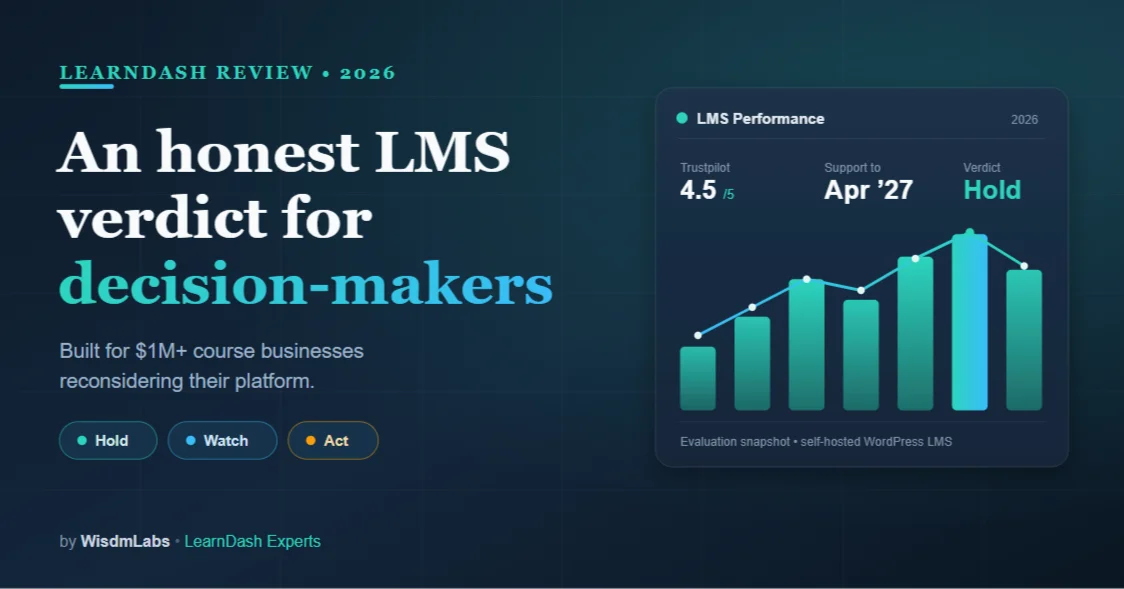
For most course business owners already running on LearnDash, it still is the right LMS in 2026. The plugin works, your data is intact, and security patches run through April 2027.
The honest exceptions are businesses that have outgrown what a WordPress LMS can comfortably carry, or whose situation is shifting fast enough to warrant a plan. This review is built to tell you which of those three you are.
Most LearnDash reviews are written from the outside, by people who installed it, tested it briefly, and published a score.
This one is written from a different vantage point: WisdmLabs has built on LearnDash for over a decade, including several of the add-ons now bundled into the product. It’s for the reader who runs a course business on LearnDash, at any size, and wants a straight evaluation rather than affiliate marketing.
It’s also scoped narrowly, to course business owners who want a straight evaluation rather than affiliate marketing.
That scope matters more than usual right now. The brand changed hands, and many reviews online haven’t been updated since before that happened. So this is a 2026 read, written now, for a decision-maker reconsidering whether the platform still earns its place.
| 📌 Want the facts before the verdict?
This is an evaluation: it lands you on a clear stay, prepare, or move decision. For a calm, fact-only account of what the wind-down actually changed for your site, start with the foundational LearnDash news briefing, then come back here for the verdict. |
Who this LearnDash review is for (and who it isn’t)
This piece is for anyone running a course business on LearnDash, whether you’re a solo creator with a growing catalogue or a larger team with developers on call. What you have in common is simple: real courses, real learners, and a real decision to make about your platform.
Read on if you fit the box below. If you don’t, a more general review will serve you better.
Who should read this LearnDash review
- You run a course business on LearnDash, at any size, from solo creator to established team
- You run an EdTech company, or training platform at roughly $1M+ in annual revenue
- You’re already on LearnDash and doing honest due diligence, or evaluating it seriously for the first time at this scale
- You want a builder’s verdict, not a list of features with a rating box
Most reviews say “which is another way of saying they haven’t thought hard about the trade-offs at different sizes. This one has. Where a strength or a limitation matters more at one scale than another, we’ll say so, so you can weigh it against your own situation rather than a generic one.

What is LearnDash in 2026, after the StellarWP wind-down?
LearnDash is a self-hosted WordPress LMS plugin that turns your site into a full course platform, where you own the site, the content, and the learner data. It handles courses, lessons, quizzes, drip scheduling, certificates, and student progress, and connects to WooCommerce, Stripe, and the wider WordPress ecosystem. That’s the core, and the core still works exactly as it did.
The thing that’s changed sits above the product instead of inside it.
On April 22, 2026, Liquid Web consolidated its WordPress portfolio into four products, and the StellarWP brand that had housed LearnDash since 2021 was wound down. LearnDash itself survived as one of those four core products and is not being discontinued. The brand identity and the team behind it look very different now, but the plugin still ships and is still supported.
For an evaluating decision-maker, two facts matter most:
Your existing license and pricing hold as long as your subscription stays active. And Liquid Web has committed to critical security patches through April 2027 for the absorbed brands. That’s a real support horizon to plan around, not a reason to panic.
What changed, what didn’t
We won’t re-run the whole timeline here; the foundational briefing linked above covers what the consolidation actually means for your site.
The short version: your plugin works, your data is intact, and the sky is not falling. If your stack leans on add-ons like Restrict Content Pro or MemberDash, the clear-eyed add-on inventory tells you exactly which ones need a check this week.
| Worth Knowing: Two product paths, two different exposures:
Which LearnDash are you actually evaluating? Before any verdict, it’s worth being clear that “LearnDash” now comes in two forms, and they don’t carry the same risk profile. The self-hosted plugin. You install LearnDash on your own WordPress hosting and own the whole stack. This is the lower-exposure path: even if vendor support lapses, your site keeps running on infrastructure you control, and you can bring in your own developers to maintain it. LearnDash Cloud (the hosted, rebranded route). A done-for-you setup: WordPress and LearnDash come pre-installed and the vendor hosts it all. It’s easier to run this, but you’re relying on them to keep the lights on. So you’re more exposed if support drops off, since you don’t control the hosting the way a self-hosted owner does. Most established course businesses are on the self-hosted plugin, which is the more resilient of the two. If you’re on Cloud, none of this is cause for panic, but it’s the version where keeping an eye on the support horizon is most worthwhile. |
LearnDash pros and cons for an established course business
Here’s where most reviews go soft, because they have an affiliate relationship to protect. We don’t. So the LearnDash pros and cons below are scoped are weighed for people running a real course business rather than someone testing the waters, and where the weighting shifts with your size, we’ll flag it
Where LearnDash is genuinely strong
Ownership is the headline, and it’s worth real money whatever your size. Because LearnDash runs inside WordPress, you own the site, the data, and the revenue.
No platform takes a cut of your sales, and no hosted provider can change terms on content you’ve spent years building. For a business with a substantial catalogue and a real audience, that independence is the strongest argument in LearnDash’s favour.
The customization range is the other genuine strength. LearnDash gives you a working LMS out of the box, then leaves room to shape it: custom dashboards, branded lesson flows, deep CRM and automation connections.
Satisfaction signals back this up. LearnDash holds a 4.5 out of 5 rating on Trustpilot, one of the higher ratings in its category. For a course business that expects its needs to grow, that ceiling matters more than easy onboarding does.
Where it falls short, said plainly
The honest cons cluster around effort and recent wobbles. Course building leans on WordPress’s Gutenberg editor. And a recurring complaint across Trustpilot and Reddit is that the editor feels clunky and unintuitive for building courses. If your team builds and edits a lot of content, that friction is real and worth budgeting for.
There’s a more specific, more recent signal worth knowing. The core LMS is well regarded, but the LearnDash mobile App has drawn pointed criticism this year.
One verified reviewer Marcus H wrote, on Capterra: The core LMS has served us well, but the LearnDash App has created serious problems for our business. Because the app does not function properly, we have lost significant revenue, missed an important launch opportunity, and suffered damage to both our competitiveness and customer experience
| Factor | What it means for your course business |
| Ownership and control | Matters more: you have a catalogue and revenue to protect |
| Customization range | Matters more: you’ll outgrow defaults and want room to build |
| Technical setup burden | Matters more if you’re solo; less once you have or can hire development support |
| Gutenberg editing friction | Matters more if your team edits content daily; less if it’s occasional |
| Mobile App reliability | Depends: critical if the app is core to delivery, irrelevant if not |
For the full feature inventory rather than this scoped read, our LearnDash features and benefits breakdown goes deeper than a review should.

Which LearnDash decision-maker are you? Four profiles
Most reviews stop at “it depends.” That’s not useful when you’ve got a decision to make. So here are four profiles. Find yourself in one. It sets up the verdict at the end.
The established operator doing due diligence
You’re already on LearnDash, things mostly work, and you’re checking whether the post-StellarWP news changes anything. For you, it usually doesn’t. Your plugin runs, your patches are covered through April 2027, and a reactive migration would cost more than it saves. You’re almost certainly in a “hold” position.
The team scaling past their current setup
You’re growing, and you’re starting to feel the edges: more learners, more courses, more custom workflows than the default setup was built for. LearnDash can scale with you, but only if the build stays intentional. Your job isn’t to switch platforms. It’s to decide whether to invest in your current build or start preparing options.
The business evaluating LearnDash fresh
You’re choosing an LMS for the firs time and you’re rightly skeptical of reviews aimed at beginners. For you, LearnDash is a strong candidate if you value ownership and are willing to hire or handle some setup+ development support. It’s a weaker fit if you want a closed, hands-off, all-in-one platform. Weigh it honestly against hosted options before committing.
The operator who suspects they’ve outgrown it
Something feels off. The platform fights you more than it helps, or your needs have moved somewhere a WordPress LMS doesn’t go comfortably. That’s a legitimate place to be, and the next section is written for you specifically.
Quick self-diagnostic: Hold, Watch, or Act? Read the three statements. Pick the one that sounds most like you right now.
- “Things work and I’m just checking.” You’re likely in Hold. No action needed beyond routine housekeeping.
- “Things work, but my situation is changing fast.” You’re likely in Watch. Worth preparing without committing.
- “This platform no longer fits how my business runs.” You’re likely in Act. A real plan is warranted.
Hold the answer in mind. The verdict section below tells each of you exactly what to do next.
When LearnDash isn’t the right fit anymore
Let’s be honest about the cases where the answer is no. Some businesses have genuinely outgrown what a WordPress LMS should be asked to carry, and pretending otherwise helps no one.
Signs you’ve genuinely outgrown a WordPress LMS
A few patterns show up repeatedly. You need compliance-heavy features that demand constant custom work; one verified reviewer noted LearnDash “is not ideal for enterprise-level or compliance-heavy LMS environments without significant customization.”
Or your team is spending more time maintaining infrastructure than improving the learning experience.
Or you’ve concluded a closed, fully managed platform fits the way you operate better than a self-hosted stack ever will. If two or more of those describe you, looking elsewhere is reasonable, not disloyal.
If you’re weighing specific alternatives, we keep vendor-neutral comparisons for the common matchups: LearnDash vs LifterLMS,Tutor LMS vs LearnDash, and LearnDash vs Teachable vs Thinkific for the hosted route. And if you’re in the “Watch” camp rather than ready to move, the LearnDash migration readiness audit lays out a 90-day plan to get exit-ready without exiting.
What moving actually involves (it’s a project, not a switch)
Here’s the part the affiliate reviews skip. If your LearnDash setup took more than a week to build, moving off it is a project, not a one-click migration. Deep customizations don’t transfer through an automated migrator. At WisdmLabs, we built a real-time LearnDash-to-CRM sync for INMED, a non-profit medicine institute, integrating LearnDash with Neon CRM. That kind of build has to be re-architected, not exported.
So if you fit the “outgrown it” profile, the real question isn’t which alternative to pick. It’s how to move without disrupting active learners or losing months to scope drift. That’s the kind of work we run as a structured LearnDash transition. A planned, parallel-run cutover rather than the panic timeline most agencies push. Most businesses in this position need a calmer process than the news cycle suggests.
Is LearnDash worth it in 2026? The cost reality
LearnDash is worth it when ownership and flexibility are worth more to you than convenience, and the real cost is higher than the sticker.
Self-hosted licenses run roughly $199, $399, and $799 per year depending on how many sites you need, with a hosted Cloud option starting lower per month.
After the Liquid Web consolidation, the tiers also gained AI course-building tools and a cleaner structure, though some features now sit behind higher tiers than before.
The number that catches people out is total cost, not license cost. Once you add hosting, premium add-ons, a theme, implementation, and ongoing maintenance, the real annual figure is well above the headline.
That’s not a knock on LearnDash; it’s the reality of any self-hosted platform. For the actual numbers and tier-by-tier breakdown, see ourreal pricing guide for building on LearnDash.
One decision input worth flagging: if a LearnDash site feels slow, the cause is usually the build around it (hosting, theme, plugin load), not the plugin itself. At your scale, that means performance is something you’re choosing to own and invest in, not a fixed property of the platform. Worth knowing before you sign up for it.
The verdict: should you stay on LearnDash?
So, should you stay on LearnDash in 2026? The answer depends on which of the three states you landed in earlier, and all three are legitimate.
If you’re in Hold: stay, and stop worrying about it. LearnDash still does the thing you bought it for, the support horizon is clear, and a reactive switch would cost you more than it returns.
To pressure-test that conclusion, the 5-factor decision guide on whether to consider alternatives is the right next read, and our deeper take on whether LearnDash is still the strongest WordPress LMS option goes further on the platform’s staying power. If your setup feels generic and you want to invest in making it yours, custom LearnDash development is where that work happens.
If you’re in Watch: stay, but prepare. Your situation is moving, and the smart play is to get exit-ready without exiting: documented, audited, and ready to act if the day comes. The 90-day migration readiness audit is built exactly for this.
If you’re in Act: plan a proper move. You’ve concluded LearnDash no longer fits, and forcing it would be the expensive mistake. The next step isn’t picking an alternative in a hurry. It’s scoping a transition that protects your learners and your revenue.
FAQ
Is LearnDash worth it in 2026?
The honest caveat is mostly for anyone evaluating it fresh: after the 2026 consolidation the platform reads as being in maintenance mode rather than active growth, with security patches committed through April 2027, so the era of rapid feature innovation looks to be behind it. None of that breaks a working site, but it’s worth weighing against how future-proof you need your platform to be. Our foundational briefing lays out the facts calmly. It’s less worth it if you want a hands-off, closed platform, since convenience isn’t where LearnDash competes.
Is LearnDash any good for established course businesses?
Yes, particularly at scale. The ownership model and high customization range reward businesses with a real catalogue and room to grow. The main caveats are the technical upkeep and the Gutenberg editing friction, both of which matter less when you have a team or partner handling the build.
How does LearnDash compare to hosted platforms like Teachable or Kajabi?
The core difference is ownership versus convenience. With LearnDash you own the site, data, and revenue and pay no per-sale cut, but you handle hosting and upkeep yourself. Hosted platforms reverse that: easier to run and faster to launch, but you rent your presence on someone else’s platform and usually pay a revenue share or higher monthly fee.
Is LearnDash being discontinued?
No. Despite the StellarWP brand being wound down in 2026, LearnDash survived as one of Liquid Web’s four core products, still ships updates, and has committed security patches through April 2027. The brand and team changed; the product did not disappear. Our StellarWP wind-down briefing has the full context.
If you finished this and landed on a clear“no,” that LearnDash isn’t the right fit anymore. Now the next question isn’t “which alternative?”. It’s “how do I get there without breaking my business?”
Here’s a free framework on LearnDash transition support that can help you find the right approach for your specific business situation. Hope this helps!