


| Quick Answer:
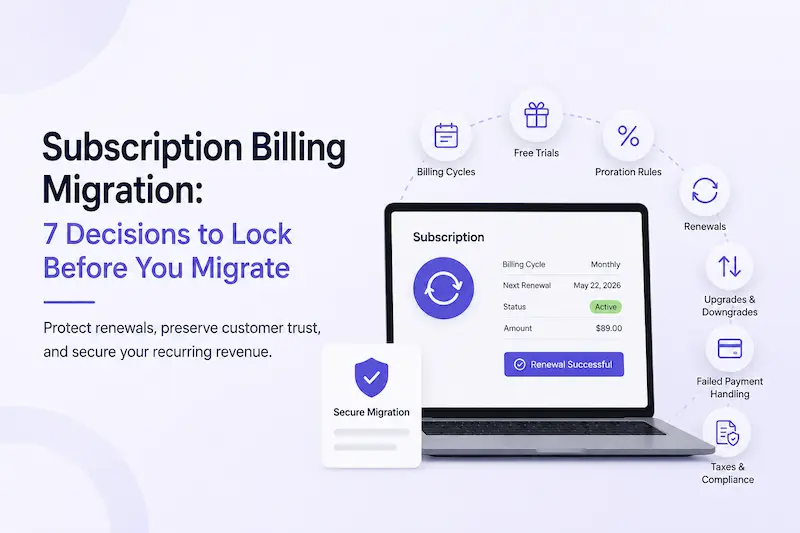
Before migrating your subscription platform, finalize your billing model—including billing cycles, free trials, proration rules, renewals, upgrades, and failed payment handling. Changing these after migration can lead to billing errors, customer confusion, and recurring revenue loss. |
A Perfect Migration Can Still Wreck Your Recurring Revenue
Your migration checklist says “complete.” Every course is live. Every membership tier moved over. The site looks perfect on launch day.
Then the emails start.
A customer whose free trial ended two months ago gets charged again on day one of the new system. Another notices their renewal date has shifted by two weeks. Someone upgrading their plan is billed the wrong amount because proration wasn’t carried over correctly. Another customer is charged twice in the same week.
The migration itself wasn’t the problem. The subscription billing model was.

Billing cycles, free trials, renewal dates, proration rules, upgrade logic, and failed payment handling all determine how your subscriptions behave. If these decisions aren’t locked before migration, your new platform fills in the gaps with default settings that may not match how your business has always worked.
That’s why investing in a technically successful subscription migration partner from the start can help businesses recover from these situations.
Don't Let Billing Mistakes Undermine Your Migration
Before migrating to WooCommerce, make sure your billing logic is documented, mapped, and ready to transfer.
- Billing Logic Audit
- Renewal & Proration Review
- Subscription Workflow Testing
- Migration Readiness Assessment
Every Subscription Business Faces This: Growth Just Makes It Worse
Billing chaos after a migration isn’t unique to course creators or membership site owners.

Any business running recurring revenue, SaaS, subscription boxes, coaching programs, or membership communities carries the same exposure: if trial status, proration, and renewal dates aren’t explicitly locked before migration, they get decided by whatever the new system defaults to, not by you.
What changes with scale is how fast the damage compounds.
A course or membership business growing quickly tends to stack up more billing edge cases at once: annual members mixed with monthly ones, grandfathered pricing from two years back, trial cohorts running on rules nobody’s touched since launch.
It shows up three weeks later as a spike in refund requests and a “why was I charged twice” thread in your community.
The same risk applies across every subscription business type. Course creators just tend to see it most visibly because their community notices billing surprises in public
This is exactly why you need to manage subscription billing as its own decision, separate from the technical migration itself, no matter what you sell.
Moving your data is a technical project. Deciding how billing behaves afterward is a business decision, and it has to be made first, not discovered after go-live.
The situation looks different depending on where you’re migrating from.
If you’re already on WooCommerce and simply consolidating stores or moving hosts, a standard WooCommerce migration covers most of the technical side, and this guide covers the billing decisions that go with it.
Moving between WooCommerce-based systems generally means most of your billing logic already speaks the same language.

If you’re coming from Shopify, a Teachable-style platform, or a custom build, the mapping is more manual: subscription data contains extra information about billing periods, payment cycles, and payment gateways that are all interlinked, any omission can break active subscriptions in ways that only surface when a subscriber gets an unexpected charge
Every migration path comes with its own subscription billing challenges, which is why businesses often work with a WooCommerce Subscriptions migration partner to map, validate, and test billing logic before going live.
If you’re running courses on LearnDash, this billing-state audit applies whether you’re migrating WooCommerce Subscriptions, migrating your LMS to LearnDash, or both together, since course access and billing status usually need to stay in sync.
We at WisdmLabs have handled subscription migrations across course platforms, membership communities, and subscription-based stores alike.
The biggest so far: moving an eLearning business with 26,000 active students onto WooCommerce Subscriptions without disrupting active subscriptions mid-transfer. At that size, a billing mistake isn’t a support ticket, it’s a revenue event, whatever you’re selling.
For the fuller technical picture alongside this billing framework, WooCommerce Subscriptions Migration: 5 Key Steps is a useful companion read.
| TL;DR: Who This Applies To
Whether you run an online course platform, membership community, subscription store, SaaS product, or coaching business, the same billing decisions need to be locked before migration. What changes with scale is how quickly mistakes compound. More active subscribers mean more failed renewals, support tickets, chargebacks, and customer trust at risk when billing goes wrong. The seven decisions below apply regardless of what you sell—they’re the foundation for a migration that protects your recurring revenue instead of putting it at risk. |
The 7 Billing Decisions You Must Lock Before You Migrate
Think of this as the definition of “done” for your billing decisions, not just a technical spec for your developer, though they’ll need it too.
Billing Cycles: What Changes When You Move Platforms
Decide whether your billing cycles (weekly, monthly, quarterly, annual) stay exactly as they are, or whether the migration is a chance to consolidate messy legacy cycles into a cleaner set. Getting this wrong means customers billed on a different schedule than the one they agreed to, which is one of the fastest ways to trigger a chargeback. Lock this decision first, then have your migration partner map every existing customer’s cycle to the confirmed structure.
Free Trials: Will They Survive the Migration Intact?
Decide what happens to customers currently mid-trial: do they keep their original trial end date, or does the migration reset the clock? A trial that resets by accident either charges someone early or hands out weeks of free access you never intended to offer.
Proration: Who Decides What a Partial Period Actually Costs?
Decide how you’ll handle a customer who upgrades or downgrades mid-cycle: a prorated credit, an immediate charge for the difference, or a change that waits until the next renewal. According to Stripe’s documentation on proration, proration exists so customers pay only for what they actually used, and getting the rounding and timing wrong is one of the most common billing complaints in any subscription business. Lock your proration rule before migration, and apply it consistently to every existing customer, not just new signups.
Renewal Dates: The Single Most Common Migration Casualty
Decide, explicitly, whether every customer keeps their original renewal date or whether migration is a chance to align everyone to one billing date. This is the single most common thing that breaks during a subscription billing migration, and it’s almost always avoidable.
Migrating Active Subscriptions? Don't Leave Billing to Chance.
Moving subscription data is only half the migration. The real challenge is preserving the billing logic behind every active subscriber—from renewal dates and free trials to proration rules and payment retries.
- Subscription Billing Review
- Renewal & Trial Validation
- Migration Risk Assessment
- WooCommerce Subscription Migration Experts
Upgrades and Downgrades: What Happens Mid-Cycle?
Decide what a customer sees when they upgrade or downgrade mid-cycle: immediate access change, prorated billing, or a scheduled change at next renewal. If your upgrade paths involve custom logic Woo doesn’t handle out of the box (tiered course bundles, seat-based membership pricing, cohort access rules), that’s exactly where WooCommerce customization work earns its cost. A migration is the worst time to discover your logic doesn’t translate cleanly.
Discounts and Coupons: Do They Carry Over, or Break?
Decide whether active discount codes, grandfathered pricing, and existing coupons carry over exactly as they were, or get rebuilt fresh on the new platform. A coupon that stops working, or worse, silently reapplies twice, generates support tickets fast and erodes trust with your most loyal, price-sensitive customers. If you’re unsure which plugin setup holds this logic cleanly, our comparison of the best WooCommerce subscription plugins is a useful starting point.
Failed Payment Handling: Whose Retry Logic Wins?
Decide whose failed-payment retry rules govern after migration: your old platform’s, your new one’s, or a fresh set you define together. This matters more than most owners assume. According to Recurly’s research on failed payment recovery, 20 to 40% of all subscription churn is involuntary, meaning it comes from failed payments, not customers actually choosing to leave.
A migration that drops or resets retry logic can turn a temporary card decline into a permanent cancellation (with no alert to tell you it happened)
What Actually Breaks When You Change Billing Logic Mid-Migration
Skip these decisions, or let them get made by default settings during the transfer, and the damage shows up in three places. Revenue disruption comes first: wrong renewal dates and broken proration mean you’re either undercharging (lost revenue) or overcharging (refunds and chargebacks), often both, in the same week.
Customer trust comes second. A customer who gets charged unexpectedly, or whose free trial vanishes, doesn’t blame “a migration issue.” They blame you, and in a course or membership business built on community trust, that damage travels fast through the same channels you used to build it.
Support burden comes third, and it’s the most underestimated. Every billing surprise becomes a ticket, a refund conversation, or a public comment, and none of that shows up in a project timeline until it’s already eating your week.
WooCommerce’s own documentation is direct about where responsibility sits here: their support team explicitly won’t fix broken renewals caused by a bad subscription import. The platform gives you the tools to migrate subscriptions correctly, but the billing-state decisions, and the consequences of getting them wrong, sit entirely with whoever runs the migration.
Subscription Billing Migration Readiness Assessment
Use this table as a final readiness check before you schedule your migration. For each billing decision, ask yourself one question: Is this rule documented, tested, and ready to carry over exactly as intended?
| Billing Decision | Pre-Migration Check (what “locked” looks like) | Locked? | Risk If Left Undecided |
| Billing cycles | Every existing plan’s cycle is documented and confirmed to carry over unchanged, or intentionally consolidated | Y / N | Customers billed on the wrong schedule |
| Free trials | Every mid-trial customer’s original trial end date is mapped and preserved | Y / N | Trial customers charged early, or given free access indefinitely |
| Proration rules | Your proration rule (credit, immediate charge, or next-cycle change) is decided and written down | Y / N | Inconsistent under- or over-charging on plan changes |
| Renewal dates | Every customer’s original renewal date is mapped, not defaulted to migration day | Y / N | Mass renewal-date drift and customer complaints |
| Upgrades and downgrades | Upgrade/downgrade behavior, including any custom logic, is tested against real customer scenarios | Y / N | Broken mid-cycle plan changes |
| Discounts and coupons | Active discounts, coupons, and grandfathered pricing are confirmed to carry over or intentionally rebuilt | Y / N | Codes stop working, or silently double-apply |
| Failed payment handling | Failed payment retry logic is active and tested before go-live, not after | Y / N | Involuntary churn increases without anyone noticing |
How to interpret your results
- 0–1 “No” answers: Your billing decisions are well defined, and you’re in a strong position to begin migration.
- 2–4 “No” answers: You have a few gaps that should be documented and validated before setting a go-live date.
- 5 or more “No” answers: Don’t schedule your migration yet. Too many critical billing decisions are still undefined, increasing the risk of failed renewals, incorrect charges, refunds, chargebacks, and avoidable support tickets after launch.
Every “No” represents a billing rule that could be left to platform defaults during migration. Lock these decisions first, then validate them during testing to ensure your subscriptions behave exactly as your customers expect.
Validate Your Billing Before You Go Live
Before opening your site to customers, run three quick checks:
- Trigger a test renewal to confirm recurring payments and retry logic work correctly.
- Test an upgrade and downgrade mid-cycle to verify proration behaves as expected.
- Review a few existing subscriptions to ensure renewal dates, billing cycles, and pricing match the original platform.

These checks help catch billing issues before your customers do, giving you confidence that your migration preserved the subscription experience as intended.
If you’d rather have an experienced team validate your billing setup, book Subscription Migration consultation, and we’ll review your billing setup, highlight any migration risks, and help you build a migration plan that protects your recurring revenue from day one.
FAQ
Is subscription billing migration the same as a regular platform migration?
No. A regular platform migration moves your site, content, and products. A subscription billing migration also has to preserve active billing state (trial status, proration balances, renewal dates, and payment retry rules) for
Can I migrate active subscriptions without changing customers’ renewal dates?
Yes. Active subscriptions can be migrated while preserving their original renewal dates, provided those dates are mapped correctly before migration. If renewal dates are reset to the migration date or left to platform defaults, customers may be charged too early, too late, or more than once. Testing a sample of migrated subscriptions before launch helps verify that renewal schedules remain intact.
What subscription billing data should be migrated to WooCommerce?
A successful subscription migration should preserve more than customer records and payment history. It should also carry over billing cycles, renewal dates, trial status, subscription status, pricing, payment methods, proration rules, and any grandfathered plans or discounts. Missing any of these can disrupt recurring billing after migration.
How do I test my subscription billing after migration?
Before going live, trigger a test renewal, verify failed-payment retry logic, test an upgrade or downgrade to confirm proration works correctly, and review a sample of existing subscribers to ensure their renewal dates, billing cycles, and pricing match the original platform. These checks help identify billing issues before customers experience them.
Should I use a WooCommerce Subscriptions migration partner?
If you’re migrating a business with active subscribers, multiple pricing plans, or custom subscription logic, working with an experienced migration partner can reduce the risk of billing errors. A migration partner can validate billing rules, preserve subscription data, test payment workflows, and ensure recurring revenue continues uninterrupted after the move.


