So PWAs. Progressive Web Apps. Another Google initiative that they’ll probably kill off in 3 years like everything else they do (RIP Google Reader, Google+, and about 50 other products I can’t remember).
But I’ve been messing around with them lately, and honestly? They’re kind of useful. Not revolutionary, just… useful.
Started looking into this because a client kept complaining their site felt “slow and clunky” compared to apps on their phone. Fair point, their WordPress site was taking 4-5 seconds to load while Instagram opens instantly. Classic hosting issue, but they didn’t want to spend money on better hosting. Clients, right?
Anyway, figured I’d try PWA stuff since it was supposedly going to make websites feel more “app-like.” Spoiler alert: it doesn’t really, but it does solve some actual problems.
What PWAs Actually Do (Skip the Google Marketing)
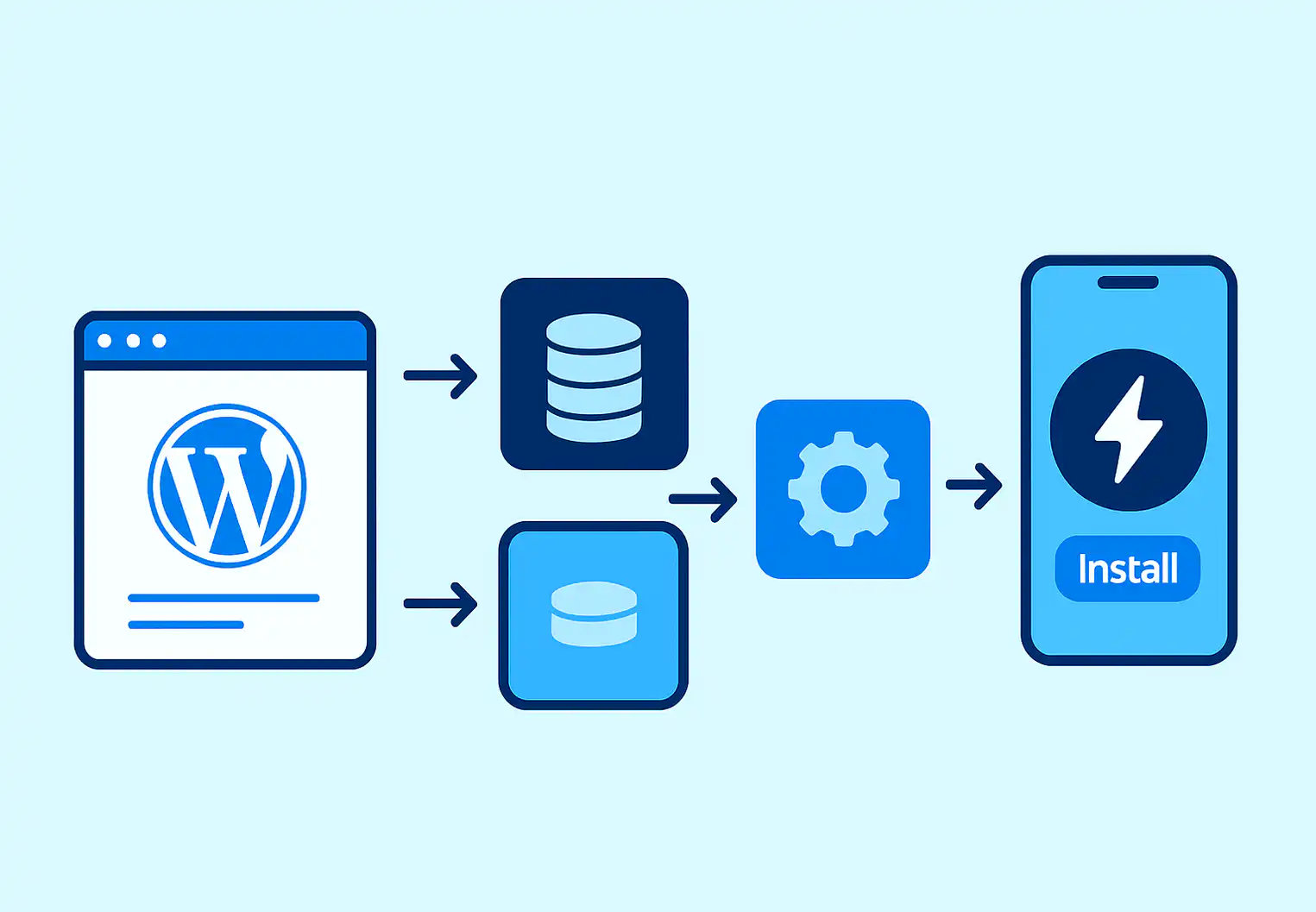
Basically, PWAs add a background script called a service worker that caches your website files locally on people’s devices. So instead of downloading your CSS, JavaScript, and images fresh every time, the browser loads them from local storage.
First visit is still slow (your hosting still sucks), but returning visitors get cached content instantly while dynamic stuff updates in the background.
That client I mentioned? After implementing PWA caching, their returning visitors went from 4-5 second loads to under 1 second. Same crappy hosting, same bloated theme, but cached assets made a huge difference.
The confusing part is Google’s documentation makes this sound way more complex than it needs to be. They go on about “app shells” and “cache strategies” when really you just need to cache your static assets. Don’t overthink it.
Why I Actually Started Using These
I was skeptical at first. Remember when everyone said XHTML was going to replace HTML? Or when XML was supposed to revolutionize everything? I’ve seen enough web technologies come and go.
But PWAs solve real problems without requiring major changes:
Repeat visits are stupid fast. Once files are cached, pages load almost instantly. Even on terrible mobile connections.
Basic offline functionality. Users can browse cached pages when their connection drops. Not everything works offline obviously, but better than Chrome’s dinosaur game.
Push notifications without app stores. Huge for content sites. Send notifications directly without dealing with Apple’s approval nonsense.
Home screen installation. Users can add your site to their phone’s home screen. Sounds gimmicky but I’ve seen 10-15% of regular users actually do this.
The downside? First-time visitors still get the full slow experience. PWAs don’t fix fundamental hosting or optimization issues.
Plugin Route vs. Custom Implementation
Used to always do custom implementations because I’m picky about code quality. But honestly, most WordPress sites should just use a plugin. If you want a broader sense of what’s worth adding to your stack, our roundup of advanced WordPress plugins for customization is a useful reference.
SuperPWA is what I use now. Maintained by decent developers, doesn’t break things, handles the annoying service worker registration automatically. Deployed it on maybe 15 sites without major issues.
Setup is straightforward—app name, description, icon, colors. Only gotcha is your icon needs to be exactly 512×512 pixels. Other sizes cause weird behavior on Android for some reason.
PWA for WP & AMP exists if you’re using AMP. The plugin is still actively maintained (updated through late 2025), though the AMP landscape has shifted. Google no longer requires AMP for Top Stories rankings, so weigh whether AMP is still part of your strategy before leaning on this one.
Note: The original version of this post described Google as ‘basically abandoning’ AMP. More accurately, Google no longer requires AMP pages for Top Stories placement, but AMP itself continues to be supported and used by publishers who find value in it.
WPMobile.App has more features but feels over-engineered. Unless you need custom splash screens or specific caching strategies, probably overkill.
Custom implementations mean writing service workers from scratch, debugging cache invalidation, handling manifest files. Still do this for complex sites but the ROI usually isn’t there.
Implementation Reality (The Stuff Nobody Mentions)
HTTPS is absolutely required. Service workers won’t work without SSL. Most hosts include free certificates now, but double-check first.
Existing caching plugins cause issues. W3 Total Cache and WP Rocket both try to do similar things as PWA caching. Sometimes they play nice, often they don’t.
Had one client where WP Rocket was caching user-specific content that the service worker then served to everyone. Took 3 hours to debug because the error messages were useless. Fun times.
Push notifications get abused easily. Don’t send daily blog notifications. People disable them immediately and re-enabling push permissions is nearly impossible on mobile. Learned this the hard way.
iOS Safari is… special. Apple implements PWA features slowly and with restrictions. Push notifications only work on iOS 16.4+, and the “add to home screen” prompt is buried in the share menu. Classic Apple behavior.
Update: In early 2024, Apple briefly removed PWA support in the EU under iOS 17.4 citing DMA compliance, then reversed the decision after developer pushback. PWA support is currently intact globally, but worth keeping an eye on as Apple’s regulatory situation evolves.
Also, Safari’s service worker implementation has some quirks. Sometimes it doesn’t cache files properly, sometimes it caches too aggressively. No clear pattern that I’ve found.
Quick Setup with SuperPWA
- Install SuperPWA from the plugin repository
- Settings > SuperPWA
- Fill in app details:
- App Name: Your site name
- App Short Name: 12 characters max
- Description: Keep it short
- Icon: 512×512 PNG (use Canva or whatever)
- Pick colors for theme
- Save settings
Plugin handles the technical stuff automatically. Check Chrome DevTools > Application > Service Workers to verify it’s working.
Test on actual mobile devices. Desktop browsers lie about mobile behavior.
Actual Performance Numbers
Don’t expect miracles, but improvements are real for returning visitors.
Content sites typically see:
- 60-70% faster cached resource loads
- 20-25% bounce rate improvement for return visitors
- 15-20% increase in pages per session
E-commerce is trickier because of cart/checkout functionality, but similar patterns.
One food blog client went from 3.5 second average loads to 1.9 seconds for returning visitors. Not revolutionary but noticeable enough that engagement improved.
When PWAs Don’t Make Sense
Skip it if:
- Mostly single-visit traffic from search
- Simple business card sites
- Visitors rarely return
- Complex user authentication (adds headaches)
Had a local plumber ask about PWAs. Told him to focus on local SEO instead—his customers aren’t browsing plumbing articles regularly. Wrong tool for the job.
If your site takes 8+ seconds to load, fix hosting and basic optimization first. PWAs won’t save you from fundamentally slow infrastructure. Not sure where your performance problems are coming from? Our guide to debugging WordPress performance issues systematically will walk you through finding and fixing the real culprits before you layer anything else on top.
My Take
PWAs aren’t going to transform your business, but they’re a solid improvement for content sites with returning visitors. Technology is mature enough, plugin implementation is straightforward, benefits are measurable.
Wish I’d tried them sooner instead of dismissing them as more Google hype. Sometimes the boring solutions actually work.
The main thing is keeping expectations realistic. They solve specific problems well—mainly making repeat visits faster and adding some app-like features. They don’t fix slow hosting, bloated themes, or poor optimization.
Worth trying if you have regular return visitors. Skip it if you don’t. And if you’re serious about performance across the board, pair your PWA setup with ongoing monitoring—our guide to monitoring WordPress performance with free tools covers what to track and how.
If you’re still dealing with fundamental speed issues that PWAs can’t solve, our WordPress speed optimization service is built exactly for that. And if you’d rather have someone implement a custom PWA setup — or build something more tailored than a plugin can offer — our WordPress development team can put it together for you.
Still on the fence about whether WordPress is the right platform for your site to begin with? We’ve written a frank take on whether WordPress is overrated that’s worth a read before you commit to building on it.
FAQ
Do PWAs actually improve SEO?
Indirectly yes. PWAs improve Core Web Vitals scores — particularly LCP and FID — for returning visitors. Since Google uses Core Web Vitals as a ranking signal, faster load times for return visitors can positively influence your overall performance metrics. But PWAs alone won’t make or break your rankings.
Will PWAs work with my existing caching plugin?
Sometimes. WP Rocket and W3 Total Cache can conflict with service worker caching. If you run into issues, try disabling page caching for pages the service worker is managing, or check whether your caching plugin has a specific PWA compatibility setting. Test thoroughly on staging before pushing live.
Do push notifications work on iPhones?
Yes, but with conditions. Push notifications require iOS 16.4 or higher and only work when your site has been added to the home screen as a PWA. The opt-in prompt isn’t automatic — users must be inside the installed PWA to see it. iOS 17+ improved reliability, but it’s still a more friction-heavy experience than Android.
Is SuperPWA free?
The core plugin is free and handles the basics well — service worker registration, manifest, and offline page. The Pro version adds analytics, an Android APK generator, call-to-action banners, and app shortcuts. Most content sites will be fine on the free tier.
Should I implement a PWA on an e-commerce site?
With caution. Cart and checkout pages need to be excluded from service worker caching, or you risk serving stale session data across users. The caching benefits for browsable content like category and product pages are real, but the setup requires more care than on a simple content site.
My site is already fast. Is there any point?
If you’re already under 2 seconds for returning visitors, the caching improvement from a PWA will be marginal. The more useful features in that case are push notifications and home screen installation — both of which add engagement value independent of speed.