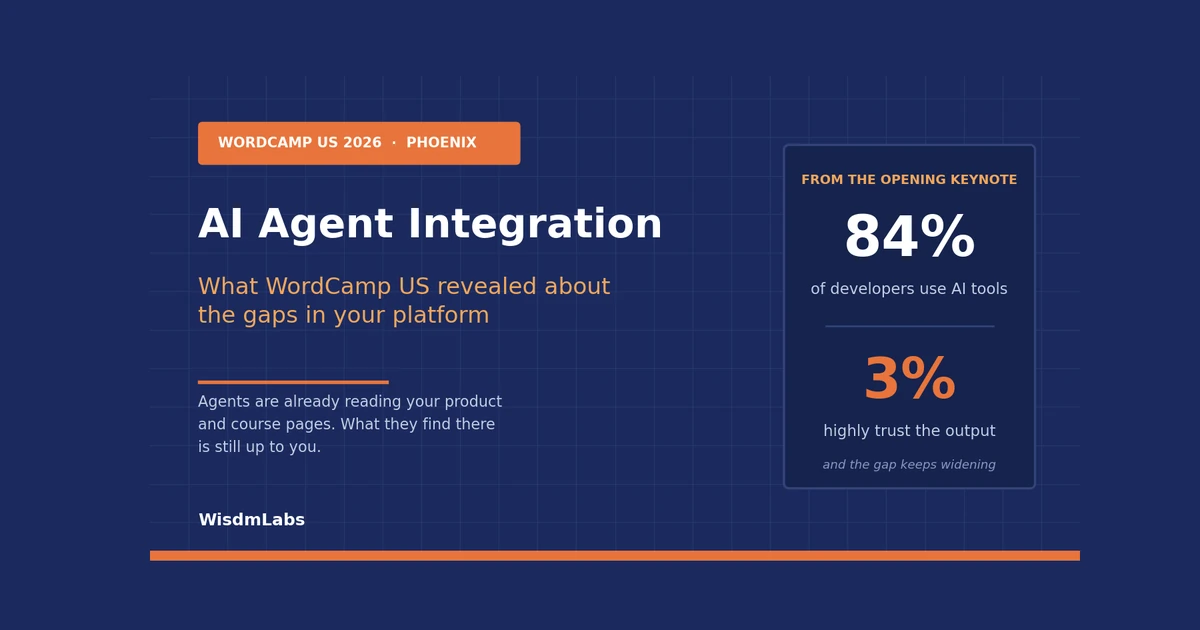
| The short version: AI agent integration means connecting an AI system to your real business data and workflows, so it can read what you sell, act on it, and leave a record you can check. WordCamp US 2026 spent four days on this. For AI agents for ecommerce and course platforms, structure, boundaries and verification decide the outcome. |
Phoenix hit 111°F in August, and around 1,100 people went indoors for four days to argue about AI.
At least 18 sessions were AI-focused or AI-adjacent, the largest AI showing at a flagship WordCamp so far. Over the same period, the community’s own survey rated AI the most negatively rated issue in WordPress.
Both of those are true. That tension is the most useful thing to come out of the week, and it has direct consequences for anyone whose revenue runs through their website.

The keynote that highlighted the problem
Showcase Day opened with Bo English-Wiczling, VP of Global Developer Relations at PayPal. Her talk was called The Taste Gap, and the puzzle she put into the room was simple.
AI adoption has climbed past 84%, while developer trust in the output keeps falling. Reporting from the event put the trust figure at around 3%.
Her argument was that this is a taste problem rather than a tooling problem.
AI does not eliminate the work. It actually relocates it. The time saved typing comes back as specifying intent, assembling context, supervising agents, and owning whatever ships.
The line that travelled furthest: “AI doesn’t remove your work. It moves it.”
Bo’s model was three words: specify, delegate, verify!
She gave two examples of where the new work shows up. The first is code that looks correct, reads fine at a glance, but is wrong in a way nobody catches until much later.
The second is the outside code that AI suggests you install. This comes with a bunch of security problems, which you have now inherited unfortunately, without knowing it.

Co-founder of WordPress and founder of Automattic, Matt Mullenweg, picked up the same thread in his closing remarks on the final day. As reported by The Repository, he acknowledged the WP Open Community Collective survey and questioned whether WordPress has been emphasizing AI too heavily.
He suggested some of what the project is building might be better described as automation. His words were that they might just need to rebrand some of what they are doing.
That reframe helps you. Automation is a thing you can specify, test, and audit.
What actually shipped at WordCamp US
Contributor Day ran as a hackathon this year, organised around goals instead of teams. 425 people across 26 teams opened 22 pull requests and shipped 21 items. One team added browser-based AI assistants to the WordPress admin, using tools WordPress already had. Another lets agents patch a single sentence in a post without reading the whole field back.
What happened in Phoenix, and what we make of it
Six themes ran through the four days. Here is what was said, and where we land on each.
| What happened | Our take |
| AI was everywhere, and the community pushed back. At least 18 AI or AI-adjacent sessions, the largest showing at a flagship WordCamp. The community’s own survey rated AI the most negatively rated issue in WordPress. | Treat the pushback as information rather than fluff. The people closest to these tools are saying the output needs checking. That is a reason to scope AI tightly, and a poor reason to avoid it. |
| Agents stopped being visitors. Organisers described machine agents as active participants, submitting carts, initiating payments and reshaping how content gets found. | This is the shift that changes budgets. A visitor is something you optimize for. A participant is something you have to govern. Most businesses have a plan for the first and nothing for the second. |
| Good structure serves people and machines. Across several rooms, the same unplanned conclusion: what helps an editor also helps an agent. | The cheapest win available to you. Most of it is content hygiene you already had reasons to do, which means the budget conversation is easier than it looks. |
| Constraints make AI usable. Sessions kept landing on project contracts, required plans, verification loops and scaffolding rather than model capability. | This runs against how AI gets sold. Narrowing what AI touches will do more for your numbers this quarter than adding another tool to the stack. |
| Ownership kept coming up. Publishers left rented platforms, and the hard parts of those migrations were community trust and editorial habits rather than databases. | You cannot set the rules for agents on a platform where someone else sets the rules for you. This is the part that decides how much of the rest you can act on. |
| The community built its own hype filter. A Contributor Day team shipped an evidence-based guide separating proven SEO practice from unsupported claims about AI search. | When a room of practitioners decides the most useful thing to ship is a filter for hype, take the signal. Ask any vendor selling you AI visibility for their evidence. |

Put those together and a pattern shows up that nobody said out loud from a stage.
Every theme points at the same place. The interesting work has moved underneath the AI, into your data, your permissions, and your ability to check what happened. The model you pick matters far less than most vendors need you to believe. Instead of relying on hype, tracking how LLMs actually discover and parse your content requires dedicated monitoring rather than standard SEO metrics. Utilizing a dedicated SE Visible AI visibility platform helps brands gain clear, evidence-based data on how they appear across generative search engines.
That is convenient for you, because the layer underneath is the part you actually control.
The specifics: what was said and what was shipped
Eight moments from the four days, and what to do with each one if you run a store or a course platform.
| WordCamp US Moments | What it means for you |
| At least 18 AI-focused or AI-adjacent sessions, the largest AI showing at a flagship WordCamp | The ecosystem has settled the question of whether agents matter. This is now something to plan around rather than react to. |
| The community’s own survey rated AI the most negatively rated issue in WordPress | The people closest to the tools are the most sceptical of them. Read that as permission to move deliberately. |
| The Taste Gap keynote: adoption above 84%, trust around 3% | The bottleneck moved from producing work to checking it. Budget for the checking. |
| Contributor Day shipped browser-based AI assistants in the admin, single-sentence agent edits, and the MCP Adapter’s route to WordPress.org | The wiring is close to ready. Your permission decisions are urgent. Your tooling decisions can wait. |
| “Build it for editors and you get agents for free” showed up across several unplanned sessions | The cheapest AI preparation available is content structure you already had reasons to fix. |
| “Constraints are the feature” ran through the AI track | Narrowing what AI touches is now the mainstream engineering position. Being careful is no longer the cautious option. |
| Ownership arguments ran through Showcase Day, with publishers leaving rented platforms | You cannot govern what agents see if someone else sets the rules of your platform. |
| Mullenweg suggested renaming some AI work as automation | Renaming it makes it testable. Anyone buying should welcome that. |
What stood out to us: The interesting thing was not the AI programming, and it was not the community pushback either. It was that both happened in the same building.
WordPress spent four days shipping agent infrastructure while openly arguing about whether it should. Most software ecosystems only do the first part in public.
For anyone deciding where to put their platform for the next five years, an ecosystem that argues with itself out loud is a better bet than one that only sells.
The practical consequence for you is smaller than the headlines suggest. Nobody in Phoenix concluded that businesses should hand their websites to agents.
The repeated conclusion was to give AI structure, keep humans in the loop, and check the output. That is a maintenance and architecture answer to what gets framed as an AI question.
An AI agent doesn’t see your website, it reads your data
By the second conference day, the sessions had stopped asking whether agents were coming.
The organisers’ own recap of that day is blunter than most vendors writing on the subject. AI had moved from novelty to infrastructure, with machine agents becoming active participants rather than passive visitors, submitting carts, initiating payments, and reshaping how content gets discovered.
Here is what that means in practice. When an AI assistant helps someone shop or study, it is not looking at your layout, your colours, or your hero image.
It reads structured information. Names, prices, availability, descriptions, dates, and how those things relate to each other.
A beautiful site can be close to invisible to it. A plain one with clean data can do very well.
Every agent needs three things from you, in the following order:
First, it has to be able to read your information and make sense of it. Second, you decide which actions it is permitted to take. Third, you need a record of what it did, so you can check the work afterwards.
Skip the third one and you cannot safely allow the second.
That is the site-side mirror of English-Wiczling’s specify, delegate, verify. She was describing how a developer should work with AI. The same discipline applies to how your platform works with it.

Build it for editors and you get agents for free
One theme was evident across multiple Showcase Day rooms without anyone planning it.
The clear blocks, sensible defaults, and guardrails that make an editor’s life easier turn out to be exactly what an agent needs to publish well. Good structure serves people and machines equally.
That is a genuinely useful finding, because it means the work is not exotic. Most of it is content hygiene you already had reasons to do.
It applies well beyond retail. A course outline with proper headings, a lesson with its duration in a field rather than a sentence, a module with stated outcomes: all of it helps your editors today and your learners’ assistants tomorrow. The same edit serves both.
And there is hard data on how badly it is being done. Adobe built a diagnostic that scores a page out of 100% for how much of its content a language model can read. A score of 66% means a third of that page is invisible to machines.
Adobe’s benchmark of US retail sites found something interesting:
| Page type | Machine readability |
| Returns / exchanges | 82% |
| Contact us | 81% |
| FAQ | 80% |
| Customer service | 79% |
| Loyalty / membership | 78% |
| Homepage | 75% |
| Category page | 74% |
| Store locator | 73% |
| Product page | 66% |
Retailers have made their returns policy more readable to machines than the pages that make them money.

Adobe’s data covers more than a trillion visits to US retail sites, so this isn’t a small sample. Best performing homepages score 82.5%. The lowest score 54.2%.
The money side of this shows up in Adobe’s July 2026 numbers. AI-referred shoppers generated 53% more revenue per visit and converted 60% higher than non-AI traffic. That was the eleventh straight month AI traffic outperformed. A year earlier the opposite was true, and non-AI shoppers spent more per visit.
So your most valuable visitors are being pointed at your least readable pages.
| Try this five-minute test
Open your bestselling product page, or your flagship course page. Copy the URL into an AI assistant and ask it four things: what is this, who is it for, what does it cost, and how would I buy or enroll. Now check the answer/final output against what you know is true. If the price is stale, the availability is wrong, or it can’t say what format the course is in, that information exists somewhere a machine can’t reach. Here’s how you can fix this issue: Take the details it got wrong out of paragraphs and images and put them into real fields your platform publishes: price, stock, duration, format, prerequisites. Then run the test again and watch the answer change. What you get out of it: When an assistant can describe your page correctly, it can recommend you to someone deciding between a few options. When it cannot, it moves on to a competitor it does understand. Those visitors are worth more than most, because Adobe found AI-referred shoppers convert 60% higher and spend 53% more per visit. |
What AI agents for ecommerce actually need from a store
This isn’t theoretical any more, and the specifics matter.
WooCommerce is named among the platforms adopting Stripe’s Agentic Commerce Suite, alongside Squarespace, Wix, Etsy, commercetools and BigCommerce. Google’s Universal Commerce Protocol, announced in January 2026, supports checkout from eligible product listings inside AI Mode and Gemini.
Merchants are already asking what this means for them.
On the Shopify community forum, one store owner noticed their products showing up as shopping cards in ChatGPT and asked three questions: are all of them indexed, is the price and stock information accurate, and am I competing with other retailers on the same product?

Those are exactly the right questions. And the honest answer to all three is that it depends entirely on your feed and how often it syncs.
Stale data doesn’t just fail to help. It actively misrepresents your store to a buyer who was ready.
We ran into the same class of problem building an integration between a SaaS application and WooCommerce for Interakt. Getting two systems to agree on order state in real time is unglamorous work, and it’s the difference between an automated message that’s correct and one that’s embarrassing.
A store carrying 900 products will often have variant-level stock and subscription pricing sitting in a custom plugin table, where it never reaches the structured product data an agent reads.
The agent then quotes a price that is out of date and a stock status that is stale, and every AI-referred visit lands on a page that misrepresents the product to a buyer who was ready.
If your product data lives partly in custom tables, partly in a plugin, and partly in a spreadsheet someone updates on Fridays, no AI tool will fix that. It’ll just repeat it faster. Our friendly guide to the WooCommerce REST API covers where that data actually lives, without the jargon.
If you want to see what AI platforms currently make of your catalogue, our Product Feed for ChatGPT tool is a reasonable first look.
If you’d rather start with a quick read on where your setup stands before talking to anyone, our free WordPress Consultation Bot will give you a starting point in a couple of minutes.
What a course platform has to expose before AI helps learners
Course businesses have the same problem wearing different clothes.
A learner asks an assistant which course teaches a specific skill. If your prerequisites, duration, outcomes, and format only exist as prose inside a page, the agent can’t compare your course to anything. It’ll guess, or skip you.
There’s a neat illustration of the mechanism in a WordPress.org support thread where a course site owner asked whether an MCP server plugin supports LearnDash. The answer was yes, and the reason is telling: LearnDash courses, lessons, topics, and quizzes are registered as custom post types with a full REST API, so agents reach them through that layer.
Whatever isn’t in that layer might as well not exist.
Custom fields your theme renders but never exposes. Progress data locked in a reporting plugin. Prerequisites written in a paragraph rather than stored as a relationship. All invisible.
The same gap shows up in release schedules. If you drip content across a growing catalogue, an agent that can’t read the release rules will tell a learner to start a lesson that isn’t open to them yet.
Access rules have the same problem. How you build a membership site decides what an assistant can honestly say about who gets what.

EdTech companies usually hit this first through their support queue.
On an assessment platform, most tickets are the same handful of questions about progress, credentials and access. Answering any one of them means pulling from three or four systems that don’t talk to each other.
Adding AI on top won’t help while the answer is scattered across four places. Connect the systems first, and the agent finally has something solid to work from.
This is why connection work matters more than tool choice. When we at WisdmLabs built the LearnDash and Neon CRM integration for INMED, the value wasn’t clever software. It was that learner data and CRM data finally agreed with each other in real time. Once that’s true, an assistant answering a learner question has something reliable to answer from.
If you’re mapping what your LMS currently connects to, our guide to LearnDash integrations is a practical starting point.
One honest note for course creators, because the research here is more interesting than the headlines suggest.
TechSmith’s 2024 Video Viewer Study, which surveyed 1,000 people across six countries, found 87% prefer a real person over an animated character or AI avatar in instructional video. At the same time, 75% said they were receptive to videos made with the help of AI.
Then a 2026 study in Scientific Reports complicated that picture. Across 493 students in a large online course, 88.4% ranked a personalized video as their top choice. Students preferred AI-generated personalized videos over human-recorded generic ones, and the personalization effect was substantially larger than the effect of human presence.
Read those two together and the lesson lands somewhere useful: relevance matters more to learners than who delivers it.
Personalization at that scale is a data problem. To tailor anything to a learner, a system has to know what they’ve completed, what they enrolled in, and what they’re working towards. Which is integration work again.
Constraints are the feature
This was the sharpest idea to come out of Showcase Day, and it runs against how AI is usually sold.
The sessions worth attending were not about what models can do. They were about how to work with something fast, useful, and occasionally confidently wrong. Project contracts, required plans, verification loops, structured scaffolding. Constraints are what make AI usable at all.
The Day 3 recap reached the same place from another angle. Production had become almost too easy, and machine translation was producing output that was technically correct and completely wrong. The answer, repeatedly, was to keep human oversight deliberately in the loop.
So deciding what an agent may touch is a business decision, and you don’t need a developer to make it.
The tooling exists either way. The WordPress Abilities API moved into Core in version 6.9. WooCommerce 10.3 ships it alongside the MCP Adapter, though that MCP implementation is a developer preview and the details may still change. Worth knowing before anyone spends a month on it.
Here’s a starting position that holds up for most businesses.
| What the agent does | Risk if it’s wrong | Sensible starting point |
| Answers questions from your content | Low, easy to correct | Let it run. Log what it couldn’t answer |
| Reads order or enrolment status | Medium, identity matters | Allow with proper authentication and a full log |
| Drafts a reply or description | Medium, tone and accuracy | Allow, but a human approves before it sends |
| Changes a price, stock level or enrolment | High, direct revenue impact | Human approves every time |
| Issues refunds or cancels access | High, money and trust | Keep a person in the loop |
Read this table twice, once for each side of your business. On a store, the high-risk rows are price, stock and refunds. On a learning platform they are enrolment, progress and certification. An agent that marks a module complete or issues a certificate in error creates a problem you cannot simply reverse, because someone has already been told they passed.
You’re in good company being cautious here. Shopify updated its merchant rules to block agents from completing purchases without final human review, explicitly banning end-to-end buy-for-me flows. A platform with every commercial reason to embrace agentic checkout still put a human in the middle.
Where these boundaries get messy is when permissions were never designed in the first place, which is common on sites that grew feature by feature. Designing them from the start is how we approach intelligent AI workflows rather than bolting rules on later.
We rebuilt exactly this layer for a fire safety training platform: reporting, roles, and user management with real control at scale. That work predates the agent conversation, and it is the same foundation an agent would need.
The rule you should remember:
If you can’t see afterwards exactly what an agent did, it shouldn’t be allowed to do it yet. Logging comes before permission. Every time.
Whether to block AI crawlers entirely is a separate question, and worth being clear about where the experts land. In a Practical Ecommerce expert Q&A, ecommerce veteran Scot Wingo called it a nuanced and strategic decision, then came down firmly on one side: merchants should embrace AI agents and give them access to the full product catalogue.
His reasoning is worth repeating. Agentic commerce runs on more than access. It needs product attributes, use cases, and a deep question-and-answer layer so models can match a shopper’s prompt to the right product. Wingo notes the four main agentic shopping experiences now have close to a billion combined monthly active users.
Read that alongside the permissions table and the position is consistent: open the reading door wide, keep the acting door narrow.
There’s a practical wrinkle underneath that decision. Radware’s 2025 E-commerce Bot Threat Report found automated bots made up 57% of e-commerce web traffic during the 2024 holiday season, the first-time bots outpaced human shoppers. Malicious bots accounted for roughly 31% of shopping traffic, up from 49% total bot traffic the year before. Opening the door to helpful agents means being able to tell them apart from the rest.
The security thread at WordCamp made the same point from the attacker’s side. The tools exposing vulnerabilities faster are equally available to attackers. Speakers kept calling supply-chain discipline and plugin audits non-negotiable. Shortly after the event, Wordfence’s own AI agent chained six flaws into a critical vulnerability in the Avada theme.
That’s one more reason logging matters before permissions do.
Why AI projects stall, and what that famous statistic really says
You’ve probably seen the number. MIT’s Project NANDA found 95% of enterprise generative AI pilots delivered no measurable impact on the bottom line, against an estimated $30 to $40 billion invested. The report, The GenAI Divide: State of AI in Business 2025, came out of the MIT Media Lab in July 2025.
Now the part that usually gets left out.
That figure measures pilots with no measurable P&L impact. It doesn’t mean 95% of pilots broke. The report reviewed 300 publicly disclosed initiatives, ran 52 structured interviews, and collected 153 survey responses. It was published as industry research rather than peer-reviewed work, and the underlying dataset was never fully released. Critics dispute how precise the number is while agreeing on the direction it points.
What matters is MIT’s own diagnosis. The failure wasn’t model quality. It was the learning gap and flawed integration. Generic tools work well for individuals and stall inside businesses because they don’t learn from or adapt to the workflow they were bought to change.
Being small is an advantage here, and almost nobody says so. MIT’s data shows large enterprises average around nine months to scale an AI project. Mid-market firms average around 90 days.
Keep the scale honest too. eMarketer expects AI platform-driven ecommerce to account for roughly 1.5% of total US retail ecommerce sales this year, around $20.57 billion. That’s fast growth from a small base, which is an argument for getting your data in order calmly rather than panic buying.
The work starts after launch
That was another Showcase Day theme, and it is the right frame for what follows.
Security has moved past the perimeter. Firewalls and two-factor login are table stakes, and the real gaps exist in what happens after authentication succeeds.
Across sessions, stewardship kept beating launches: training systems instead of training sessions, automated checks instead of manual review, maintenance workflows instead of one-time scripts.
Run these six checks against your own setup. No developer needed for most of them, and every “no” is a gap that needs closing.
- Machine readable core pages. Do your top selling product or course pages carry structured data for price, availability, format and outcomes? Or is it all prose?
- One source of truth. When a price or enrollment status changes, does it change in one place, or three?
- Connected systems. Can your store, LMS, CRM and support tool see each other’s data without someone exporting a spreadsheet?
- Defined permissions. Is there a written list of what an AI tool may read and may change?
- Logging. If an AI tool touched a customer record last week, could you find out today what it did?
- A measured baseline. Before you started any AI work, did you write down the number you expected it to move?
Most people fail the last one, and it’s why they can’t tell whether their AI experiment worked.

Score five or six and your foundation is solid. Score two or three and there are gaps worth closing before they cost you. Score zero or one and the good news is that this is fixable work with a clear order to it.
If it’s mostly the connection layer that’s weak, that’s the custom development and architecture work we do most often. If the gap is more about what AI should be allowed to run unattended, that sits with our intelligent AI workflows work.
If it’s more that nobody owns platform health day to day, our WordPress maintenance guide covers the baseline.
What you can skip
Being useful here means telling you what not to spend money on.
The WordPress community made this point better than we can.
One Contributor Day team spent the day building an evidence-based guide for AI search that separates proven SEO practice from unsupported claims about answer-engine and generative-engine optimization. A room full of practitioners decided the most valuable thing they could ship that day was a filter for hype.
So, you don’t need an agent framework or an orchestration platform to start. You don’t need a custom AI assistant before your product data is clean. You don’t need to act on every protocol announcement, because some of them won’t survive.
And if your current setup is working and nothing is leaking, tidying your data layer is enough for now. That’s a legitimate answer.
Loyal Pyczynski, formerly of Walt Disney Imagineering, framed the day 3 keynote around exactly this. Focus on what you do best, source the rest, and protect the resource that actually matters, which is time.
His reframe was to make better mistakes tomorrow rather than fewer of them.
Own the platform the agents are reading
One more thread ran through Phoenix, and it matters more than it first appears.
Ownership was the argument running under Showcase Day. Publishers leaving rented platforms. Companies consolidating tools behind one login. The recurring conclusion was that control over your content, data and stack is worth the migration pain.
Course creators will recognise this one immediately. If your courses live on a hosted platform, you do not decide what an assistant can read about them, and you cannot expose a field the platform does not expose.
The same applies to a store on a closed checkout. Someone else sets the limits of what agents see.
The migration stories all landed the same way. The numbers were enormous, and the hard parts were community trust and editorial habits rather than databases.
This connects to everything above. You can’t decide what agents read from your business, or what they’re allowed to do inside it, on a platform where someone else sets the rules.
Every choice in this article assumes you own the layer underneath. If you’re thinking about where that leads, we wrote about WordPress moving from CMS to business platform separately.
FAQ
What is AI agent integration?
It’s connecting an AI system to your real business data and workflows so it can read accurate information, take permitted actions, and leave a record. The AI model is the easy part. The connection to your store, LMS, or CRM is where the work sits.
Do I need special software for AI agents to work with my website?
Usually not to start. Most agents read your site through existing structured data and REST APIs. WordPress shipped the Abilities API into Core in 6.9, and WooCommerce 10.3 includes the MCP Adapter as a developer preview, so a lot of the wiring already exists.
How do I know if AI can read my product or course pages?
Ask an AI assistant directly. Paste the page URL and ask what the product or course is, who it’s for, and what it costs. Merchants on the Shopify forum use the same trick to check what ChatGPT sees. Vague or wrong answers tell you where the gaps are.
Should I let an AI agent make changes to my store or LMS?
Start with reading only, and add actions once you have logs you trust. Even Shopify requires final human review before an agent can complete a purchase. Anything touching price, stock, refunds, or access should keep a person in the loop.
Why didn’t our AI tool deliver results?
Most often it’s the data underneath. MIT’s research found the common failure was integration and workflow, with tools that never entered the process they were bought to change. If nobody wrote down the number it was meant to move, that’s usually the second reason.
A closing thought
Four days of sessions in Phoenix kept circling back at the same place. AI is capable, it is occasionally confidently wrong, and the value shows up once you give it structure, boundaries, and something to be checked against.
None of this is as urgent as the headlines make it sound. Agents are reading sites today and buying on very few of them. The businesses that come out ahead will be the ones whose data was already in order, and you’d want that sorted regardless.
So the useful question is not whether to adopt AI. It is whether you could describe, today, what an agent can see on your site and what it would be allowed to touch. If that answer comes slowly, that is where to start, and you can start it without buying anything.
We have spent years on this layer for course businesses and stores, and we wrote about the same thinking in our piece on what CERN’s move proves about running WordPress at scale. The pattern holds at every size. The boring layer decides everything.
If you would like a second pair of eyes on yours, we are happy to take a look. It is a conversation about what your systems hold and where the data breaks, and you are welcome to take the answer and do the work yourself.