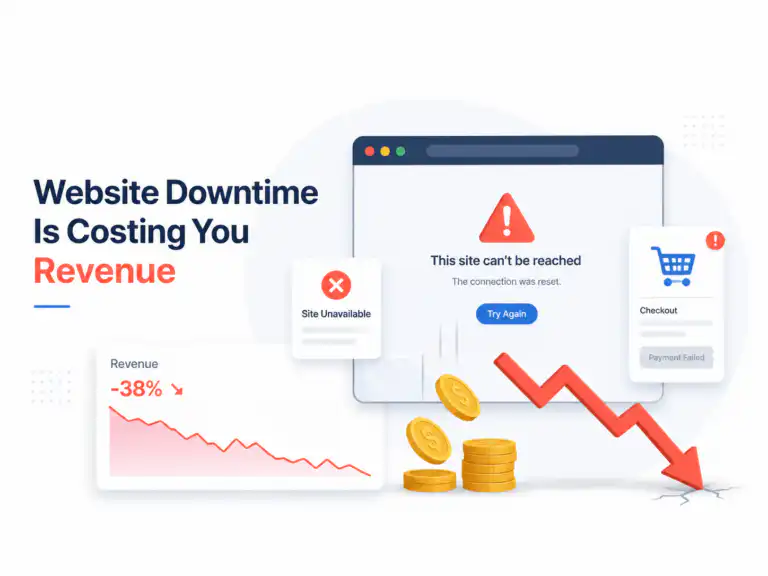

Sarah was furious.
“My customers can’t even see my products!” she screamed through the phone. It was 11:47 PM on a Wednesday, and I’d just broken her entire jewelry store while trying to “optimize” it.
Three hours earlier, everything seemed fine. Her WordPress site was slow—painfully slow at 8+ seconds—but at least it worked. Now half her product images weren’t loading, her checkout was throwing errors, and she’d already lost two sales.
This is the story of how we eventually fixed it. Spoiler alert: it wasn’t pretty.
How Everything Started Going Wrong
Sarah found me through a Facebook group where I’d been answering WordPress questions. Her handmade jewelry business was struggling despite gorgeous products and solid marketing.
“I’m spending $1,800 monthly on Facebook ads,” she told me during our initial call. “People click, but nobody buys. My conversion rate is 0.7%.”
I loaded her site on my phone. Eight seconds later, I was still staring at a blank screen.
“Found your problem,” I said.
The Hosting Horror Show
Sarah was using some random hosting company offering “unlimited everything” for $4.99/month. Red flag number one.
Her server was located in Phoenix. She sold primarily to customers in New York and Florida. Red flag number two.
When I ran a simple speed test, her server took 2.3 seconds just to respond. Before loading anything. That’s like asking someone a question and waiting over two seconds for them to say “huh?”
I convinced her to switch to SiteGround’s managed WordPress hosting. Not because they’re perfect, but because they had servers on the East Coast and didn’t oversell their resources like her previous host.
The migration took six hours instead of the promised two. During those six hours, her site was completely down. Sarah sent me approximately seventeen increasingly panicked text messages.
But when everything came back online? Server response dropped to 0.4 seconds.
The Plugin Disaster That Nearly Ended My Career
Here’s where I screwed up.
Sarah had 29 plugins installed. Some made sense. Others… well, she had three different contact form plugins and something called “Mega Speed Ultimate Pro” that was actually slowing her site down by 40%.
Instead of testing each plugin individually like a smart person, I got cocky and deactivated twelve plugins at once.
Big mistake.
Her product galleries broke. Her custom checkout flow stopped working. Her email signup forms disappeared. Worst of all, her payment processing threw a mysterious error I’d never seen before.
It was 8 PM when I started “quick plugin cleanup.” By midnight, I was Googling “emergency WordPress developers” and questioning my career choices.
Turned out one of the “useless” plugins was actually required by her custom theme. Another was connecting her inventory system to WordPress. A third was handling tax calculations for different states.
The emergency developer charged me $400 to fix what I’d broken. I didn’t bill Sarah for any of it.
Images: The 6MB Necklace Photo Problem
While recovering from the plugin disaster, I discovered Sarah’s biggest speed killer: her product photos.
Her hero image—a stunning diamond necklace—was 6.2MB. For context, that’s larger than most entire websites.
“But they look amazing on my camera,” she protested when I explained the problem.
She wasn’t wrong. They did look incredible. They also took 30+ seconds to load on mobile.
I spent an entire afternoon compressing images. Used four different tools:
- TinyPNG for quick compression
- Photoshop for manual resizing
- ShortPixel for batch processing
- GIMP for WebP conversion (because I’m cheap)
Results were dramatic: average image size dropped 78%, page weight went from 4.3MB to 900KB.
But then Safari users started complaining that images looked “weird.” Turns out WebP format has quirks on older browsers. Had to create JPEG fallbacks for everything.
The Database Cleanup Nightmare
WordPress databases are like digital attics—they collect junk forever.
Sarah’s database was 1.2GB. For a jewelry store with 200 products, that’s absurd.
We found:
- 1,847 post revisions (she edited product descriptions obsessively)
- 3,200+ spam comments from 2018-2021
- Leftover tables from 8 deleted plugins
- 47,000 expired transients
Used WP-Optimize to clean everything. Database shrunk to 180MB.
Then her search function broke.
Apparently, her theme relied on some of that “junk” data for product filtering. Took another day to rebuild the search index properly.
CDN Setup: When “Easy” Isn’t Easy
Adding Cloudflare should’ve been simple. Sign up, change nameservers, wait.
Instead, it cached everything. Including shopping cart pages.
Customer nightmare scenario: Add $200 silver earrings to cart, proceed to checkout, cart shows empty. Happened to four people before we caught it.
Spent half a day configuring cache rules to exclude dynamic e-commerce pages. Sarah was not happy about the lost sales.
Three Months Later: The Messy Truth
Here’s what actually happened after optimization:
Week 1-2: Load times improved immediately (1.6 seconds), but sales stayed flat. Apparently, customer behavior doesn’t change overnight.
Week 3-4: Organic traffic started increasing as Google recognized the speed improvements. Sarah’s pages moved from page 3 to page 1 for several jewelry keywords.
Month 2: Mobile conversions finally picked up. People were actually completing purchases on phones—previously impossible with 8+ second load times.
Month 3: Sarah’s conversion rate hit 2.8%. Still not amazing, but 300% better than before.
Her monthly revenue increased roughly $2,400, mostly from customers who previously would’ve bounced immediately.
What I Learned (The Hard Way)
- Never deactivate multiple plugins simultaneously on a live e-commerce site. Just don’t.
- Always use staging environments. Making changes on live sites while customers are shopping is professional malpractice.
- Image optimization has compatibility issues. WebP looks great but breaks on older browsers.
- CDN configuration for e-commerce is complex. Dynamic pages and caching don’t play nice together.
- Speed improvements don’t equal instant sales increases. Customer behavior changes gradually.
The Real Costs (No Bullshit Version)
What Sarah paid:
- Hosting upgrade: $15/month (SiteGround)
- Premium plugins: $200/year (WP Rocket, ShortPixel)
- My optimization work: $1,200
- Emergency developer (my mistake): $0 to her
What I actually spent:
- Emergency fix: $400 (came out of my fee)
- Three 14-hour days fixing my mistakes
- Significant damage to my confidence
Sarah’s ROI: Recovered investment in 6 weeks through increased conversions.
My ROI: Learned expensive lessons about not breaking things.
If You’re Thinking About DIY Speed Optimization
Start with hosting and images. Those two changes will get you 70% of the speed improvements without risking functionality.
Don’t touch plugins unless you understand exactly what each one does. Test everything on staging first.
Get professional help if your site generates significant revenue. The $1,200 Sarah paid was cheaper than the sales she was losing daily to slow load times.
The Bottom Line
WordPress speed optimization isn’t just about numbers on a report—it’s about real people making split-second decisions about whether to trust your business.
Sarah’s story has a happy ending, but it could’ve gone very differently if I hadn’t fixed my mistakes quickly.
Your site speed is either working for you or against you. There’s no middle ground.
Just don’t break everything while trying to fix it like I did.