Last Tuesday, I spent four grueling hours updating the same security plugin on 15 different WordPress sites.
Not exactly my idea of fun — especially when I later discovered it completely broke the contact form on my biggest client’s website. Cue the facepalm. This is exactly why many developers turn to WordPress multisite as a solution for managing multiple WordPress sites more efficiently.
If you’ve ever been in this kind of mess, you know exactly how it feels. The sinking dread as you realize you’re about to repeat the same tedious task again — site after site — and inevitably something goes sideways.
Here’s the brutal truth about managing multiple WordPress sites the old-fashioned way:
- You’re burning money because time spent on maintenance isn’t billable.
- Your reputation takes a hit when plugin updates crash right before a new launch.
- Half your workday vanishes into repetitive busywork instead of meaningful projects.
- Stress levels skyrocket — somehow, it always breaks at 5 PM on a Friday.
- And if you have a team, they’re probably worn out from grunt tasks instead of creative, rewarding work.
After eight years of managing and developing WordPress sites, I can tell you: there’s a better way. WordPress Multisite isn’t perfect, but if you set it up and manage it properly, it can save you from this chaos.
Also Read: Why Your WooCommerce Store Is Bleeding Customers (And It’s Not What You Think)
Why Managing WordPress Multisite Sucks So Much
The main problem? We treat every WordPress site like a stand-alone silo. That means logging into 20 different dashboards, running 20 separate plugin updates, and juggling 20 chances for something to break.
Common headaches include:
- Plugins scattered across various versions — some updated, some outdated, sometimes unknown.
- Weekend “security patch marathons” that never seem to end.
- User permissions turned into a nightmare with dozens of logins spread everywhere.
- Repetitive tasks on autopilot that make you question your career choices.
- Little to zero visibility into what’s going wrong until catastrophe strikes.
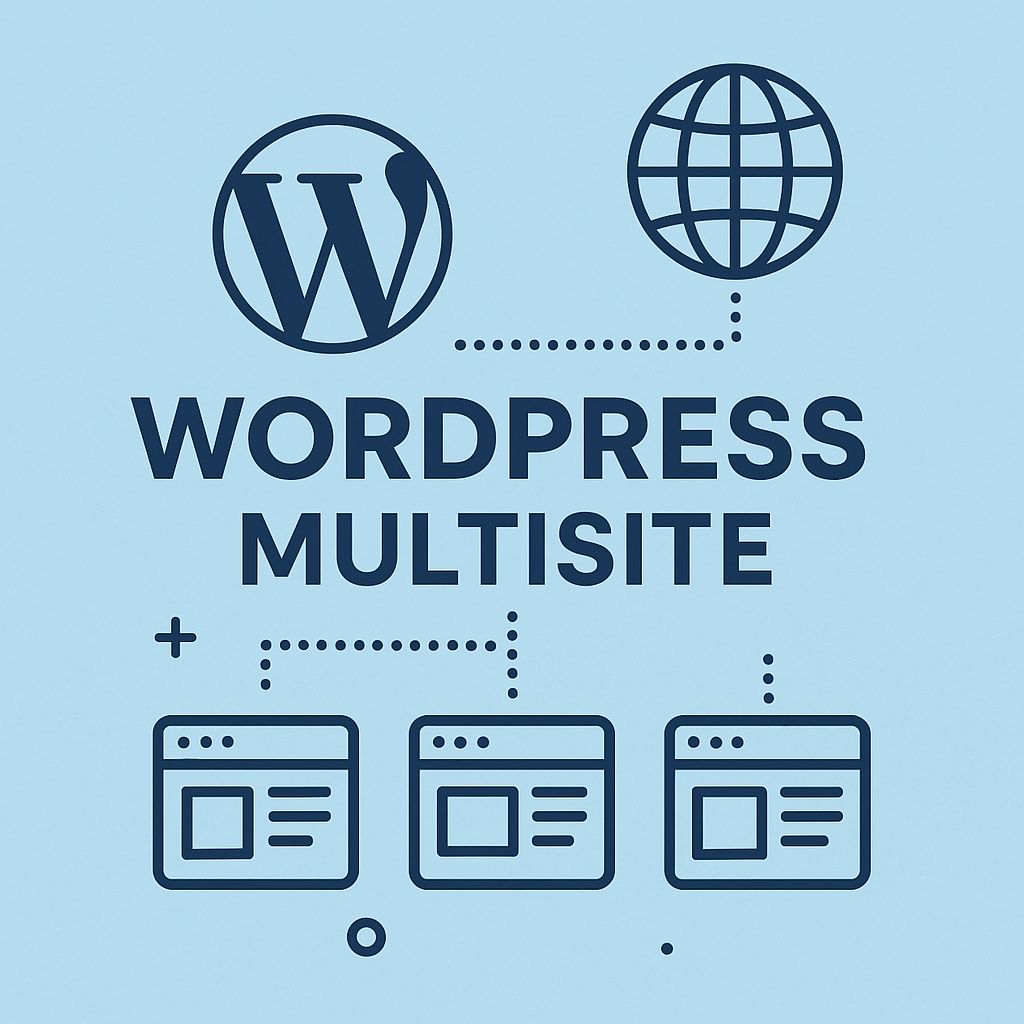
What WordPress Multisite Actually Does (The Good and Bad)
Think of WordPress Multisite like the control tower for your WordPress empire. Instead of logging into dozens of dashboards, there’s just one Super Admin panel to manage everything.
I worked with a restaurant chain that had 12 locations — each with their own site. Updating their reservation system used to take half a day and almost always caused glitches. Multisite changed that. Now updates happen simultaneously across all sites in under ten minutes. When something breaks, it breaks everywhere — which actually makes it easier to identify and fix.
Multisite shares the backend infrastructure but keeps content separate. Imagine an apartment building: everyone shares plumbing and electricity, but each unit is private.
You can organize your network in three ways:
- Subdomains (nyc.company.com) are great for geographic segmentation but require tricky DNS setups.
- Subdirectories (company.com/nyc) are easier to manage, though some clients cringe at the URL structure.
- Custom domains (nycwidgets.com) offer flexibility but need more tech work.
The Rough Reality of Setting It Up
Here’s the ugly truth: WordPress Multisite development is tough. You have to dive into core config files like wp-config.php and .htaccess, fiddle with DNS settings, and pray nothing explodes mid-presentation.
A single typo can bring down your entire network. I’ve seen it happen during client demos — not a confidence booster.
Watch out for these pitfalls:
- Permanent changes to core files that can’t be undone easily.
- Hosting providers who don’t clearly explain DNS or server requirements.
- Database conversions that are one-way streets.
- Plugin conflicts that only surface after switching to Multisite.
- Hidden hosting limits that cripple your network.
If you don’t want a 2 AM panic attack, realistically budget $3,000 to $8,000 to get professionals to set this up right. WordPress’ official guides assume you’re a server wizard, but most of us aren’t.
One real example: a college IT manager tried a DIY multisite setup over spring break. Next week, 8 department websites were down and faculty were fuming. The fix cost $5,200 and took nearly a month.
Upgrade your hosting immediately. Multisite will choke on cheap shared hosting. You need dedicated resources and a host that actually knows Multisite inside-out.
Some reliable hosts I’ve seen:
- WP Engine: pricey but bulletproof for networks.
- Kinsta: fast and developer-friendly.
- Pressable: built by Automattic, made for multisite.
Also Read: WordPress Resource Hints: Preload, Prefetch, and Preconnect Best Practices
The Plugin Compatibility Mess
What most tutorials skip: about 30% of WordPress plugins just don’t play nice with Multisite.
Remember, only Super Admins can install plugins network-wide — site admins can only enable what you approve. This can feel restrictive at first, but it’s a necessary control to prevent madness.
Plugins that often cause headaches:
- Backup tools designed for solo sites tend to fail on networks.
- SEO plugins can conflict with network-wide settings.
- E-commerce solutions sometimes glitch across multisite setups.
My advice? Build a trusted plugin library. Test everything thoroughly in a staging environment before going live. Keep detailed notes on what works and what doesn’t.
I learned this the hard way: a retail client’s booking plugin crashed the entire network right on Black Friday weekend. We spent two weeks scrambling to test replacements while they hemorrhaged sales.
Never, ever activate untested plugins on a live multisite network.
Database Performance and Growing Pains
With Multisite, all sites share one database — which sounds efficient until it slows to a crawl as your network grows.
Common bottlenecks:
- Shared tables cause query conflicts.
- Missing database indexes slow everything down.
- Complex queries get sluggish as more sites join the party.
Use tools like Query Monitor to catch slow queries early. Database optimization and proper caching (think Redis or Memcached) become must-haves once you hit about 8+ sites. Without these, your network performance will tank under real traffic.
So, Should You Use Multisite?
Multisite solves some headaches but creates others. It’s great if:
- You manage 8 or more related sites.
- Your sites share design elements and functionality.
- You have technical chops or can afford pros.
- You spend more than 12 hours a week on maintenance.
- You can budget $150+ monthly for reliable hosting.
Skip it if:
- Your sites serve wildly different audiences.
- You need heavy customizations on each site.
- You lack technical resources and have a tight budget.
- You’re only managing 3 to 5 sites.
Blog to Read: Optimizing JavaScript in WordPress: Async, Defer, and Module Loading Strategies
What Should You Do Next?
WordPress multisite isn’t a magic bullet. It takes serious planning and ongoing work, but done right, it cuts hours off your daily grind.
Start by mapping your current management load: list all sites, hosting costs, and weekly maintenance hours. That baseline will help you decide if multisite is worth it.
Test out multisite on a small cluster of sites first — 3 to 5 works well. Don’t skimp on professional help, hosting upgrades, and team training.
The real question isn’t if WordPress multisite development can handle your needs — it can. The question is whether you’re ready to invest in making it work.
Get your setup right, and managing dozens of WordPress sites stops feeling like a nightmare.
Here’s a recent interview that we had with Website Planet. Have a look at how our founder answers some of the most sought-after queries about the WordPress industry: https://www.websiteplanet.com/blog/wisdmlabs-interview/