Research indicates that users form an opinion about your website in only 0.05 seconds.
That’s barely enough time to blink—yet it’s all the time you have to capture attention, communicate value, and guide visitors toward action.
One slow load, one confusing layout, one unclear CTA… and your potential customer is gone—probably to a competitor who optimized early.
Black Friday doesn’t just bring more visitors. It magnifies every weakness.
Is your website ready for it?
If you’re reading this, it means you want the best for your site and want to ensure your website homepage redesign WordPress is done right.
However, here is the fact:
Redesigning the homepage does not imply just making it “look pretty”.
It ensures that every single detail provides:
- Instant communication of your brand’s value
- Trust will be built in seconds
- Conversions will be increased
- A user-friendly experience will be delivered
- Your long-term business objectives will be supported
A WordPress homepage that performs well must not only be visually appealing but also think, guide, and convert.
Thus, we are going to discuss the following points in this all-encompassing guide:
7 Best Practices for Your Website Homepage Redesign WordPress Project
Start with a Clear Value Proposition Above the Fold
The section of your page that is above the fold is the most prime piece of property on your website’s homepage. It should straight away respond: Who are you? What is your offer? Why should the visitors care?
The key elements to be included are:
- A specific headline that is centered on benefits and driven by needs, precisely defining the target audience.
- An enticing subheadline that communicates the message and gives the reader context
- A call-to-action button that is not only prominent but also visually distinguished
- Visuals that communicate and support your message
Tips for implementing:
- Use page builders for WordPress, e.g., Elementor, Beaver Builder, and Gutenberg, for quick and easy creation of the hero section.
- Refrain from using welcoming phrases like “Our Website” as your headline.
- Rather, mention certain outcomes and express the benefits in figures.
- Risk-Free Testing: A/B test headlines using free plugins. Keep your original, test the new version on 50% of traffic. Numbers don’t lie—you’ll know for sure which converts better and will have supporting data for it too.
Example: Picture yourself running a digital marketing consultancy. “Marketing Services for Your Business” will not work, but “Help Growing Businesses Increase Revenue by 40% Through Data-Driven Marketing Strategies” will definitely do.
Get Your Free Homepage Audit & Action Plan
Optimize Page Load Speed for Immediate Impact
Speed is a conversion currency. For every second your homepage takes to load, you lose potential customers. A one-second delay can result in a 7% reduction in conversions.
Essential optimization strategies:
- Choose lightweight, performance-focused themes (GeneratePress, Astra, Kadence)
- Implement robust caching with WP Rocket, W3 Total Cache, or LiteSpeed Cache
- Compress and optimize images using ShortPixel or Imagify
- Set up a Content Delivery Network (CDN) like Cloudflare
- Enable lazy loading for images and videos
- Minimize CSS and JavaScript files
- Use next-generation image formats like WebP
Testing tools:
- GTmetrix for comprehensive performance analysis
- PageSpeed Insights for Google-specific recommendations
- WordPress Site Health tool for identifying issues
Example: Let’s say you manage an online photography portfolio. High-resolution images are essential, but implement lazy loading and WebP compression to maintain visual quality while dramatically improving load times.
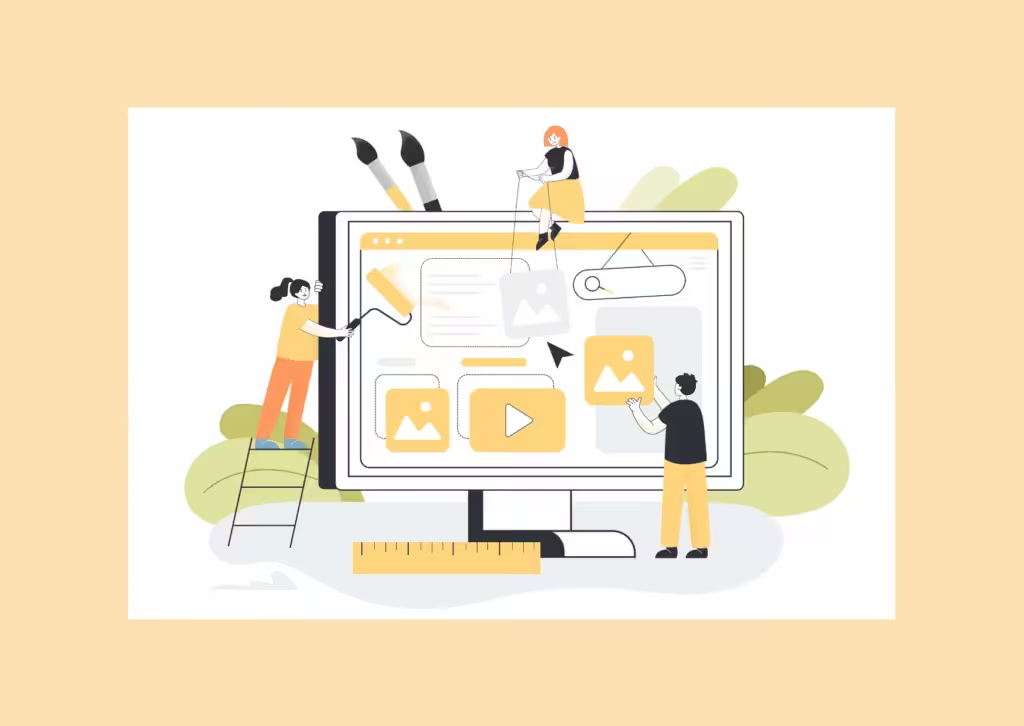
Does your WordPress website still look like it’s stuck in 2005?
Let’s change that — starting today. Share your design preferences and reference websites and see for yourself if it matches your vision. What you get:
- Modern UI
- Faster UX
- Clean Layouts
- Conversion-Focused
Design with Mobile-First Principles
Over 60% of web traffic comes from mobile devices. Your website homepage redesign WordPress strategy must prioritize mobile optimization.

Mobile optimization checklist:
- Design for smallest screens first, then scale up
- Ensure tap targets are at least 44×44 pixels
- Make text readable without zooming (minimum 16px font size)
- Simplify navigation for thumb-based browsing
- Test on actual devices, not just emulators
- Hide less critical elements behind collapsible sections
- Optimize images specifically for mobile bandwidth
WordPress tools for mobile optimization:
- Block editor’s responsive controls
- Premium page builders with device-specific layouts
- Mobile-friendly testing plugins
Example: Suppose you run a restaurant reservation service. Mobile users want quick access to menus, location, and booking. Prioritize these elements at the top, making them instantly accessible with minimal scrolling.
Implement Strategic Calls-to-Action Throughout the Page
Your homepage needs clear CTAs that guide visitors toward conversion without overwhelming them.
CTA best practices:
- Create a hierarchy: primary CTA for main goal, secondary CTAs for alternative paths
- Use action-oriented language that creates urgency
- Place your primary CTA in the hero section and repeat strategically
- Make buttons visually distinct with contrasting colors
- Keep CTA text specific and benefit-focused
Effective CTA examples:
- Instead of “Submit” → “Get My Free Audit”
- Instead of “Learn More” → “Download the Complete Guide”
- Instead of “Sign Up” → “Start Your Free 14-Day Trial”
WordPress implementation:
- Use dedicated CTA plugins for easy management
- Track CTA performance with MonsterInsights
- A/B test button colors, text, and placement
Example: Imagine you operate a software-as-a-service platform. Your primary CTA might be “Start Your Free Trial” (hero section and footer), with secondary CTAs like “Watch a Demo” or “View Pricing” for visitors at different stages.
Does your WordPress website still look like it’s stuck in 2005?
Let’s change that — starting today. Share your design preferences and reference websites and see for yourself if it matches your vision. What you get:
- Modern UI
- Faster UX
- Clean Layouts
- Conversion-Focused
Build Trust with Social Proof and Credibility Indicators
Trust is the foundation of conversion. Your website WordPress homepage redesign strategy must incorporate elements that immediately establish credibility.

Types of social proof to include:
- Client testimonials with real photos and specific outcomes
- Trust badges and security certifications
- Industry awards and recognition
- Media mentions and press logos
- Client logos (if B2B)
- Quantifiable success metrics
- Professional credentials and certifications
- Real-time activity notifications (recent purchases, sign-ups)
WordPress plugins for social proof:
- Strong Testimonials for customer reviews
- TrustPulse for real-time notifications
- Review aggregator plugins for Google/Yelp reviews
Example: Let’s say you operate a financial planning service. Display your CFP certification, years of experience, industry association memberships, and specific client results: “Helped 500+ businesses increase qualified leads by 73%.”
Simplify Navigation and Information Architecture
Confusion kills conversion. Your navigation should help visitors find what they need without friction.
Navigation best practices:
- Limit main menu items to 5-7 options
- Use clear, descriptive labels (avoid jargon)
- Implement logical category grouping
- Add a search function for content-heavy sites
- Use mega menus for complex site structures
- Ensure mobile navigation is thumb-friendly
- Include breadcrumbs for deeper pages
Elements to consider:
- Sticky headers for constant access to navigation
- Visual category blocks on the homepage
- Strategic internal linking
- Clear visual hierarchies
WordPress navigation options:
- Traditional horizontal menus
- Mega menu plugins
- Enhanced search plugins (Ivory Search, SearchWP)
Example: Think about an e-commerce homepage for handmade crafts. Rather than listing every product category, simplify to “Shop by Category,” “New Arrivals,” “Best Sellers,” and “About.” Use visual blocks on the homepage to feature specific categories.
Create Scannable Content with Visual Hierarchy
Web visitors scan rather than read. Your website WordPress homepage redesign project must account for this behavior.
Visual hierarchy essentials:
- Use heading tags appropriately (H1 for main headline, H2 for sections, H3 for subsections)
- Break content into digestible chunks with clear headings
- Utilize bullet points for key benefits
- Implement ample whitespace to prevent clutter
- Use contrasting colors for important information
- Choose readable fonts with appropriate sizes
- Add visual elements (icons, graphics) to support key points
Design techniques:
- Color contrast to highlight priority areas
- Icon boxes to visualize features
- Background color variations for section separation
- Strategic use of bold and italics
- Sufficient line spacing (1.5-1.6 line height)
Content formatting tips:
- Keep paragraphs to 2-3 sentences maximum
- Use descriptive subheadings that communicate value
- Replace text-heavy sections with visual elements where possible
Example: Suppose you manage a legal services practice. Instead of dense paragraphs explaining services, use clear section headings, bullet points for key benefits, and icon boxes to represent different practice areas visually.
Does your WordPress website still look like it’s stuck in 2005?
Let’s change that — starting today. Share your design preferences and reference websites and see for yourself if it matches your vision. What you get:
- Modern UI
- Faster UX
- Clean Layouts
- Conversion-Focused
Get a Homepage That Makes Visitors Stay—Not Bounce →https://wisdmlabs.com/wordpress-landing-page-development/
Conclusion: Transform Your WordPress Homepage Into a Conversion Engine
The redesign of your WordPress homepage should not only represent but also speak for your brand—the way you position yourself, the experience you provide, and the value you promise.
And the only way to do that is to implement these strategic practices consistently throughout the entire operation.
Here’s your action plan to ensure your redesign actually moves the needle:
- Audit your current homepage against these seven practices
- Prioritize changes based on your biggest conversion bottlenecks
- Implement improvements systematically, testing as you go
- Monitor key metrics: bounce rate, time on page, conversion rate
- Use WordPress analytics plugins to track user behavior
- Conduct regular A/B tests to refine elements
- Gather user feedback to identify improvement areas
Rough Timeline:
- Week 1: Audit + identify bottlenecks
- Week 2: Prioritize changes + implement core redesign updates
- Week 3: Testing (speed, layout, CTA performance) + analytics setup
- Week 4: A/B testing + user feedback review + final refinements
A homepage redesign isn’t a one-off task—it’s a continuous optimization cycle. Your WordPress homepage redesign should reflect your unique value proposition, serve the needs of your audience, and stay aligned with your business goals.
Note: Backup your site first so you can undo anything instantly
Whether you’re tackling the redesign yourself using WordPress’s intuitive tools or partnering with experienced designers, these principles will guide you toward a homepage that doesn’t just look professional but delivers measurable results.