In 2026, most WordPress redesigns don’t start with “let’s make it look better.”
They start with a quieter, more frustrating thought:
“We’re getting visitors… but it’s not turning into anything.”
People land on the site, scroll a bit, and bounce.
Or they click around, but never reach the part where they trust you enough to take action.
And on mobile, it’s usually worse.
That’s the shift.
A redesign today isn’t a makeover. It’s closer to fixing a leaky funnel. It’s about aligning the site with how people actually behave now: they skim, they compare, they hesitate, and they leave the second something feels unclear or slow.
So modern WordPress redesign work has moved away from “new colors, new layout” and toward something more useful:
- making the message feel obvious in seconds
- reducing the little moments of doubt
- rebuilding page sections as reusable systems (not one-off designs)
- and making performance and UX feel solid, especially on mobile
This guide walks through 12 WordPress redesign trends shaping 2026 but not as design ideas. Each one is explained through a practical lens: what it fixes, what it changes for users, and why it matters for conversions and SEO.
Who this guide is for
This article will be useful if you’re:
- planning a WordPress redesign this year
- seeing traffic, but weak engagement or leads
- running a content-heavy site, service business, or high-intent funnel
- comparing WordPress website redesign services and want more than “visual upgrades”
If your site looks modern but still feels ineffective, this will help you pinpoint what’s missing—and what to do next.
What businesses actually mean when they search for WordPress redesign services
When people search for WordPress redesign services, they’re rarely asking for better visuals alone.
They’re usually trying to fix problems like:
- “Our site looks fine, but doesn’t convert”
- “Users don’t understand what we offer”
- “Mobile engagement is poor”
- “Navigation has become bloated”
- “SEO rankings dropped after growth”
That’s why redesigns focused only on appearance fail.
In 2026, effective WordPress website redesign services align design decisions with user intent, clarity, performance, and SEO signals—not just trends.
Why WordPress redesigns in 2026 are behavior-first (not trend-first)
Three realities now define successful redesigns:
- Users don’t read — they scan
- Mobile behavior determines trust
- Google rewards clarity over creativity
The trends below exist because of these shifts, not because design aesthetics changed.
1. Clarity-first hero sections (not clever headlines)
What’s changing?
Hero sections now prioritize instant understanding.
Why does this trend exist?
Users decide whether to stay within 3–5 seconds.
If they don’t immediately understand:
- What you do
- Who it’s for
- Why it matters
They leave—regardless of design quality.
What redesigns do differently?
- Direct value propositions
- Plain unambiguous language
- Supporting copy that removes doubt
This trend directly improves bounce rate and dwell time, which are essential ranking signals.
2. UX-driven layouts replacing section-heavy pages
What’s changing?
Pages now contain only specific content sections instead of generic sections, which include Features, About, and Why Us.
Why does this trend exist?
Users scroll based on intent, not page order.
What redesigns do differently?
- User questions organize layouts
- Content groups based on the decision stage
- User sections present dedicated content with specific goals
The solution improves user understanding while extending their time spent with the content.
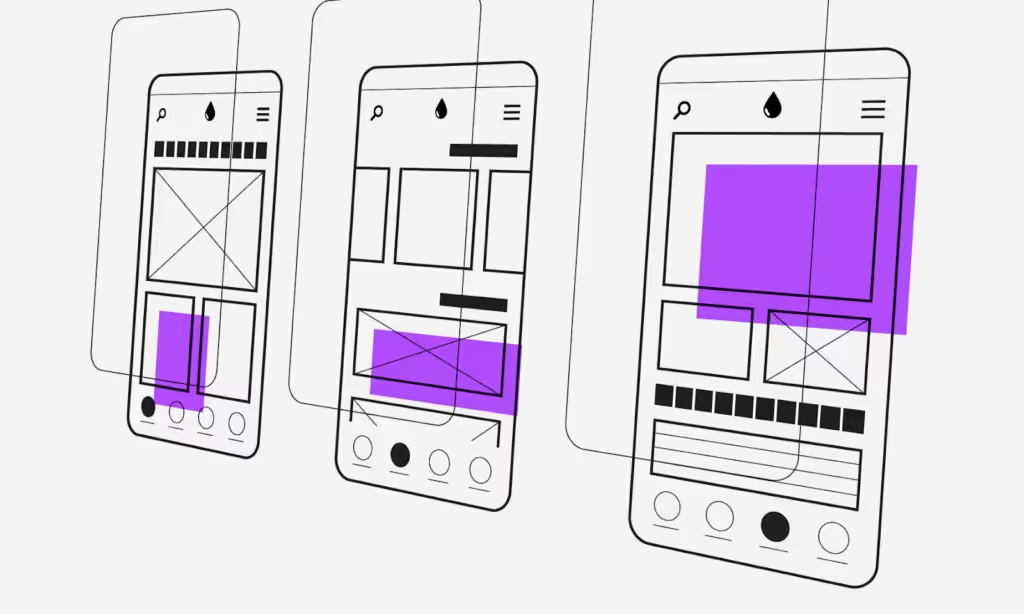
3. Mobile-first redesigns (finally done properly)
What’s changing?
Mobile has become the primary design canvas that designers use to create their work.
Why does this trend exist?
- Mobile traffic dominates
- Mobile UX strongly affects trust
- Google evaluates mobile behavior first
What redesigns do differently?
Mobile navigation designed independently
- Thumb-friendly CTAs
- Content prioritized for small screens
Any serious WordPress redesign service now starts with mobile UX.
4. Intent-based navigation instead of content-based menus
What’s changing?
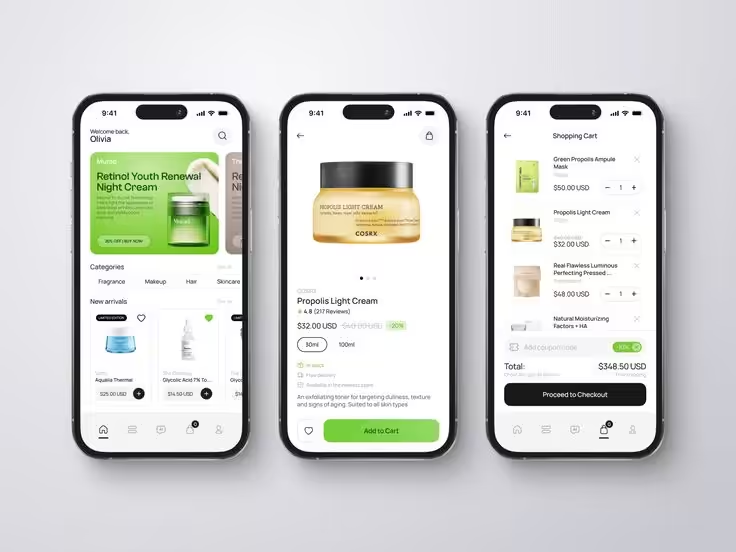
Menus are shifting from internal page lists to user-intent pathways.
Why does this trend exist?
Traditional menus overwhelm users:
- Too many options
- Vague labels
- Deep nesting
What redesigns do differently?
- Fewer top-level choices
- Labels aligned with user goals
- Clear routes to conversion pages
Navigation is now treated as a decision system—not a sitemap.
5. Fewer CTAs, stronger CTAs
What’s changing?
CTA overload is being removed.
Why does this trend exist?
Too many CTAs cause hesitation instead of action.
What redesigns do differently?
- One primary CTA per page
- Secondary actions de-emphasized
- CTAs placed after clarity and trust
This improves conversion rates, especially for B2B and high-ticket sites.

6. Performance-led design decisions (Core Web Vitals first)
What’s changing?
Design decisions are evaluated by performance impact.
Why does this trend exist?
- Google rewards fast, stable experiences
- Users associate speed with credibility
What redesigns do differently?
- Lighter layouts
- Reduced animation dependency
- Cleaner DOM structures
- Performance budgets are built into the design
Modern WordPress website redesign services treat speed as a UX feature.
7. Modular design systems instead of one-off templates
What’s changing?
Redesigns are built as systems, not static pages.
Why does this trend exist?
Websites evolve constantly. Rigid designs break as content grows.
What redesigns do differently?
- Reusable components (block patterns, custom Gutenberg blocks)
- Consistent spacing and typography
- Easier long-term scalability
This keeps UX consistent even as the site expands.
8. Content density without visual clutter
What’s changing?
More value is delivered in less space—without overwhelming users.
Why does this trend exist?
Users want quick answers and depth before converting.
What redesigns do differently?
- Better content grouping
- Progressive disclosure
- Visual breaks without excess whitespace
This balances scan-ability with SEO depth.
9. Trust signals embedded into the user flow
What’s changing?
Trust elements are no longer isolated in one section.
Why does this trend exist?
Users need reassurance at moments of doubt—not after scrolling.
What redesigns do differently?
- Social proof near CTAs
- Credibility cues inside decision sections
- Progressive trust building
This increases confidence without disrupting flow.
10. Real-world accessibility baked into redesigns
What’s changing?
Accessibility is now a UX and SEO requirement—not optional compliance.
Why does this trend exist?
- Broader audience expectations
- Better usability for everyone
- Search engines reward usable interfaces
What redesigns do differently?
- Strong contrast
- Readable typography
- Keyboard-friendly navigation
- Clear focus states
Accessible design improves engagement metrics site-wide.
11. AI-aware layouts designed for scanning and summaries
What’s changing?
Pages are being designed for:
- Human scanning
- Featured snippets
- AI-generated summaries
Why does this trend exist?
Search behavior increasingly involves AI previews.
What redesigns do differently?
- Clear headings
- Structured sections
- Concise explanations
This increases visibility across traditional and AI-driven search.
12. Redesigns measured by outcomes—not aesthetics
What’s changing
Success is no longer defined by “it looks better.”
Why does this trend exist
Design that doesn’t move metrics is expensive decoration.
What redesigns do differently
- Define success metrics early
- Measure engagement, conversions, and usability
- Iterate based on behavior
This separates serious WordPress redesign services from cosmetic refreshes.
How these WordPress redesign trends impact SEO rankings
These trends directly influence SEO performance:
- Clarity-first layouts → Lower bounce rate, higher dwell time
- Mobile-first UX → Stronger mobile usability signals
- Performance-led design → Improved Core Web Vitals
- Intent-based navigation → Better internal linking and crawl paths
- Structured content → Higher featured-snippet eligibility
Google doesn’t reward sites that look modern.
It rewards sites that help users understand, navigate, and act.
What actually changes in a 2026 WordPress redesign (before vs after)
| Before Redesign | After Redesign |
| Visual refresh only | UX + behavior-driven structure |
| Desktop-first layouts | Mobile-first journeys |
| Section-heavy pages | Intent-driven flow |
| CTA overload | Focused conversion paths |
| Generic menus | Intent-based navigation |
| Slower interactions | Performance-led UX |
This is the difference between cosmetic updates and strategic WordPress website redesign services.
Common WordPress redesign mistakes that hurt rankings
Even well-intentioned redesigns fail when teams:
- Prioritize aesthetics over clarity
- Add heavy animations that hurt performance
- Ignore mobile behavior
- Break internal links
- Change URLs without redirects
- Remove ranking content
Successful redesigns protect and strengthen existing SEO signals.
Who should redesign their WordPress website in 2026
A redesign makes sense if:
- Your site looks modern but converts poorly
- Mobile engagement is low
- Navigation feels bloated
- Content has grown without structure
- Core Web Vitals are declining
- Your business model has evolved
In these cases, WordPress website redesign services focused on UX and performance deliver real ROI.
| What to Expect: Investment & Timeline (So It Doesn’t Turn Into a Surprise Project) If you’re redesigning in 2026, you’re usually trying to fix one of two feelings: “People land on the homepage… and don’t do anything.” “Our site has grown into a mess and the homepage is just showing the symptoms.” Your budget and timeline mostly depend on which one you’re dealing with. Investment: what you’re actually paying for. Most WordPress redesigns fall into three real-world buckets: A refresh (lighter investment) Your structure is fine — it just needs a cleaner layout, better hierarchy, and updated UI. A “make the homepage work” rebuild (mid investment) The visuals aren’t the main issue. The flow, messaging, and section order need rethinking so visitors actually get it and move forward. A full restructure (bigger investment) Navigation is bloated, content has grown without a system, and fixing the homepage alone won’t stick unless the rest of the site gets organized too. Quick gut-check: If your problem is “we get traffic, but inquiries are weak,” you’re usually not in “just a refresh” territory. Timeline: what makes it fast vs what slows it down. Design itself isn’t what drags projects. What slows redesigns down is changing your mind mid-way. It moves faster when your offer is clear, the content is ready, and the decision-makers are aligned. It moves more slowly when: content is still evolving, too many people want the homepage to say 10 different things, or the site needs structural cleanup. The #1 timeline killer is this sentence on repeat: “Wait… can we also add this? ” DIY vs professional redesign: a simple way to decide. DIY works if your structure is already solid and you’re mainly improving presentation. Go professional if the homepage is tied to revenue and you need it to clearly explain, build trust, guide decisions, and perform well on mobile. Because DIY is rarely “free” — it’s just paid in time and rework. |
Frequently asked questions about the WordPress redesign in 2026
How often should a WordPress site be redesigned?
Typically, every 3–4 years, or sooner if user behavior and SEO standards shift.
Is redesigning bad for SEO?
No—when done strategically, redesigns often improve rankings.
What matters more in 2026: design or UX?
UX and clarity matter more than visual style.
How long does a WordPress redesign take?
Usually 6–12 weeks, depending on complexity.
Do redesign services include mobile optimization?
In 2026, mobile-first UX is a baseline expectation.
Should I redesign or rebuild from scratch?
If the site basically works but feels unclear or outdated, a redesign is usually enough.
If it’s hard to update, slow, or full of workarounds, that’s when a rebuild makes sense.
Will I lose SEO rankings during a redesign?
You shouldn’t — as long as URLs, redirects, and metadata are handled properly.
Most ranking drops happen because SEO is treated as an afterthought, not because of the redesign itself.
Can I redesign in phases instead of all at once?
Yes, and many teams do.
Starting with the homepage or key pages lets you improve things without stopping everything at once.
Final takeaway: Redesigns that rank in 2026 are behavior-led
The WordPress sites that dominate search results in 2026 don’t chase trends.
They redesign around:
- User intent
- Clarity
- Speed
- Decision confidence
That’s why modern WordPress redesign services focus less on how a site looks—and more on how it guides real users to action.
A redesign done right doesn’t just refresh your brand; it restructures how users experience your business online.
In 2026, the difference between a superficial visual refresh and a strategic redesign is measurable: lower bounce rates, higher conversions, stronger rankings, and a site that actually grows with your business.
If your current site looks modern but feels ineffective, that’s the signal. The foundation needs work, not just the paint.
If you’re struggling to understand the redesign process better and would prefer expert help to uncover hidden areas where your website is lacking, explore our redesign services today!
They convert because it makes sense.
| Read more (if you want to fix this properly): Trends are fun to look at. The real question is: do they make your site clearer, faster, and easier to act on? Here are a few relevant articles: Why Good-Looking WordPress Websites Still Fail? 7 Ways Design and Development Misalignment Breaks Websites How to Set Up Listify Theme for WordPress Like a Pro 7 Best Corporate Training WordPress Themes |