| If you want to redesign a website on WordPress and actually improve conversions, copy the patterns proven in real redesign case studies: clearer messaging, simpler paths to action, faster pages, fewer distractions, and better mobile structure. Below are 10 verified “before → after” redesigns with measurable lifts, plus a scorecard and a mini game to diagnose your own site. |
The 10 verified redesigns (quick showcase)
These case studies aren’t all WordPress builds, but the UX + conversion mechanics translate directly to WordPress redesign projects (themes, templates, blocks, copy, IA, speed). The showcase, explained
| Redesign | Why it worked (short) | WordPress takeaway (short) | Source |
| Booking.com | Small, constant experimentation removes friction over time. | Redesign the conversion path first; ship weekly micro-improvements; track by segment. | https://booking.ai/meta-experiments-improving-experimentation-through-experimentation-6bdee314c512 |
| Walmart Canada | Speed + structure made shopping smoother, especially on mobile. | Make performance part of the redesign scope; keep checkout cues obvious on mobile. | https://www.publicissapient.com/work/walmart |
| Seneca | Better browsing/discovery made decisions feel easier. | Improve category + PDP UX: filters, scannable cards, decision info near CTA. | https://adchitects.co/case-studies/seneca-custom-ecommerce |
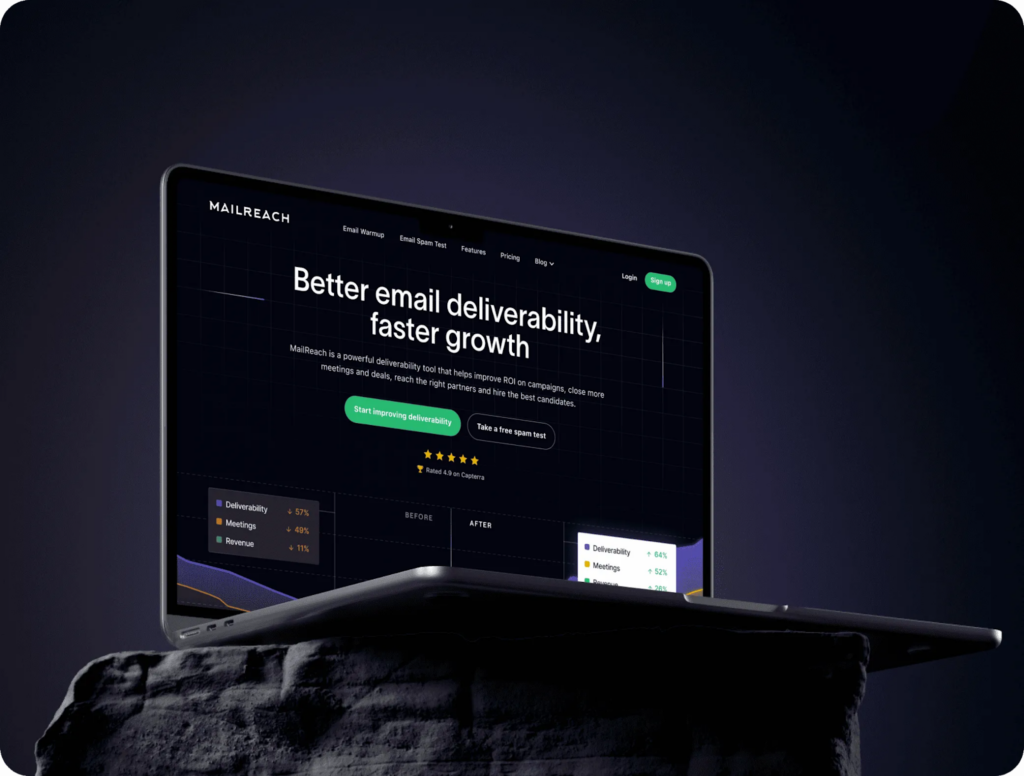
| MailReach | Clearer messaging + hierarchy reduced confusion fast. | Rewrite hero + add proof near CTAs; use a clean page rhythm. | https://www.beetlebeetle.com/case-studies/mailreach |
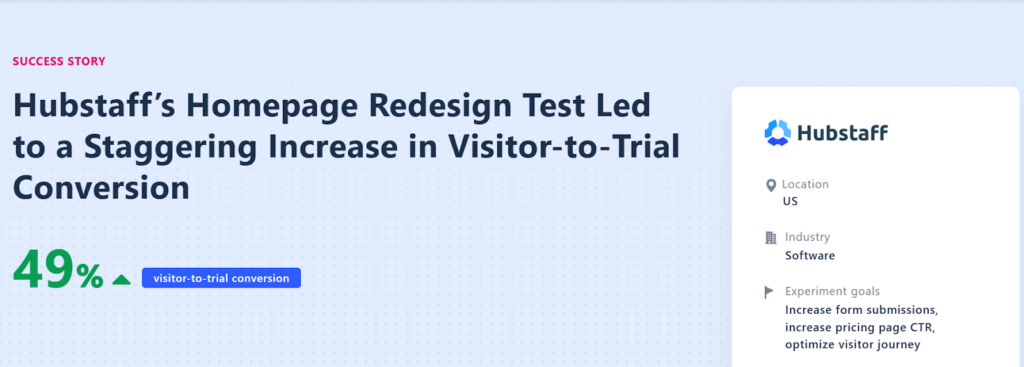
| Hubstaff | Homepage became a guided entry point, not a brochure. | Add “choose your path” routing; measure the full journey. | https://vwo.com/success-stories/hubstaff/ |
| OorSandhai | UX + SEO structure aligned discovery with shopping clarity. | Treat category pages as entry pages; fix IA first; trust at decision points. | https://wisdmlabs.com/case-study/from-local-roots-to-digital-reach-oorsandhais-6-month-seo-ux-turnaround/ |
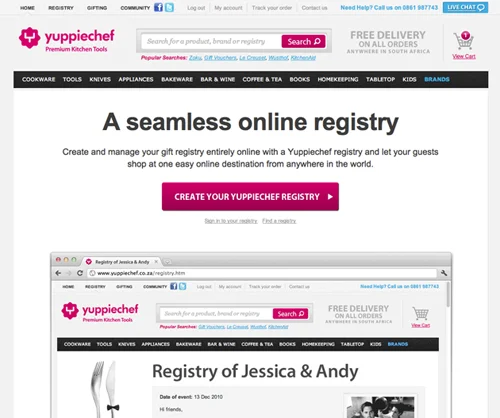
| Yuppiechef | Removing distractions helped a single goal page perform better. | Use no-nav landing templates for campaigns/lead magnets/webinars. | https://vwo.com/blog/a-b-testing-case-study-navigation-menu/ |
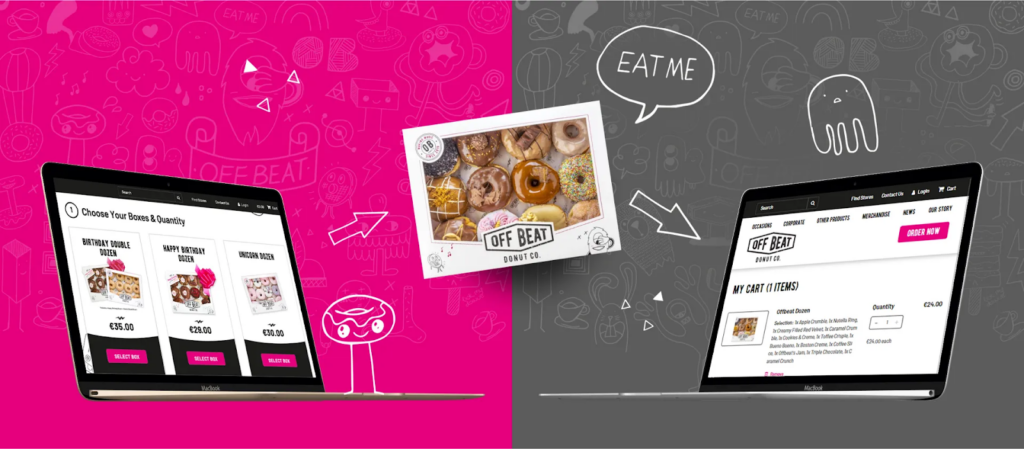
| Offbeat Donuts | Design-led refresh improved brand feel and buying flow clarity. | Lead with craveable visuals + simple Shop path; reuse templates/patterns. | https://www.matrixinternet.ie/case-study/offbeat-donuts/ |
| McDonald’s Jobs site | Clear IA + guided browsing made the next step feel obvious. | Build task-first pages (apply/book/buy) with filters + clear next-step cues. | https://eminence.ch/en/portfolio-item/mcdonalds-jobs/ |
| Virgin America | A/B-tested booking UX made the process feel simpler and reduced support burden. | Simplify money pages: one primary CTA, fewer steps, mobile-first spacing. | https://work.co/clients/virgin-america/ |
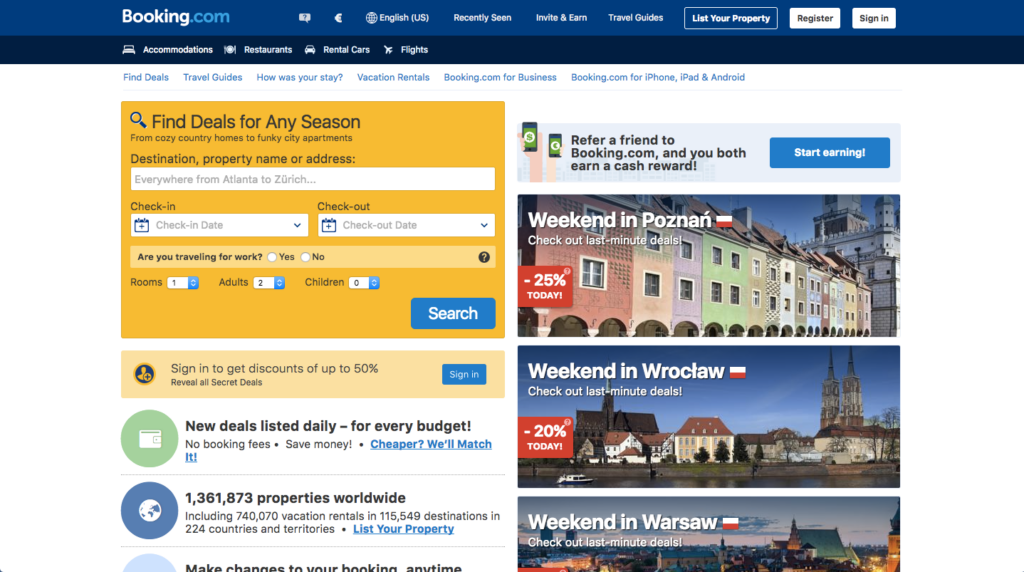
1) Booking.com — “optimize the path with small, constant improvements”
Why it worked:
Instead of betting everything on one giant redesign, they treat the customer journey like a living system. The focus is always: remove one tiny point of friction, validate it, repeat. Over time, that approach compounds into a noticeably smoother booking experience.
What changed (in human terms):
- The “book a stay” journey is continuously refined step-by-step (not redesigned all at once)
- Pages are built to reduce hesitation (clear choices, clear next steps)
- The team culture is heavily experimentation-driven, so decisions get validated instead of debated
Steal this for WordPress:
- Redesign your conversion path first, not the whole site:
- homepage → service/pricing → form/checkout → confirmation
- homepage → service/pricing → form/checkout → confirmation
- Make a “tiny improvements backlog” and ship 1–2 changes weekly:
- headline clarity, CTA label, proof placement, form fields, FAQ placement
- headline clarity, CTA label, proof placement, form fields, FAQ placement
- Track by segments (mobile vs desktop, new vs returning) so you don’t “improve” one audience while hurting another
2) Walmart Canada — “speed isn’t technical… it’s sales”
Why it worked:
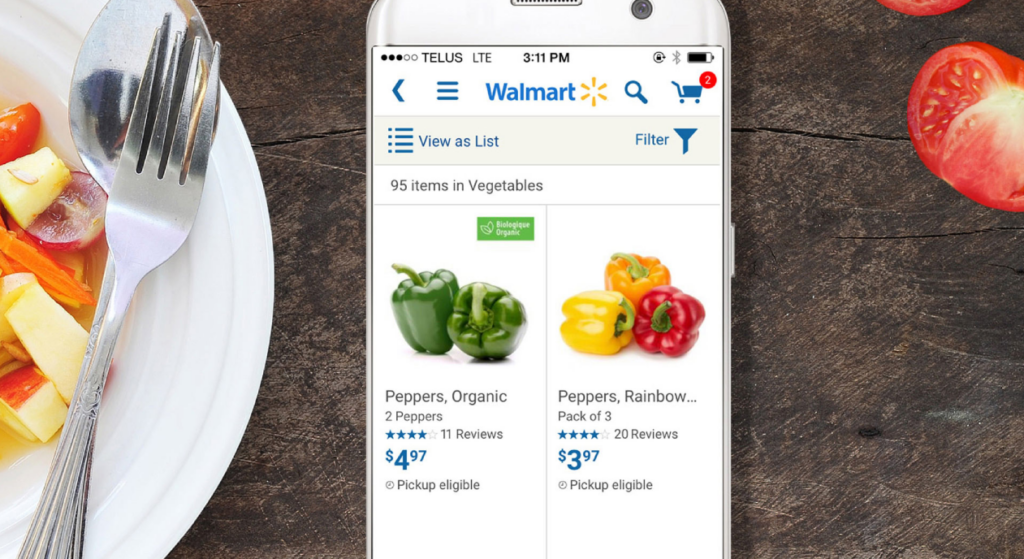
They didn’t just “freshen the design.” They rebuilt around how people actually shop — especially on mobile — where one slow page can kill the mood completely.
What changed that matters:
- The experience got faster and less heavy
- The shopping path got clearer
- Mobile didn’t get stuck in clunky UI patterns
Steal this for WordPress:
Make performance part of the redesign definition:
- One caching strategy (don’t stack 4 plugins)
- Cleaner images + fewer scripts on key pages
- Clear “continue” and “checkout” cues on mobile
Source: Publicis Sapient work page (publicissapient.com)
Before we move, use this quick tool to check where your site currently stands.
| Redesign ranking tool (score your site in 5 minutes) Rate each from 1 (bad) to 5 (strong). Total out of 50. Category Score (1–5) Quick test question Clarity: Can a stranger explain what you do in 7 seconds? Visual hierarchy: Does your eye land on the CTA naturally? Navigation: Can users find pricing/contact in 1 click? Mobile UX: Can you complete the main action with one thumb? Speed perception: Does it feel fast on 4G? Trust: Are proof + specifics shown before the CTA? Content structure: Is it scannable (subheads, bullets, short sections)? Form friction: Is the form the shortest version that still qualifies leads? SEO safety: Will top pages keep their URLs or redirects? Analytics readiness: Are key events tracked (CTA click, form submit, checkout)? Interpretation0–24: You don’t need a facelift. You need a rebuild of clarity and structure. 25–39: Redesign is worth it — focus on messaging + IA + speed first. 40–50: You’re close. Run small experiments; don’t blow it up. Once you are done analyzing your website score, you can talk to a professional redesign agency about the possible solutions. Connect with a redesign agency today! |
3) Seneca — “premium UX is mostly browsing that doesn’t annoy you”
Why it worked:
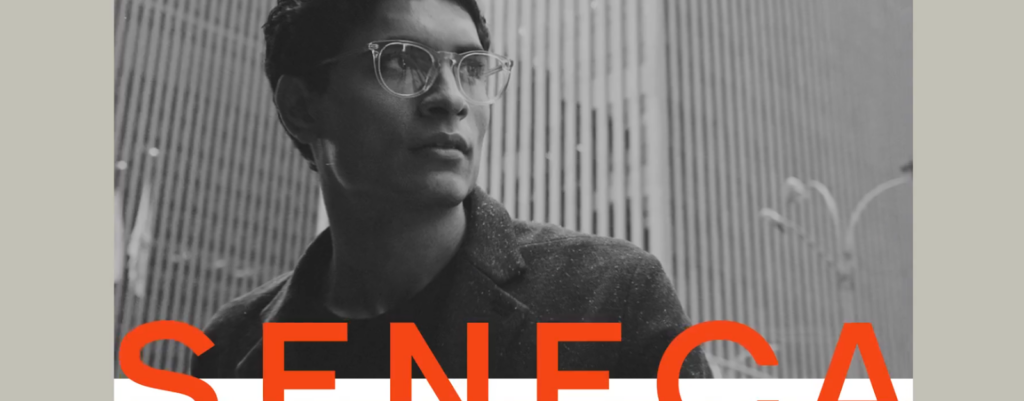
A lot of “premium” eCommerce sites look expensive but feel exhausting. This redesign focused on the part that actually matters: browsing, comparing, deciding.
What got better:
- Cleaner product layouts
- Easier discovery (less hunting, more scanning)
- Mobile shopping felt smoother, not cramped
Steal this for WordPress (WooCommerce):
- Treat category pages like decision pages (filters, sorting, scannable cards)
- Put the “buy decision” info near the CTA (shipping, returns, trust)
- Give content breathing room. Busy pages convert worse.
Source: Adchitects case study (adchitects.co)
4) MailReach — “sometimes it’s not your UI… it’s your message”
Why it worked:
The biggest conversion killer on most websites isn’t layout. It’s confusion. This redesign sharpened what MailReach is, who it’s for, and why anyone should care — fast.
What changed:
- Stronger positioning and clearer copy
- A more logical page flow (problem → solution → proof → CTA)
- Trust placed where people hesitate (not hidden in the footer)
Steal this for WordPress:
- Rewrite your hero like you’re explaining to someone distracted:
- Who it’s for → outcome → proof → CTA
- Add proof blocks near CTAs (not just “testimonials” at the bottom)
Source: Beetle Beetle case study (beetlebeetle.com)
5) Hubstaff — “your homepage isn’t a brochure”
Why it worked:
Their homepage stopped trying to impress everyone. Instead, it helped people quickly figure out: “Is this for me?” and “Where should I go next?”
What changed:
- Clearer structure and CTA focus
- Better routing into the right path
- Testing-backed improvements (not gut-feel design)
Steal this for WordPress:
- Add a “Choose your path” block:
- I’m a [role] → goes to the right page
- Measure the journey, not just homepage clicks
Source: VWO success story (vwo.com)
6) OorSandhai — “UX + SEO upgrades that helped the brand scale its digital reach”
Why it worked:
This project wasn’t about “changing the look.” It was about making the website better aligned with how people actually discover and shop for traditional products online, a clearer structure for search engines, smoother browsing for customers, and stronger trust signals while people decide.
What improved:
- Product and category journeys became easier to follow (so shoppers could move from “curious” to “confident” without friction)
- Content and page structure were strengthened so search engines could better understand and surface key pages
- Visual hierarchy and mobile experience were refined to make browsing feel more effortless
- Trust elements were integrated more naturally into key decision points (where buyers typically pause)
Steal this for your WordPress redesign:
- Treat category pages like real entry pages (not just listings)
- Upgrade information architecture before you polish UI
- Make mobile browsing feel calm and clear (spacing, tap targets, predictable patterns)
- Place trust where decisions happen: category pages, product pages, and checkout/contact moments
Source: WisdmLabs case study. (wisdmlabs.com)

7) Yuppiechef — “navigation is a leak when you want one action”
Why it worked:
If your page’s job is “get a signup,” letting users wander the website is… not helpful. They removed navigation and made the page do one thing well.
What changed:
- Fewer exits
- More focus on the single conversion action
Steal this for WordPress:
- Use no-nav landing templates for:
- paid campaigns, lead magnets, webinars
- Keep only essentials (privacy/legal)
Source: VWO case write-up (vwo.com)
8) Offbeat Donuts — “make the website feel as irresistible as the product”
Why it worked:
This is what happens when design leads with brand experience instead of template defaults. It makes the product feel vivid, the brand feel consistent, and the buying path feel easy—so visitors move from “just browsing” to “okay, I want this.”
What changed (design-first, in human terms):
- A bold, playful visual system (illustrations, typography, brand palette) that matches the in-store vibe
- Clearer eCommerce flow that supports delivery + multiple order types (without making the UI feel heavy)
- Better content control for the team (so updates don’t require a developer every time)
Steal this for your WordPress redesign:
- Treat your homepage like a “taste test”: big appetizing visuals, crisp copy, zero clutter
- Make the purchase path obvious: Menu/Shop → Add to cart → Checkout (no detours)
- Design your site so the team can update it confidently (blocks/components, not one-off layouts)
9) McDonald’s — “make the next step feel obvious”
Why it worked:
The redesign focused on one thing: helping people complete a task fast (in this case, finding a role and applying) with clear structure, strong navigation, and a mobile-first layout.
What changed (design-first):
- Cleaner information architecture (roles, locations, filters)
- More intuitive browsing + search patterns
- Stronger employer-brand storytelling without getting in the way of the action
Steal this for your WordPress redesign:
- Rebuild key pages around one job (order, book, apply, get a quote)
- Use filters / guided navigation instead of long scroll pages
- Add “what happens next” clarity near the CTA (reduces hesitation)
Source: Eminence case study on the McDonald’s Jobs site redesign.
10) Virgin America — “don’t make people think while they’re trying to buy”
Why it worked:
Booking a flight is already a mildly stressful task. The redesign did the simplest, highest-ROI thing possible: it made the experience feel obvious on every device.
What they actually improved (in human terms):
- Fewer “wait, what do I do next?” moments
- A smoother step-by-step flow
- Mobile didn’t feel like the “discount version” of the site
Steal this for your WordPress redesign:
If you’re going to redesign your website on WordPress, start with your money pages:
- One primary action per page (one)
- Cut steps, shorten forms, remove fluff
- Make mobile spacing and tap targets feel effortless
Source: Toptal’s redesign/UX ROI case study roundup (toptal.com)
Read More: 7 Best Corporate Training Themes to Use
What these “winning redesigns” have in common
If you want to redesign a website on WordPress for measurable outcomes, these patterns show up again and again:
- One primary action per page
- Clear positioning above the fold
- Faster load, especially on mobile
- Less choice, fewer leaks (navigation, extra links, clutter)
- Decision support near CTA (proof, details, FAQs, reassurance)
- Better information architecture (findability beats fancy visuals)
- Iteration beats perfection (test, learn, refine)
WordPress redesign checklist (do this before you touch design)
Use this as your “don’t break conversions” safety net.
Strategy + measurement
- Define 1 primary goal (leads, trials, sales) + 2 secondary goals
- Snapshot current baseline: conversion rate, bounce rate, top pages, top landing pages
- List your top 10 pages by traffic + revenue/lead value
UX + structure
- Map the user paths: homepage → key page → action
- Fix navigation labels (human words, not internal jargon)
- Reduce competing CTAs per page
Messaging + trust
- Rewrite hero: audience + outcome + proof + CTA
- Add trust cues where doubt happens (near CTA, pricing, footer)
- Add FAQs that answer “Will this work for me?”
SEO + tech
- Keep URL structure where possible (or plan redirects)
- Preserve top-performing content
- Improve Core Web Vitals and mobile experience
| A simple “game” to understand your website better The 30–30–3 UX Reality Check (play it with 1 teammate) Round 1: 30 seconds Open your homepage. No scrolling. Answer: What do we do? Who is it for? What should I do next? Round 2: 30 clicks: Try to complete your #1 goal (book/buy/contact). Count clicks. If it’s more than ~6–8, you’re leaking conversions. Round 3: 3 objections Write the top 3 doubts your buyer has (price, trust, fit, time, risk). Now find where the site answers them. If you can’t find it fast, your user can’t either. Scoring: Give yourself 1 point per round you pass cleanly. 0–1: Start with messaging + navigation + CTA clarity 2: Fix friction + proof placement 3: You’re ready for A/B testing and refinement |
Tools that make redesigns easier:
UX + behavior
- Microsoft Clarity (session replays + heatmaps)
- Hotjar (surveys + behavior analytics)
Speed + technical
- Google PageSpeed Insights / Lighthouse
- WebPageTest (waterfall + real-world loading details)
SEO + structure
- Google Search Console
- Screaming Frog (crawl + redirects + broken links)
WordPress-specific helpers
- Query Monitor (debug performance issues)
- Redirection (301 management)
- A caching/performance plugin (choose one, don’t stack 3)
Read More: What is a breadcrumb navigation menu? How to implement it?
Practical template: how to turn these examples into a WordPress redesign plan
If you’re going to redesign website on wordpress, don’t start in Figma.
Start here:
- Pick 1 primary conversion page (homepage or a key service/product page)
- Apply this layout order:
- Hero (clarity + CTA)
- Proof (logos/testimonials/results)
- “How it works” (3 steps)
- Use cases / segments
- FAQs
- Final CTA
- Hero (clarity + CTA)
- Launch, then run 3–6 small experiments (headline, CTA label, proof order, form friction)
Final Thoughts
Across all 10 redesigns, the pattern is consistent: clarity beats creativity, structure beats style, and small improvements compound into significant revenue gains.
The best WordPress redesigns don’t start with fonts or layouts – they start with understanding what visitors need to do and removing everything that gets in the way.
If you’re planning a redesign, start with the 30-30-3 check. If you’re unsure where your biggest gaps are, we can help you identify them before touching a single design file.
Aspiring to implement a similar strategic redesign to your website? Connect with us today!