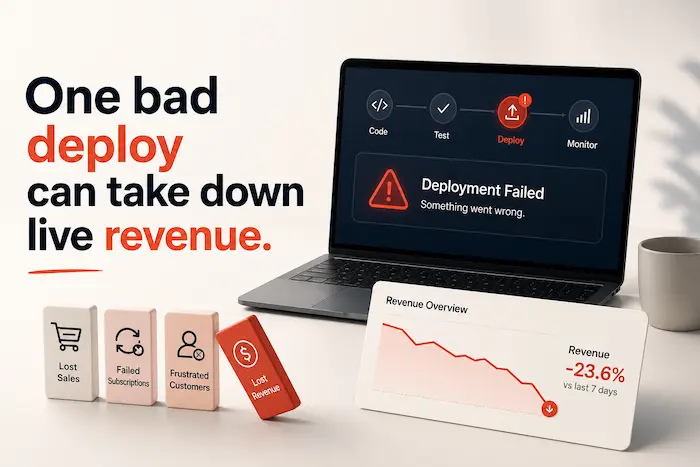
How a high-scaling business ships WordPress changes safely
| Quick Answer: WordPress deployment is the process of safely moving website changes such as plugin updates, theme changes, new features, or bug fixes from development or staging to a live WordPress site. For growing ecommerce, membership, and eLearning businesses, WordPress deployment isn’t just a technical task. It’s a controlled release process designed to minimize downtime, protect customer experience, and ensure critical functions like checkout, subscriptions, and user access continue working after every update. |
“My whole site is trashed.” That’s how one store owner described what happened after a routine plugin update, in a public support thread with dozens of similar stories underneath it.
Multiply that by a checkout flow, a subscription renewal, or a student mid-lesson, and “trashed” stops being an inconvenience. It loses evenue, in real time.
That’s the moment many growing businesses realize their website has already become part of the business itself. And the realization usually arrives during an outage, not before one. Once that happens, every deployment becomes a release to a revenue-generating system.
Why deployment risk grows with your business
Once your website becomes part of how customers buy, learn, subscribe, and interact with your business, a WordPress deployment stops being “just pushing a change live.” It’s the process of releasing changes to a system your customers rely on every day.
A new plugin version, design update, or feature release might look routine, but for a growing business, every deployment has the potential to affect revenue and customer experience.
That math changes completely once your website is the business, not just the front door to it.
What changes isn’t the deployment process—it’s what you validate
Every WordPress deployment follows the same basic sequence: develop, test, validate, deploy, and monitor. That process doesn’t become more complicated as your business grows.
What does change is the validation step.

When your website supports revenue-generating operations, you’re no longer validating that “the update worked.” You’re validating that the parts of your business customers depend on still work after every release.
For example, a routine plugin update might leave your homepage looking perfectly fine while silently breaking a payment webhook or preventing learners from accessing a course. Those issues often go unnoticed until customers report them.
That’s why production-grade deployments validate business-critical workflows, not just the website itself.
| Business type | Validate before every deployment |
|---|---|
| WooCommerce stores | Complete an end-to-end purchase, confirm payment processing, verify cart and checkout behaviour, ensure order confirmation emails and payment webhooks are working correctly. |
| Membership websites | Test user registration, login, gated content access, subscription renewals, and member account permissions. |
| eLearning platforms (LearnDash) | Verify learner login, course enrolment, lesson progression, quiz submissions, certificate generation, and subscription or course access logic. |
The more revenue, subscriptions, or customer experiences your website supports, the more these validation checkpoints become part of every deployment—not because the deployment process has changed, but because the business impact of getting it wrong has.
The process itself hasn’t changed. What has changed is what’s riding on it.
Deploy with confidence. Grow without the firefighting.
Safe deployments are just one part of running a high-performing website.
- Protect revenue-critical customer journeys
- Improve performance and stability
- Resolve issues before they become incidents
- Continuous technical oversight from one team

The deployment gap most growing businesses discover too late
By the time a business reaches $1M+ in annual revenue, the biggest deployment risk usually isn’t the technology—it’s the process behind it.
Most businesses at this stage have a developer who knows how to deploy WordPress changes safely. What they often don’t have is a deployment process that’s documented, repeatable, and resilient enough to support a growing business.
That gap becomes visible when:
- The staging environment doesn’t accurately mirror production, so issues only appear after the release.
- Critical business workflows—like checkout, subscription renewals, learner access, or CRM synchronisation—aren’t validated before or after deployment.
- Rollback depends on one developer’s knowledge instead of a documented recovery plan.
- Deployment checklists exist only in someone’s head, making releases riskier when team members are unavailable or new developers join.
A production-grade deployment process removes that uncertainty. It ensures every release follows the same validation steps, regardless of who performs the deployment, reducing operational risk as the business grows.
The hidden cost of “just pushing an update”
When your website supports the business, there is no such thing as “just pushing an update live.” Every deployment affects systems customers depend on, whether that’s placing an order, renewing a subscription, or logging in to continue a course.
The real cost of a bad release rarely shows up as a line item called “deployment.” It shows up as:
· Lost sales during the outage
· A broken checkout that quietly bleeds orders for hours before anyone notices
· Failed customer journeys: sign-ups, renewals, or course enrollments that silently fail
· A spike in support tickets from confused, frustrated customers
· Damaged trust that doesn’t show up on a dashboard, but shows up in churn
· Emergency fixes that pull your best people off the roadmap and onto firefighting
The Baymard Institute has tracked cart abandonment at roughly 70% for years, meaning most of your funnel is already fragile before anything technical even goes wrong. A bad release doesn’t create that leak. It just widens it at the worst possible moment.

Your website deserves more than reactive support
Growing businesses don't just need someone to fix issues when they happen. They need a team that proactively manages releases, monitors performance, resolves problems before customers notice, and continuously improves the website as the business grows.

How high-scaling businesses approach WordPress deployment
The difference isn’t that scaling businesses make fewer changes. It’s that they’ve changed the way they release them.
Mature businesses don’t deploy less often. They deploy with a process that assumes something might go wrong, every time.
That process usually rests on five habits:
· Every change is tested before it reaches customers
· Releases are planned, not rushed out under pressure
· A rollback plan exists before deployment begins, not after something breaks
· Business-critical customer journeys, checkout, login, enrollment, are validated after every release
· Monitoring continues after launch, not just in the hour before it
| Ad hoc deployment | Mature deployment practice |
| Changes pushed straight to the live site | Changes tested on staging first |
| No rollback plan | Rollback plan ready before release begins |
| Deploy and hope | Business-critical journeys checked after release |
| Monitoring stops once the site loads | Monitoring continues after launch |
| Fixes made directly on production | Fixes tested, then deployed properly |
We recently worked with MollyMy after a deployment issue disrupted subscription renewals. Within 30 hours, renewal success returned to 100% because there was a structured process for identifying the failure, validating the fix, and safely restoring payments.
If something’s already gone wrong and you need it fixed first, our Fix WordPress Issues service is built for exactly that moment.
| Quick Assessment: Is your WordPress deployment process built for your business today?
Answer Yes or No to each question. ☐ Does every website change get tested on a staging site before going live? ☐ Can your team roll back a failed deployment in minutes, not hours? ☐ Are checkout, subscriptions, logins, and other critical customer journeys tested after every release? ☐ Does your team have a documented deployment process instead of relying on one person’s experience? ☐ Can you deploy updates during business hours without worrying about breaking the site? ☐ Do you know immediately if a deployment affects site performance, payments, or user access? Your score 5–6 Yes✅ Your deployment process has likely matured alongside your business. Keep reviewing it as your website becomes more complex. 3–4 Yes⚠️ You’re reducing some risk, but there are still gaps that could turn routine updates into customer-facing incidents .0–2 Yes🚨 Your deployment process is probably relying on manual effort or luck. As revenue grows, every release increases operational risk. Not sure where the gaps are? WisdmLabs helps growing ecommerce, membership, and eLearning businesses build reliable WordPress deployment and website management processes that keep updates predictable, reversible, and safe for your customers. |
Also go through our Ultimate Guide to WordPress Maintenance explores the ongoing monitoring, updates, backups, and operational practices that make safe deployments possible.
Safe WordPress deployment is part of good website management

WordPress deployment doesn’t exist in isolation. Every successful release depends on the systems around it: reliable backups, a staging environment, monitoring, rollback plans, and a team that knows what to check before and after changes go live.
That’s why growing businesses eventually move beyond simply “keeping WordPress updated.” They adopt a more structured approach to website management—one that treats every deployment as a planned business operation instead of a routine technical task.
Whether you’re managing deployments internally or working with a partner, the goal is the same:
- Reduce the risk of every release.
- Protect revenue-critical customer journeys.
- Recover quickly if something doesn’t go as planned.
If you’re evaluating whether your current approach is enough, it’s worth understanding the difference between website maintenance and website management, and when growing businesses benefit from outsourcing that operational responsibility. And if a recent deployment has already caused issues, resolving those problems should come before planning the next release.
Every deployment should move your business forward, not put it at risk
As your business grows, every website release carries more responsibility. What used to be a routine plugin update can now affect revenue, customer trust, subscriptions, and the experiences people rely on every day.
The businesses that deploy confidently aren’t necessarily the ones with the biggest development teams. They’re the ones with a deployment process that protects the business before, during, and after every release.
Every deployment is a moment where your business either protects what it has built or puts part of it at risk. The businesses that deploy with confidence don’t necessarily have the largest development teams—they have a repeatable process that treats every release as a business operation, not a technical task.
If your current deployment process wouldn’t detect a silent checkout failure, a broken subscription renewal, or lost learner access within the first few hours of a release, that’s the gap worth addressing next. Closing it before your next deployment is far less expensive than discovering it after customers do.
At WisdmLabs, we help growing ecommerce, membership, and eLearning businesses deploy WordPress changes safely through proactive website management, structured release processes, and continuous technical oversight. Whether you need a trusted team to manage every release or strengthen your existing deployment workflow, we’ll help you ship updates with confidence—not crossed fingers.
FAQ
What happens if a WordPress deploy goes wrong on a live site?
Depending on what broke, customers can hit errors at checkout, lose access to their account or course, or find the site down entirely. The real damage is usually the minutes or hours before anyone notices, not the fix itself.
How much can website downtime actually cost a growing business?
It depends heavily on your revenue per hour and what broke, but industry benchmarks from Gartner and the Ponemon Institute put average downtime costs between $5,600 and $9,000 per minute. For a growing ecommerce or membership business, even a fraction of that adds up quickly.
How often should a growing ecommerce or membership site release updates?
Regularly enough that changes stay small and low-risk, rather than piling up into a single high-risk release. Frequency matters less than whether each release is tested, planned, and reversible.
What’s the difference between website maintenance and website management?
Maintenance typically covers updates, backups, and basic monitoring. Management adds the operational layer on top: planning releases, validating customer journeys, and owning what happens if something breaks. Our maintenance vs. management guide breaks this down in more detail.
When should a business bring in a website management partner instead of handling deployment ad hoc?
Usually right around the point where a failed release would cost more than a partner would. If deployments only happen at night out of nerves, or nobody knows the recovery time, that’s already your answer.