Off-the-shelf WordPress themes look like a shortcut; they promise simplicity: pick a demo, swap the logo, publish. That approach works fine for a small site with simple needs.
But as soon as the site becomes part of day-to-day operations (marketing launches, multiple editors, ecommerce, localization, integrations, performance targets), generic themes often become the reason the work slows down.
This is where a custom WordPress theme stops being a “design preference” and becomes a scaling decision.
Why This Gets Worse in 2026 (Not Better)
In 2026, WordPress sites scale faster than teams expect. Marketing ships more landing pages, SEO programs expand content libraries, product launches demand rapid iteration, and experimentation becomes routine.
That higher velocity exposes a weakness in many off-the-shelf themes: they are built to look flexible in a demo, not to behave predictably under constant change.
At scale, the real cost of a generic theme is not design limitations—it’s operational friction.
What off-the-shelf themes get wrong from the start
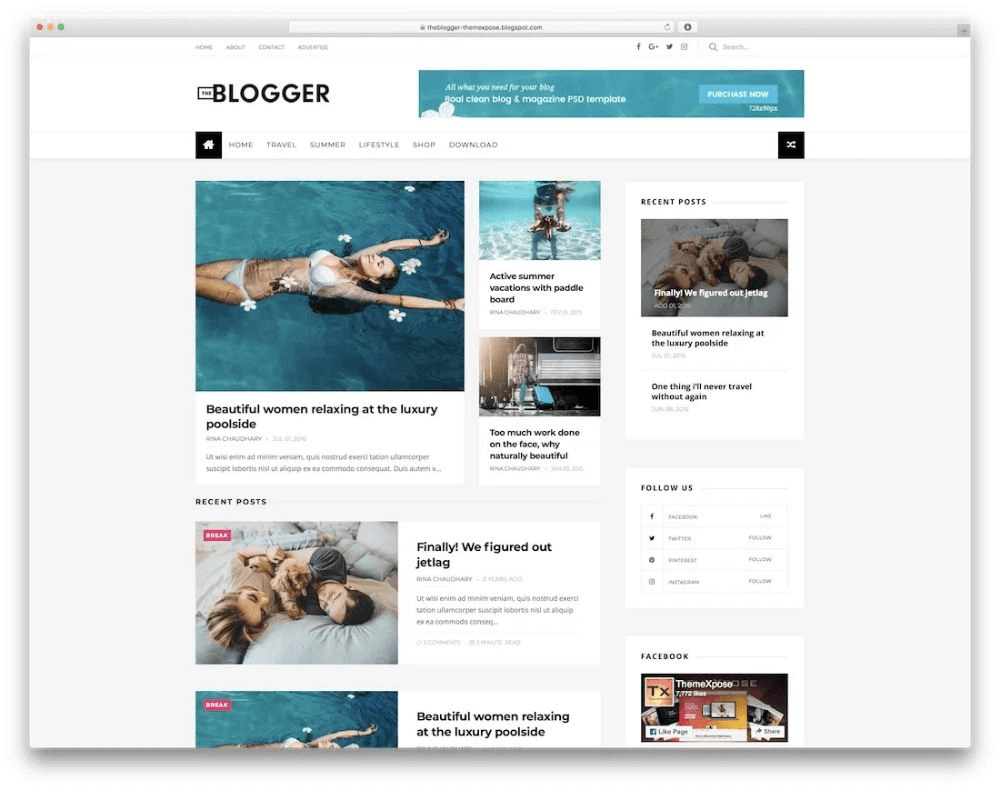
Most commercial themes are built to sell to the widest audience possible. That usually means:
- Dozens of layout options “just in case.”
- Broad compatibility layers across plugins and builders
- Bundled sliders, animations, icon packs, and UI libraries
- One theme trying to be ten themes
That “everything included” approach creates three categories of risk at scale: performance, flexibility, and maintenance.
Read More: What does WordPress 6.0 offer? How can it smooth your development process?
| Fast Self-Check: Signs Your Theme Is Now the Bottleneck A theme is likely limiting scale if any of these are true: 1) Editors avoid updates because “it might break the layout.” 2) New pages feel slower, even when the content is simple 3) The same section gets rebuilt repeatedly with small inconsistencies 4) The site relies on theme shortcodes or theme-specific widgets everywhere 5) Plugin updates cause CSS conflicts or unexpected UI changes 6) Performance fixes feel like whack-a-mole |
Note: The Most Common “Theme Scale” Mistakes Teams Make
- Editing theme files directly instead of using a child theme or proper overrides
- Building everything with theme widgets/shortcodes, locking content into the theme
- Treating plugin additions as harmless, even when they add global CSS/JS
- Allowing unlimited layout freedom causes design drift across teams
- Skipping staging + rollback discipline, making updates feel dangerous
These patterns don’t break sites immediately—they create slow, compounding debt.
1) Performance: generic themes ship more than most sites need
When a theme loads lots of CSS/JS across the whole site, the browser does more work than necessary—especially on pages that only use a small subset of the theme’s features.
From a WordPress best-practice standpoint, scripts and styles should be loaded intentionally (enqueued), so dependencies and asset loading can be managed cleanly.
And from a web performance standpoint, render-blocking resources (CSS/JS that delay first paint) are a known performance problem—Lighthouse explicitly recommends deferring non-critical resources and removing unused code.
How this fails at scale:
- landing pages accumulate “one more widget,” then “one more plugin,” and performance degrades
- Teams hesitate to publish because “the page might get slower.”
- troubleshooting becomes guesswork because assets come from many places
What a custom WordPress theme changes:
It can be engineered to load only what each template needs, keep CSS predictable, and reduce the “always-on” asset tax.
| Quick Note: What “render-blocking” means Some files must load before the page can visually appear. Too many of them make the page feel slow, even if the server is fast. |
2) Flexibility: demos don’t translate into real content workflows
Off-the-shelf themes often optimize for how a demo looks, not how a content team works. The result is common:
- Pages are built with theme-specific blocks/widgets that don’t match real content types
- editors need training to avoid breaking layouts
- small changes require workarounds (or a developer for every tweak)
How this fails at scale:
- content becomes inconsistent across authors
- Reusable sections turn into copy-paste chaos
- “simple” edits become risky
What a custom WordPress theme changes:
It can be built around the company’s content model (what gets published repeatedly), with guardrails that make correct publishing the default.
3) Scaling the team: admin UX becomes the bottleneck
As soon as more people touch the site—marketing, content, support, ops—the dashboard needs to be predictable.
Generic themes usually don’t shape the editing experience. Instead, they add options panels, metaboxes, and theme settings that are powerful but confusing.
How this fails at scale:
- Onboarding gets slower
- editors rely on undocumented tribal knowledge
- mistakes happen because too many controls are exposed
What a custom WordPress theme changes:
It can be designed as a system: consistent blocks, consistent templates, consistent “allowed ways” to build pages.
4) Updates: off-the-shelf theme changes can collide with custom work
Teams often “customize” a theme by editing theme files directly. That becomes risky the moment the theme updates.
WordPress’s recommended approach for modifying a theme safely is to use a child theme, which preserves customizations when the parent theme is updated.
How this fails at scale:
- Updates get delayed because they might break custom edits
- Security and compatibility improvements get postponed
- Developers spend time reapplying changes after updates
Where a WordPress theme customization service fits:
A credible WordPress theme customization service doesn’t just “change colors and layout.” It sets up a maintainable approach (child theme or a theme architecture that survives updates), so improvements don’t become future debt.
5) Modern WordPress: generic themes can lag behind how WordPress is evolving
WordPress’ block ecosystem increasingly relies on a central styling system via theme.json, which controls global styles and settings for block themes.
Many off-the-shelf themes either:
- partially support modern block styling, or
- add their own parallel system on top (creating conflicts and inconsistencies)
How this fails at scale:
- The design system becomes fragmented (theme options vs block settings vs custom CSS)
- The site becomes harder to standardize across pages
What a custom WordPress theme changes:
It can implement a single, coherent design system using WordPress-native mechanisms, reducing long-term complexity.
Read More: Is WordPress really overrated? What’s the reality of WordPress development in 2026?
| Quick Note: What “theme.json” does It’s a structured file that helps WordPress manage global styles (typography, spacing, colors) consistently across blocks and templates. |
6) Plugin compatibility: themes that do “too much” create collisions
The more opinionated a theme is—custom sliders, page builders, shortcodes, animation frameworks—the more likely it is to collide with plugins and custom functionality.
At scale, the site typically needs:
- ecommerce behaviors (WooCommerce)
- forms + automation
- multilingual tools
- SEO tooling
- analytics and experimentation
How this fails at scale:
- layout breaks after plugin updates
- CSS conflicts multiply
- debugging becomes a time sink
Where a WordPress theme customization service helps:
A strong WordPress theme customization service will audit the theme’s overlap with critical plugins, remove unnecessary components, and stabilize the integration surface area.
| A Safer Path Than “Rebuild Everything” Many teams don’t need a full rebuild on day one. A practical scale-friendly approach often looks like this: Audit the theme footprint (assets, shortcodes, builders, overlap with plugins) Stabilize the editing system (blocks, patterns, allowed templates) Reduce global asset loading (only load what templates actually use) Introduce theme.json governance for consistent global styles Replace theme-specific dependencies gradually (shortcodes/widgets → blocks/components) This approach reduces risk while improving stability incrementally. |
The practical takeaway: when a custom WordPress theme becomes the safer choice
A custom WordPress theme is usually the more reliable path when the site has any of these traits:
- Multiple landing pages shipped monthly
- Multiple people publishing content
- Performance and SEO are business-critical
- The website supports sales or operations (not just branding)
- Consistent UI patterns matter (components, sections, templates)
- Updates must be safe and routine (not a quarterly fire drill)
Off-the-Shelf vs. Custom WordPress Theme at Scale:
| Area | Off-the-Shelf Theme | Custom WordPress Theme |
| Performance control | Often, “always-on” assets | Template-specific loading |
| Editing experience | Options-heavy, inconsistent | Guardrails + reusable blocks |
| Maintenance | Updates can conflict with edits | Built for safe updates |
| Flexibility | Demo-driven layouts | Content-model-driven layouts |
| Plugin compatibility | Higher collision risk | Designed around key plugins |
| Governance | Hard to standardize | Design system + consistency |
Closing: “Off-the-shelf” doesn’t fail because it’s bad — it fails because it’s generic
Generic themes aren’t flawed by default. They’re just built for everyone, which means they’re rarely built for how one business scales.
At scale, consistency, performance hygiene, and maintainability matter more than having 40 demo layouts. That’s why teams often move from a theme marketplace approach to a custom WordPress theme—or bring in a WordPress theme customization service to restructure what they already have into something sustainable.
| If you want, paste the theme name you’re using (or a demo link), and I’ll turn this into a tighter version with a short “decision checklist” section tailored to common scaling scenarios (agency sites, SaaS marketing sites, WooCommerce stores, and LMS sites). |
Decision Checklist: Do You Need a Custom Theme Now?
A custom WordPress theme is usually the safer choice if:
- The site ships new pages frequently
- Multiple authors publish content every week
- Performance work feels constant and reactive
- Plugin conflicts are becoming routine
- Brand consistency is hard to enforce
- Updates feel risky and are delayed
If most of these are true, the theme is no longer a design layer—it’s part of the operational stack
Frequently Asked Questions
Is a custom WordPress theme always better?
Not always. For small sites with low publishing velocity and minimal integrations, a high-quality theme can be sufficient. Custom themes become valuable when consistency, performance, and safe updates matter at scale.
Can an off-the-shelf theme be “fixed” instead of replaced?
Often, yes—especially if the biggest issue is asset bloat, plugin collisions, or a messy editing experience. A theme customization service can restructure templates and reduce dependencies without a total rebuild.
What’s the difference between theme customization and a custom theme?
Theme customization modifies an existing theme (ideally via a child theme and maintainable overrides). A custom theme is built around the site’s content model, workflows, and design system from the ground up.
Will switching themes hurt SEO?
It can if URLs, templates, schema, and internal linking change carelessly. With a proper migration plan and staging validation, theme changes can be made safely.