


It’s getting tougher for new businesses to stand out from the online noise and get noticed these days. There are just too many people doing the same thing, while attention spans are getting shorter.
So, even if you set up your online store well and come up with quality products and services, it won’t be enough. You also need SEO to become visible.
Still, search engine optimization isn’t the easiest task either. That’s why you need to have a clear set of tools to help you, and this is where plugins can help.
The right SEO plugins for WooCommerce are what ultimately differentiate a successful online store from one that barely makes any sales.
And after reading this guide, you’ll know exactly which one you need. So, let’s get right into it.
Why Do You Need SEO Plugins for WooCommerce?
Let’s face it, plugins really make SEO tasks easier and faster. For most people, this is also how they can get better control of their site’s settings and tweak things to their liking.
But these aren’t the only benefits, as you also get:
- Easier site optimization. Plugins offer you a fast way to add elements like sitemap, metadata, etc. Besides, many also have a handy checklist and a ranking score that helps you properly optimize each page before you hit publish.
- Better search rankings (indirectly). They make it easy to structure your content better and optimize your site. This means search engines can easily find, understand, and index your pages, which gives you a higher chance of ranking for your target keywords.
- User-friendliness and accessibility. You don’t need technical skills to use most WooCommerce marketing plugins. That’s because they are intentionally designed to be straightforward.
- Simpler redirect management. It’s easy to end up with pages that are a dead end when you constantly have to change product URLs. With a plugin, you don’t have to code manually. You can just automatically set up redirects to a new page.
On their own, SEO plugins can’t really get you to the top of SERPs. You will still need to post quality content, use a backlink service, and apply other optimization best practices to make your site shine.
Still, plugins help you simplify many processes and save hours of time. Besides, sometimes, you can’t access particular SEO functionalities without using them.
So, sure, you can’t skip learning the basics of search engine optimization, but this doesn’t mean that you should ignore SEO plugins either.
5 Best WooCommerce SEO Plugins
There are so many good options out there, but these are our top picks and here’s why:
1. RankMath
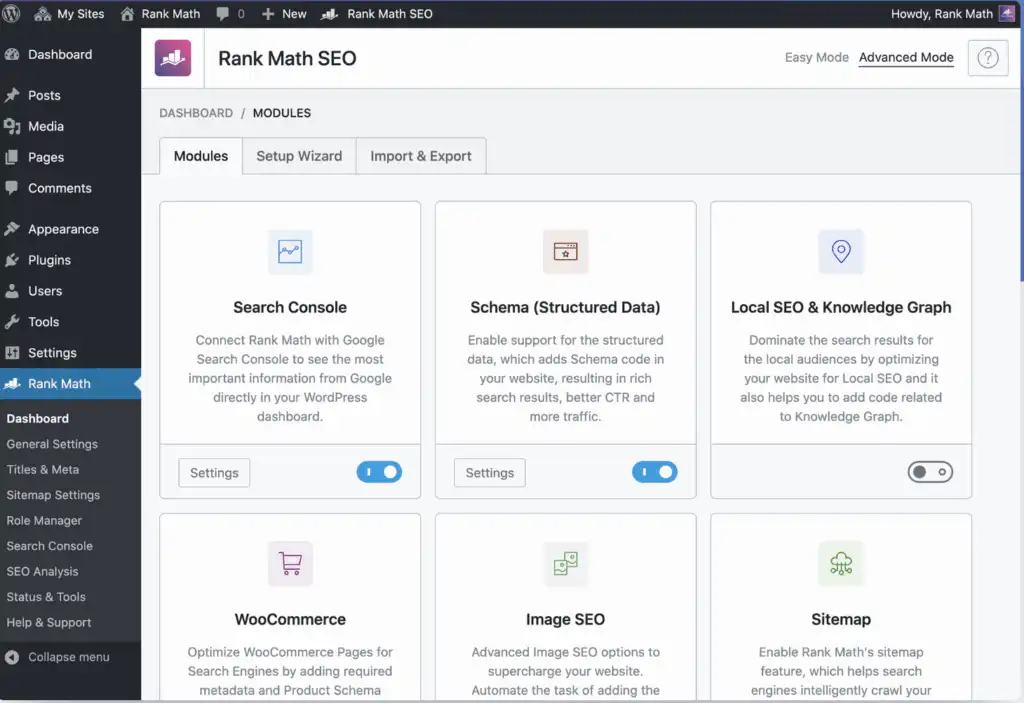
The internet voted RankMath the best WooCommerce SEO plugin due to its practical features and its user-friendliness. You can easily add titles, meta descriptions, and the Open Graph metadata to your product pages and blogs.
Besides, you can use it to optimize the pages you published before if they aren’t doing well. And if you’ve used another plugin before, you can import your data to RankMath pretty much seamlessly..
The prices start at $6.99 per month, billed annually for one website, which is quite affordable compared to many other options out there. While the free version is limited, even the cheapest plan supports WooCommerce SEO.
Here are some of the features you will likely find helpful:
- Analyze content and on-page factors instantly.
- Spot technical issues that can be causing you serious speed problems.
- Integrates with Google Search Console, which allows you to access and control your Google listings.
- Get SEO scores for your product pages and blog posts.
- Generate XML sitemaps and schema markups (great for helping your site appear in rich snippets).
2. Yoast SEO

Yoast is probably one of the most popular SEO plugins for WordPress, including WooCommerce. Chances are that if you google for one, you’ll definitely see it at least in the top 10 results.
Just like the previous WooCommerce SEO plugin, this is also designed to make your site optimization more effortless. And it has many features for this, as you can:
- Create your sitemap automatically to help search engines navigate your web pages better.
- Customize your breadcrumb navigation so it’s easy for both crawlers and people to move around your site.
- Use the Schema and OpenGraph additions to get better sharing on social media platforms.
- Get the option of Pinterest rich pins, which work in the same way as schema for rich results, but for Pinterest.
- Analyze how readable and optimized your content is and check for alt tags in real time.
- Preview how your content looks on social media and in SERPs.
This plugin can also auto-add product details (e.g., brand, price, color, pattern, etc.) into your metadata and your structured data (aka schema markup).
This way, Google can better understand your products. And as a result, your products can appear in rich results, which gives you more visibility in search.

Worried about the price? This one costs $178.80/annually, which is slightly more than other options on this list. But Yoast is popular for a reason. And many pick it for its functionality, even despite the higher price.
3. AIOSEO

Known as the first WordPress SEO plugin, this tool is still one of the top WooCommerce SEO plugins on the market. Like many others, it simplifies a ton of the manual work that search engine optimization requires.
By using it, you can easily configure your product pages and track how you’re found in a handy dashboard. In addition to this, you also get the usual:
- SEO site score that helps you spot what improvements are needed to get your site higher in SERPs.
- Complete site audit feature (great for uncovering important technical issues).
- Gives you content decay reports, which is a big help for ensuring that your content is freshly updated so it doesn’t lose relevance.
- Offers a link assistant. As the name implies, it helps you speed up the internal linking process.
- Has search statistics that allow you to track your performance.
If you are struggling with the speed of your WooCommerce site, this can come in handy to understand what your issues are. But depending on the exact cause and how bad the problem is, you might need to find an expert to do a proper site speed optimization for you.
As for the prices, AIOSEO costs $99 annually. But you get 50% off for your first year. And $49.50 per year is definitely a price that’s hard to beat.
4. The SEO Framework (TSF)

The SEO Framework is a simple yet effective solution for those who want to automate a good part of the technical SEO process. It’s also pretty pocket-friendly at $4 monthly and $48 yearly.
Some helpful features include the ability to:
- Automatically improve the technical optimization of your product listings.
- Automatically generate and format titles, and add meta tags.
- You can create a single-page sitemap that shows crawlers how to find your latest listings.
- SEO bar offers real-time optimization suggestions for your pages.
- With the Honeypot extension, you can even prevent spammy comment submissions.
- A metadata counter and formatter helps format titles and descriptions so they fit well into SERPs.
Want to make your workflow even more seamless? You can check for an SEO plugin that plays well with any CRM and digital marketing automation tools you’re using. OutRight’s post explains that this helps you manage customers more efficiently.
5. SEO Product Filter

SEO Product Filter doesn’t have a lot of features like the previous ones on this list. But what it does, it does pretty well. You can create filters for just about all products using any product attribute you like. Why does this matter?
If you have a large variety of similar products, you want people to be able to quickly find what they need without having to dig through a long listing. You will find that almost all online stores have this feature.
But here’s where the SEO bit comes in. Since people find what they need, you get to reduce bounce rate and increase engagement. Besides, it just makes your customer experience better, which will definitely result in more sales. It also offers:
- Lazy loading of the products filter, which means your pages still get to load fast.
- Built-in cache system loads the filter queries and results in JSON files, so your database is not overloaded.
Of course, even with a perfect plugin, you might still need to hire WooCommerce experts. Plugins alone will not always be enough to guarantee you a perfect SEO-friendly site with a top-notch UX experience.
They can show you what’s wrong, but you still have to know how to fix it correctly, create quality content, and make sure that everything works as intended.
Conclusion
As you probably know by now, SEO for WooCommerce can be complicated. But proper SEO plugins will definitely make your life easier. Well, at least in terms of your e-store’s optimization.
You can use them to complete your tasks faster and ensure that your store gets the edge it needs to rank better online.




