| Yes, LearnDash is still one of the strongest LMS options for WordPress in 2026. It continues to work well for course creators and training businesses that want more control over their site, more flexibility in how the learning experience is built, and the ability to improve things over time. If you want the simplest possible setup with very little involvement, another solution may feel easier. But if you want a WordPress-based LMS that can evolve with your business, LearnDash still deserves serious consideration. |
Choosing an LMS today is not just about finding a plugin that lets you upload lessons and quizzes.
Course creators also care about how the platform feels to learners, how well it fits their brand, and whether it can keep supporting the business as things grow.
That is why many people are still asking in 2026: Is LearnDash still the best LMS option for WordPress?
For many businesses, the answer is yes.
The LearnDash plugin for WordPress still gives course creators a strong mix of core LMS features, flexibility, and room to grow. And when the default setup starts to feel limiting, a more custom LearnDash setup can help shape the platform around the way the business actually works.
This article looks at six reasons LearnDash still holds up well in 2026, especially for people thinking about performance, flexibility, and long-term customization.

What Does “Best” Really Mean in 2026?
When people ask whether LearnDash is the best LMS plugin for WordPress, they are usually asking a bigger question than just “does it have the right features?”
They are really asking:
Will this still work for me later?
Will I outgrow it too quickly?
Can I make it feel more polished if I need to?
Can it support a better learner experience over time?
That is what “best” means now.
For most WordPress-based course sites, the right LMS should:
- Support a good learning experience
- Stay flexible as needs grow
- Works well with the rest of the WordPress site
- Allow thoughtful customization
- Manageable over time
That is where LearnDash still performs well.
| Quick Explanation: Future-ready A future-ready LMS can continue supporting your business as your courses, branding, workflows, and learner expectations become more advanced. It does not mean the platform does everything automatically. It means you are less likely to hit frustrating limitations too early. |
1. LearnDash Still Gives You Strong Control Inside WordPress
One of the biggest reasons LearnDash still matters is that it works inside WordPress instead of locking you into a separate system.
That gives you more control over:
- Design
- Content
- Integrations
- User journeys
- Supporting tools
- Overall site structure
This is especially useful if your course platform is part of a larger website and not just a standalone course area.
A solo creator may only need a simple setup.
But a serious training business may want a more tailored experience with branded dashboards, smoother enrollments, structured learning paths, and a stronger connection between the website and the LMS.
That level of control is a big reason the WordPress LearnDash plugin is still relevant for growing course businesses.
2. LearnDash Still Has a High Customization Ceiling
Many LMS tools feel fine at the beginning.
The real test comes later, when you want the platform to stop feeling generic.
You may want:
- Custom learner dashboards
- Improved lesson layouts
- A more branded student experience
- Better reporting flows
- Smoother navigation
- Tighter CRM or email automation connections
This is where LearnDash still has a strong advantage.
It gives you a usable starting point out of the box, but it also leaves room for greater improvements when needed.
That is where custom LearnDash development becomes valuable. It helps turn a standard course site into something that feels more intentional, more aligned with your business, and more useful to learners.

3. Out of the Box, LearnDash Is Solid. Customization Makes It Stronger
This point matters because many readers want to know whether LearnDash is good by default or only good after a lot of extra work.
The honest answer is that both can be true.
Out of the box, LearnDash is already capable enough for many course businesses. You can create courses, build lessons, use quizzes, manage progress, and launch a functioning LMS.
But once your goals become more specific, the difference becomes clearer.
You may want a better student dashboard.
You may want course pages that match your brand.
You may want smoother user flows or cleaner reporting.
That is when a standard setup often starts to feel too basic, and custom LearnDash development becomes the step that makes the platform feel more complete.
So the better way to frame it is this:
- Default LearnDash is functional
- A customized LearnDash setup is where it becomes more tailored and future-ready
4. Performance Depends More on the Build Than on the Plugin Alone
A lot of people ask whether LearnDash is slow.
That is understandable, but the answer usually depends on the full setup around it.
In most cases, performance is shaped by things like:
- Hosting quality
- Theme choice
- Page builder usage
- Number of plugins
- Media optimization
- Layout complexity
- Custom code quality
So if a LearnDash site feels clunky, the issue is often not LearnDash alone.
Two sites can use the same LMS plugin and feel completely different. One may feel smooth and focused. The other may feel bloated and frustrated.
That difference usually comes from the build.

This is why LearnDash still holds up well from a performance perspective. The plugin itself gives you enough flexibility to build a fast and usable course platform, but the result still depends on how carefully the site is put together.
| Quick Explanation: Performance Performance is not only about page speed. It is also about how smooth the experience feels when learners move through lessons, check progress, load dashboards, and continue learning without friction. |
5. LearnDash Still Supports Better Learner Experiences Over Time
An LMS should not only make it easier for admins to upload content. It should also make the learner journey easier to follow. This is one of the reasons LearnDash still works well for growing course businesses.
It gives room to improve:
- Lesson structure
- Navigation
- Focus
- Progress visibility
- Overall course presentation
Many course engagement problems do not come from weak content.
They come from friction.
A learner may feel lost.
A dashboard may feel cluttered.
A lesson layout may feel inconsistent.
The next step may not feel obvious.
These issues can often be improved when the platform is planned more carefully. And this is another place where custom LearnDash development helps. It allows the LMS experience to become clearer, calmer, and more supportive for learners.

6. It Still Makes Sense for Businesses That Need More Than a Basic Course Plugin
This is where LearnDash continues to stand out for the right audience.
If you want the easiest possible setup and do not care much about flexibility, another LMS may feel simpler. But if your business wants something more than a plain course plugin, LearnDash still makes sense.
It is a strong fit for:
- Training businesses
- Internal learning portals
- Branded academies
- Coaching businesses
- Membership-based learning sites
- Companies building a long-term LMS inside WordPress
In these cases, the value is not just in publishing lessons.
It is in building a learning platform that can grow along with the business.
| A coaching academy selling certification programs Let’s say there is a coaching academy that sells professional certification programs through WordPress. At first, they set up LearnDash using the default course structure. Learners can enroll, open lessons, and complete quizzes. The platform works, but after some time, a few issues start showing up: The course area feels too generic Learners do not easily see what to do next Progress feels scattered The overall experience does not reflect the academy’s brand Admins want a smoother follow-up after course completion This is where LearnDash starts becoming more valuable when it is implemented thoughtfully. Step 1: Custom learner dashboard Instead of sending learners to a plain default course page after login, the academy creates a custom dashboard. That dashboard shows: 1) Enrolled certification programs 2) Percentage progress for each course 3) Upcoming modules 4) Downloadable study resources 5) Earned certificates 6) A clear “continue learning” button. This improves usability because learners no longer have to click through different pages just to understand where they are. It also improves branding because the dashboard can follow the academy’s own design style instead of looking like a standard plugin screen. Step 2: Branded lesson structure The academy also notices that lesson pages feel inconsistent and plain. So, they create a custom LearnDash lesson template where every lesson follows the same structure: 1) Lesson title at the top 2) Short lesson summary 3) Video or reading content 4) Resource download section 5) Progress bar 6) Previous and next lesson buttons 7) A small callout box for key takeaways Now the learning flow feels more organized and predictable. Learners spend less time figuring out the interface and more time focusing on the actual lesson. Step 3: Automated course progression The academy also wants the LMS to support its certification journey better. So once a learner completes a certification course, LearnDash is set up to: 1) Unlock the next advanced course 2) Send a course completion email 3) Issue the certificate 4) Move the learner into a follow-up email sequence Tag the learner inside the academy’s CRM for the next offer or reminder. This makes the LMS more than just a place to host lessons. It becomes part of a larger learning and business workflow. |
Is LearnDash Best for Everyone?
No, and that is important to say clearly.
LearnDash is usually a strong fit when:
- You want your LMS inside WordPress
- Branding matters to you
- You expect your needs to grow
- You want room for customization later
- You care more about flexibility than convenience alone
It may not be the best fit when:
- You want the most hands-off setup possible
- You do not want to manage WordPress at all
- You prefer a closed platform with fewer decisions
- You want simplicity above everything else
That does not weaken LearnDash. It just makes the recommendation more honest.
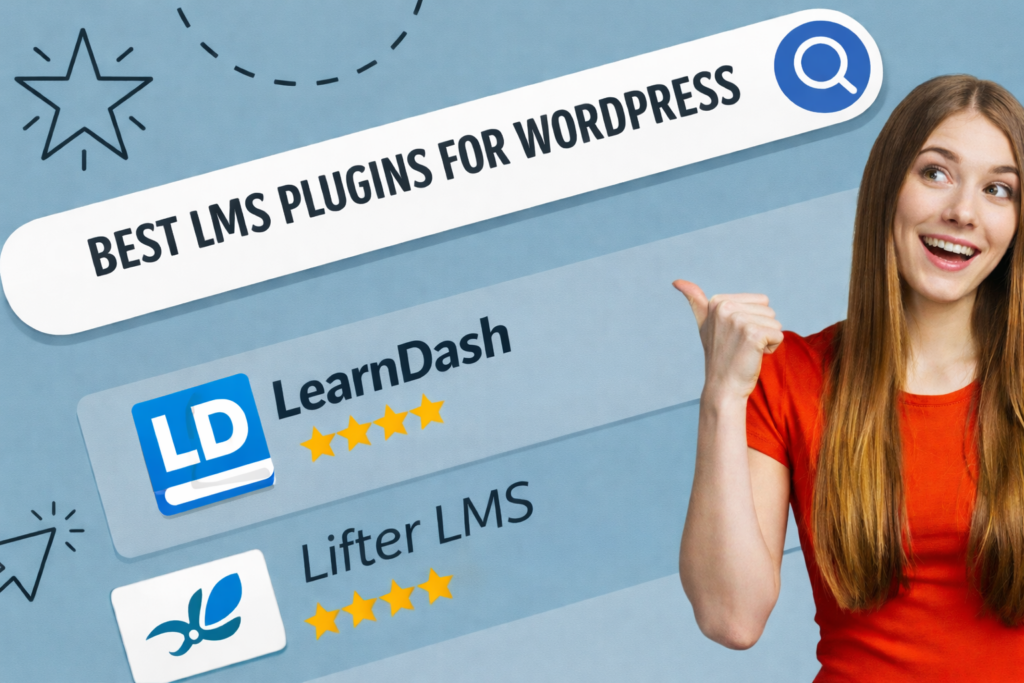
| It is also worth noting that LearnDash has no free tier. If budget is your primary concern, alternatives like LifterLMS or Tutor LMS offer free core versions. |
What to Watch Out for in 2026
Future-ready does not mean adding every add-on you can find. That is where many LMS sites start becoming harder to manage than they need to be.
Some common warning signs are:
- too many overlapping plugins
- inconsistent layouts
- bloated page designs
- messy customizations
- update anxiety every time something changes
So yes, LearnDash can scale well. But it works best when the setup stays intentional. A clean, well-planned LMS usually lasts longer than one built from too many quick fixes.

Admin-Side Reality Also Matters
Readers do not only care about the learner experience.
They also care about what it feels like to manage the platform.
That includes:
- updating courses
- handling learners or groups
- adjusting layouts
- managing integrations
- keeping the site maintainable over time
This is another reason LearnDash still works for many businesses. Since it lives inside WordPress, teams can manage content and site updates in a familiar environment.
At the same time, the more customized the setup becomes, the more important good planning becomes, too. Flexibility is valuable, but only when it stays manageable.
Strategic Checkpoint
Take a moment and think about your own course platform goals.
Ask yourself:
- Do I want my LMS fully inside WordPress?
- Do I care about branding beyond the basics?
- Will I likely need custom workflows later?
- Do I want more flexibility instead of a closed system?
- Am I okay investing in a better setup if it gives me more room later?
If you are saying yes to several of these, LearnDash is still worth serious consideration.
| Self-Analysis Game: Should You Choose LearnDash in 2026? Give yourself 1 point for every statement that sounds like you. I want my course platform to feel like part of my brand 1) I want more flexibility than a very basic LMS usually offers 2) I may need custom dashboards, reporting, or integrations later 3) I would rather build on WordPress than use a fully closed system 4) I care about long-term usefulness more than the easiest short-term setup 5) I want the learner experience to improve over time, not stay default forever Your result: 0 to 2 points You may be happier with a simpler, more pre-packaged LMS. 3 to 4 points LearnDash could be a good fit, especially if your needs are growing. 5 to 6 points LearnDash is likely worth serious consideration, especially if flexibility and customization matter to you. |
Knowledge Check
Question 1
Why does LearnDash still matter in 2026?
A. Because it is the only LMS plugin available
B. Because it combines WordPress control, LMS features, and room for customization
C. Because it removes the need for all other tools
Correct answer: B
Question 2
What is one important difference between the default LearnDash and a more custom setup?
A. Default LearnDash cannot run courses
B. Customization helps shape the LMS around your business more deeply
C. Customization only changes colors
Correct answer: B
Question 3
What often affects LearnDash performance the most?
A. Only the plugin itself
B. The full site setup around it
C. The lesson title length
Correct answer: B
Question 4
Who is LearnDash usually strongest for?
A. People who want flexibility and control inside WordPress
B. People who want no setup decisions at all
C. People who do not want WordPress involved
Correct answer: A
Question 5
What is a common mistake in WordPress LMS setups?
A. Keeping the setup simple
B. Adding too many overlapping tools and plugins
C. Using a branded course layout
Correct answer: B
Question 6
What makes an LMS feel future-ready?
A. It can grow with your needs without becoming too limiting too soon
B. It never needs any planning
C. It looks modern once and stays perfect forever
Correct answer: A
Reddit-Inspired FAQ
Is LearnDash still worth it, or are newer LMS tools better now?
It is still worth it for many WordPress users. Some newer tools may feel simpler at first, but LearnDash still has a strong advantage when flexibility, branding, and long-term control matter more than convenience alone.
Is LearnDash only good if I hire a developer?
No. A standard setup can work for many businesses. But when you want a more polished learner experience or more advanced workflows, development support becomes much more useful.
Does LearnDash feel outdated compared to modern LMS platforms?
Not necessarily. What often feels outdated is the way a site has been designed or maintained. A thoughtfully built LearnDash site can still feel modern and highly usable. LearnDash has continued shipping updates, including a redesigned course page and improved learner notes tool in 2025, so the platform is actively maintained rather than standing still.
What is the biggest reason people still choose LearnDash?
Usually, it is controlled. They want an LMS inside WordPress with the freedom to shape the experience over time instead of being locked into a fixed system.
What is the biggest mistake people make with LearnDash?
Treating flexibility like an excuse to overbuild. Too many add-ons, too many workarounds, and messy customizations can make the platform harder to manage than it needs to be.
Conclusion
So, is LearnDash still the best LMS plugin for WordPress in 2026?
For many businesses, yes.
Not because it is the easiest option for everyone.
But because it still gives course creators and training teams something very valuable: the ability to build a learning platform that fits their goals instead of forcing them into a rigid setup.
The LearnDash plugin for WordPress is still relevant because it offers a strong base within a flexible ecosystem.
And when your LMS needs to feel more polished, more scalable, or more aligned with your workflows, custom LearnDash development can help turn that base into something much more intentional.
Continue Learning
If this article gave you useful ideas for improving your course experience, these related reads may help you go further: