WordPress is changing. Fast.
And if you’re running a WordPress website on it right now, these changes will affect you more than you think.
The platform that started as a simple blogging tool is transforming into something completely different. We’re talking about a full business platform that can handle everything from content to sales to team collaboration.
Let’s break it down.
What WordPress Has Officially Announced
The WordPress team isn’t keeping its plans secret. They’ve laid out a clear roadmap of where things are heading.
WordPress 7.0 is tentatively planned for 2026. That’s a major version release, and it signals significant changes coming to the platform.
Right now, WordPress is in Phase 3 of the Gutenberg project. This phase focuses on Collaboration, bringing workflows and real-time collaboration features to WordPress.
WordPress Roadmap WordPress has officially shared its long-term roadmap Current focus: Phase 3 of Gutenberg — collaboration, workflows, and real-time editing Coming next: Phase 4 — built-in multilingual support Big milestone: WordPress 7.0 planned for 2026 WordPress is also investing in data ownership & portability, making it easier to move your content if needed |
Think about what that means for a second.
Let’s say you’re running a content marketing agency. You’ve got writers, editors, designers, and clients all touching the same WordPress site. Currently, that’s a mess of permissions, email chains, and hoping nobody overwrites someone else’s work.
The future of WordPress addresses this directly.
Multiple people are working on the same content at the same time. Clear workflows for approvals. Version control that actually makes sense.
| The Gutenberg project has four phases: A. Easier Editing (already done) B. Customization (mostly complete) C. Collaboration (current focus) D. Multilingual (coming later) |
The collaboration phase isn’t just about making things convenient. It’s about recognizing that modern websites are team projects, not solo endeavors.
And after collaboration comes multilingual support built directly into the core WordPress. No more juggling translation plugins and hoping your site doesn’t break when you add a new language.
The official roadmap also mentions the Data Liberation project, which addresses the difficulty in moving platforms.
This is huge. One of the biggest fears about using any platform is getting locked in. Can you get your data out if you need to? Can you move to something else without starting from scratch?
WordPress is making this easier. They want you to own your content and control your data, whether you stay with WordPress or move somewhere else.
Beyond the Official Roadmap: The Bigger Trends Shaping the Future of WordPress
The official announcements tell part of the story. But there’s more happening that’s transforming WordPress from a CMS into a complete business platform.
Let’s talk about the trends that matter.
Trend 1: AI Integration That Actually Helps
Quick Take: 1. AI focuses on real insights, not gimmicks 2. Content and audience data are analyzed directly inside WordPress 3. Clear suggestions based on what actually performs Bottom line impact: 1. Less guesswork 2. Smarter content decisions 3. Better results without extra tools |
AI is everywhere right now. Most of it feels pointless.
The future of WordPress is taking a different approach. Instead of slapping AI onto everything, we’re seeing thoughtful integration that solves real problems.
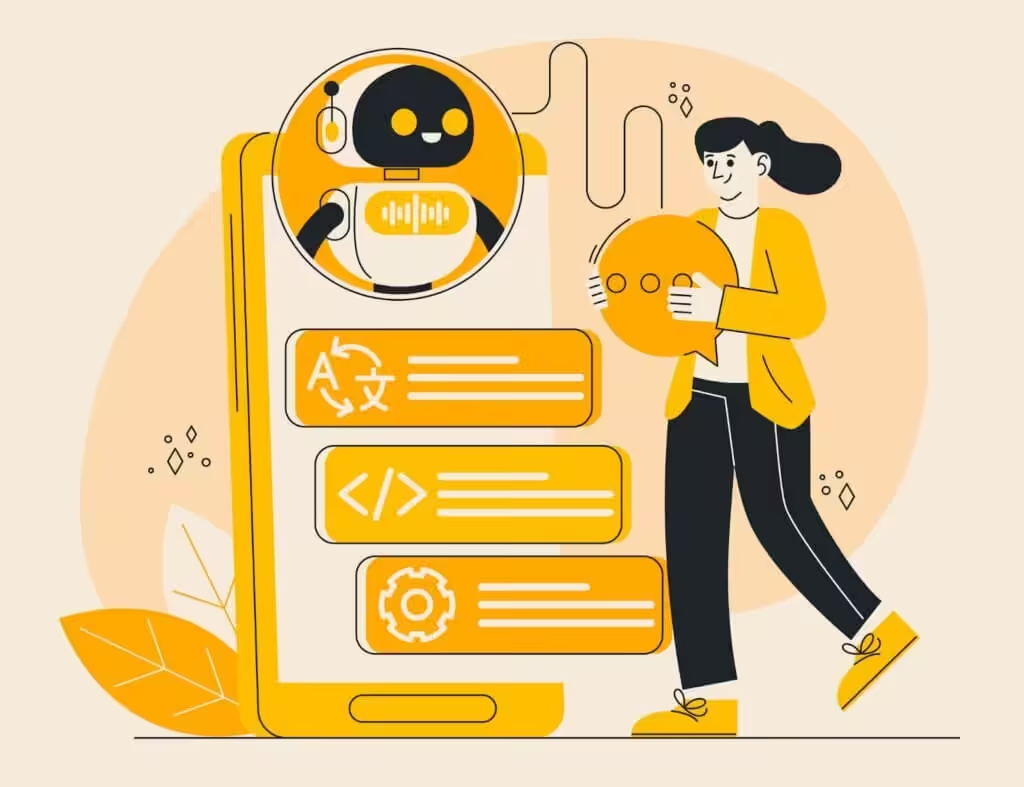
AI in WordPress can analyze your content performance, understand what your visitors actually engage with, and suggest what to create next.
Not generic advice like “write more blog posts.” Specific insights like “your how-to content converts 3x better than opinion pieces” or “visitors from mobile want shorter formats.”
For site owners, this means less guesswork. You’re not throwing content at the wall hoping something sticks. You’ve got data-driven guidance built right into your dashboard.
Trend 2: Native E-Commerce and Monetization
Quick Take: 1. Selling becomes a core WordPress feature 2. Products, subscriptions, and payments handled natively 3. Fewer plugins and fragile integrations Bottom line impact: 1. Simpler setup 2. Fewer breakdowns during updates 3. Cleaner, more reliable revenue systems |
Right now, if you want to sell anything on WordPress, you install WooCommerce or another plugin. It works, but it’s still bolting commerce onto a platform that wasn’t originally designed for it.
The future of WordPress changes this. Commerce capabilities are becoming native to the platform.
Let’s say you’re running a fitness coaching program. You want to sell training plans, offer memberships, maybe sell some digital guides, and workout gear.
Today, that requires multiple plugins, payment gateway integrations, inventory management systems, and probably some custom code to make it all work together.
Soon, it’s just part of WordPress. You create a product, set a price, and it works. Subscriptions, one-time purchases, digital delivery, physical products—all handled natively.
The real advantage? Everything talks to each other properly. Your sales data integrates with your email marketing. Customer accounts work seamlessly across purchases. Inventory updates automatically affect your product pages.
No more wondering if your sales plugin will break when WordPress updates.
Trend 3: From Websites to Web Applications
Quick Take: 1. WordPress goes beyond content display 2. Built to handle logins, workflows, and business logic 3. No heavy development required Bottom line impact: 1. Websites that do things, not just show them 2. New use cases for service businesses 3. Higher long-term value from your site |
This is the big one. WordPress isn’t just evolving into a better CMS. It’s becoming an application platform.
Think about the difference between a website and an application. A website displays information. An application does things.
The future of WordPress blurs this line completely.
Imagine you manage a project for a consulting firm. Your WordPress site currently shows your services, shares case studies, and collects contact form submissions. It’s informational.
Now imagine your WordPress site lets clients log in to a portal where they can view project status, download reports, schedule meetings, submit requests, make payments, and communicate with your team. That’s an application.
And that’s where WordPress is headed. Building actual business applications without needing to be a developer or hire an expensive development team.
This means WordPress sites can handle complex business logic, user interactions, data processing, and workflows. Not just display content about these things—actually do them.
Not every business needs a full web application — but many don’t realize how much more their WordPress site could do.
A quick feasibility discussion often helps clarify what’s realistic and what’s not.
Trend 4: Collaboration Tools Built In
Quick Take: 1. Team workflows live inside WordPress 2. Clear stages: draft → review → publish 3. Feedback and approvals stay attached to content Bottom line impact: 1. Fewer tools and email chains 2. Faster publishing 3. Less confusion across teams |
We touched on this in the official roadmap section, but it’s worth digging deeper.
Modern work is collaborative. Yet most WordPress sites treat content creation like a solo activity with some basic user roles thrown in.
Picture running a digital magazine. You’ve got freelance writers, staff editors, graphic designers, SEO specialists, and managing editors. Content goes through multiple stages before publishing.
Right now, you’re probably managing this through emails, Google Docs, Slack messages, and maybe a project management tool. Then, finally, moving the finished content into WordPress.
Soon, the entire workflow lives in WordPress. Writers draft in the editor. It automatically routes to the designer for images. Then, to SEO for optimization. Then to the managing editor for final review. Everyone sees the status. Comments and feedback are attached directly to the content. Nothing gets lost.
This isn’t about replacing your entire tech stack. It’s about putting the workflow where the content lives instead of spreading it across five different tools.
Trend 5: Performance and Security by Default
Quick Take: 1. Speed optimizations baked into core 2. Smarter image handling and caching 3. Stronger baseline security without plugins Bottom line impact: 1. Faster sites with less effort 2. Lower maintenance overhead 3. Better SEO and user experience |

Speed and security have always mattered for websites. But traditionally, making your WordPress site fast and secure required expertise or expensive plugins.
The future of WordPress makes both automatic.
WordPress is building performance optimization directly into the core platform. It analyzes how your site is actually being used and optimizes automatically. Images get compressed and served in modern formats. Code gets optimized for faster loading. Caching happens intelligently without configuration.
Same with security. Instead of relying on third-party security plugins, WordPress is strengthening core security and making best practices automatic.
You still need to stay updated and use good practices. But the baseline gets much higher without you doing anything special.
Trend 6: Mobile-First Everything
Quick Take: 1. Mobile is the primary experience, not a fallback 2. Frontend and dashboard optimized for phones 3. Easier site updates on the go Bottom line impact: 1. More frequent updates 2. Better mobile user experience 3. Less outdated content is hurting conversions |
Mobile traffic dominates most websites now. Yet many WordPress site development still feel like desktop experiences crammed onto small screens.
The future of WordPress flips this. Mobile isn’t an afterthought—it’s the primary focus.
Future WordPress ensures not just a responsive design that shrinks things down, but genuinely mobile-optimized interfaces that work the way people actually use their phones.
This extends to managing your site, too. The WordPress dashboard becomes mobile-friendly. You can update your menu, change hours, or publish content from your phone without fighting with a desktop interface on a tiny screen.
When the barriers to updating your site disappear, you update it more. That means more current information for your customers and less outdated content, hurting your business.
What This Means for Developers
If you’re a developer working with WordPress site development, the future of WordPress changes your role significantly.
The focus shifts from basic implementation to complex customization.
Key opportunities for developers:
- Higher-value work: Less time building repetitive features like contact forms, basic e-commerce, or user authentication that WordPress now handles natively
- Complex customization: Focus on industry-specific features, advanced integrations, and unique user experiences that require real expertise
- Specialized services: Performance optimization at scale, custom block development, and enterprise-level solutions become the norm
- Increased demand: As WordPress becomes more powerful, businesses need experts who can harness advanced capabilities beyond basic setup
Skills that matter now:
- Deep understanding of the block system and how to extend it
- Ability to customize WordPress’s native features rather than building from scratch
- Integration expertise connecting WordPress with other business systems
- Performance optimization for complex applications
The market isn’t shrinking. It’s evolving toward more specialized, higher-value work that commands better rates and offers more interesting challenges.
What This Means for Site Owners & Businesses
If you own or manage a WordPress site, the future of WordPress creates both opportunities and challenges.
Key opportunities:
- Do more with less: Features that previously required custom development or expensive plugins become accessible through native WordPress
- Lower costs: Reduce dependency on multiple premium plugins and third-party services
- Faster implementation: Launch new features and capabilities without waiting for developer availability
- Better integration: Native features work seamlessly together without compatibility issues
- Operational efficiency: Transform your site from marketing collateral into business infrastructure
How businesses can benefit:
- Online booking and scheduling: Handle appointments and reservations directly through your site
- Customer portals: Clients can access deliverables, documents, and project updates in one place
- Payment processing: Accept payments, manage invoices, and handle subscriptions natively
- Automated workflows: Set up email sequences, reminders, and follow-ups without external tools
- Team collaboration: Manage content creation, approvals, and publishing with built-in workflow tools
The challenge: Staying current becomes more important. Sites that don’t keep up fall behind in features, performance, security, and user experience.
But WordPress is making this easier. Updates are more stable. New features are more intuitive. The learning curve is flattening.
The strategic shift: Your WordPress customization evolves from a passive website into an active operational infrastructure that directly enables revenue and improves customer service.
Businesses that recognize this early gain significant advantages in efficiency, scalability, and competitive positioning.
The Bottom Line
The future of WordPress sounds exciting. And it is.
But let’s keep some perspective. Not every site needs to become a complex business platform. Not every site owner wants to learn new systems. Not every business benefits from added complexity.
If you’re running a simple blog, portfolio site, or informational website, a lot of these changes might not affect you much. And that’s fine. WordPress still works great for straightforward sites.
The transformation from CMS to business platform is about expanding what’s possible, not forcing everyone into that model.
What matters is understanding and getting ready for what’s changing so you can make informed decisions about your own site.
| Preparing for the Future of WordPress—The Simple Way These are non-negotiable and form the foundation for everything else. First, stay updated on your current WordPress installation. The best preparation for future changes is staying current. Run the latest version. Update your plugins and themes regularly. This builds a solid foundation for whatever comes next. Second, experiment with the block editor if you haven’t already. All future development builds on blocks. You don’t need to love it or use it for everything, but understanding how it works prepares you for new features that depend on it. Third, audit your plugin collection. Which ones solve problems WordPress might soon handle natively? Start thinking about eventual replacements. Which ones provide unique functionality you’ll likely always need? Those are keepers. Fourth, clean up your backend. Delete unused plugins, themes, and media files. Organize your content structure. Future migrations and updates work better with clean sites. Fifth, think about your site’s role in your business. Is it just informational, or could it do more? As WordPress adds capabilities, what would actually help your business? Having answers prepares you to act when features arrive. If you’d rather not handle all of this alone, working with a WordPress partner can simplify updates, audits, and long-term planning. That’s it. No massive overhaul needed. Just thoughtful preparation. |
We know the direction. We know the timeline. We know the official plans and the emerging trends.
The transformation is coming. Whether it’s revolutionary or evolutionary depends partly on WordPress itself and partly on how people use these new capabilities.
We’ll all find out together in 2026.