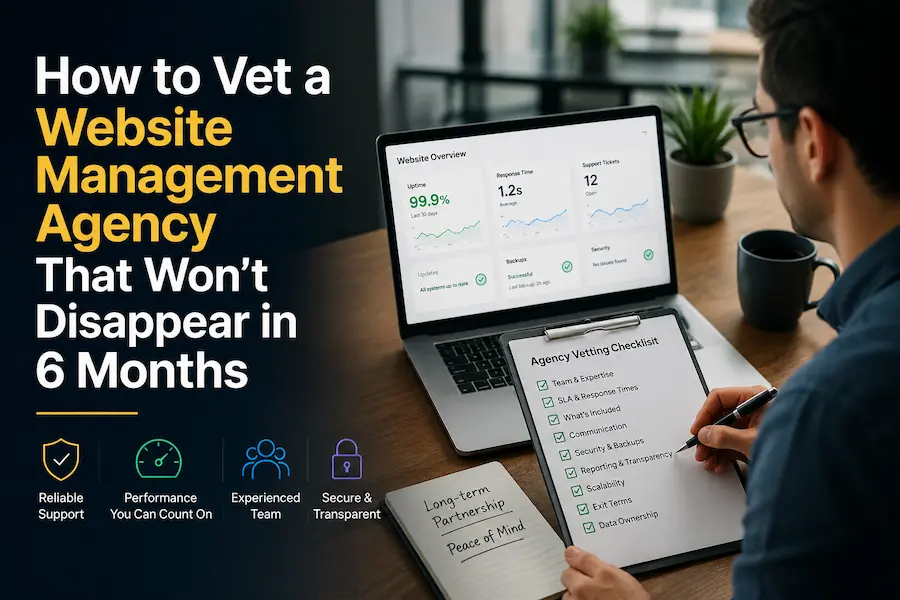
| A website management agency is a retainer-based partner that goes way beyond just maintenance. It handles ongoing maintenance, critical updates, site security, and advanced technical support. Most founders vet website management services on price and portfolio.
This article gives you 9 specific questions with good answer patterns, & red-flag patterns to find out whether the agency you are evaluating can actually do what they are saying. |
By the time most founders start looking for a new website management agency, they are already exhausted.
Usually, there is a story behind it:
Missed deadlines that became normal, unexplained outages, support tickets that stretched for days, or an agency that slowly became impossible to reach once the contract was signed.
Sometimes it is not even one major failure, just a gradual loss of confidence.
The frustrating part is that many agencies look equally convincing during the sales process. Everyone promises proactive support, fast turnaround times, dedicated teams, and “strategic partnership.” The proposal looks polished. The calls feel reassuring.
Then, six months later, the founder realised they were evaluating the wrong things.
The problem is rarely technical capability alone.
What actually determines whether an agency relationship survives is what happens behind the scenes:
- whether there is real bench strength when key people leave,
- a clear incident response process,
- documented ownership,
- systems that do not fall apart when something unexpected happens.
This article gives you those questions.
Nine practical ways to vet a website management agency before signing, including what a good answer sounds like, what should raise concerns, and why each question matters.
Before you start: the 10-minute pre-vetting check
Before you get on a sales call, spend 10 minutes doing these three checks.
You will learn more about an agency from this exercise than from most polished proposals or “trusted partner” claims on their website.
1. Search for Negative Reviews (Not Just Testimonials)

Search: [Agency Name] + reviews
Then read the one and two-star feedback first.
Do not focus on isolated complaints. Look for patterns.
If multiple reviews mention the same issue, slow response times, poor communication, missed deadlines, hidden costs, bad handovers, pay attention. Those patterns often reveal how the agency behaves once the contract starts.
Five-star testimonials are curated. Consistent negative feedback is harder to hide.
What to look for:
Repeated complaints around responsiveness, accountability, delivery quality, or support after onboarding.
2. Audit Their Portfolio Like a Founder Would
Do not stop at screenshots.
Open the actual live websites in their portfolio and assess them like a customer would:
- Does the site load quickly?
- Is anything broken or outdated?
- Does it feel actively maintained?
- Does the mobile experience work properly?
An agency’s managed websites are its real proof of work.
If they position themselves as a website management partner but the sites they maintain feel neglected, slow, or outdated, that tells you something important.
Founder’s Takeaway:
Run the same check on your own website first. Then compare it to the sites they currently manage. If their portfolio does not inspire confidence, your site is unlikely to receive better treatment.
3. Pay Attention to How They Sell
The evaluation process starts before the contract.
Notice:
- How quickly do they respond?
- Is the first reply thoughtful or templated?
- Do they ask questions about your business?
- Do they schedule a conversation or immediately send pricing?
Early communication patterns are often predictive.
An agency that is slow, vague, or transactional before you sign rarely becomes more responsive afterwards. The onboarding experience usually reflects the long-term working relationship.
Small signal, big clue:
If getting basic clarity feels difficult before payment, support will likely feel harder after payment.
Why This Matters
These checks will not replace the deeper vetting questions in the next section, but they will help you spot obvious red flags early and avoid wasting time on agencies that look polished but lack operational maturity.
Founder’s Takeaway: Run this check on your own site first, then on every portfolio URL the agency provides. If the sites they manage are slow or clearly neglected, yours will be next.
The 9 questions and what good answers look like
These questions are not designed to trip agencies up. They are designed to separate agencies that have real systems from those that are positioning themselves as larger and more capable than they are.
Ask them in order. Take notes on the patterns across all 9 answers, not just individual responses.
Q1: “Who specifically will be working on my site, and what happens if that person leaves?”

Why ask this?
Many website retainers deteriorate after onboarding because the person who understood the project moves to another account or leaves the agency and the knowledge they held was never documented anywhere accessible.
This question helps you understand whether knowledge about your website lives with one person or within a documented system.
What a good answer sounds like
A strong agency gives you:
- A named point of contact or a clearly defined team
- Specific ownership roles
- A documented continuity process
For example:
“Your primary developer will be [name], supported by [role/team]. If someone transitions out, we follow a structured handover process that includes documentation, codebase notes, project history, and a walkthrough before ownership changes.”
Red-flag answer pattern: “We have a great team of developers.” No names, no roles, no continuity plan.
Q2: “What is your response time SLA and what counts as a ‘response’ under that SLA?”
Why ask this?
Most founders only discover how weak an agency’s support process is when something urgent breaks.
The problem is that many agencies advertise fast response times without clearly defining what those promises actually mean. A broken checkout, failed payment flow, or site outage should not be handled the same way as a content update request, yet many retainers treat them similarly.
This question helps you understand whether the agency has a real incident response process or simply a vague support promise.
| What is a reasonable benchmark?
If you have never managed a website retainer before, here is a useful baseline: for critical issues such as a site outage, broken checkout, or failed payment flow, a 1–2 hour human response time is a reasonable expectation from a managed retainer. During business hours, anything beyond 4 hours for a site outage is worth questioning before you sign.
For non-critical requests, same-day acknowledgement with a clear next-step timeline is usually reasonable. The key thing to evaluate is not just speed, but whether the agency distinguishes between urgent incidents and routine support requests. |
What a good answer sounds like
A strong agency will clearly define:
- Different response times based on issue severity
- What qualifies as critical vs non-critical
- What “response” actually means
- What happens if the SLA is missed
For example:
“For critical issues like a site outage or broken checkout, a developer begins investigating within 1–2 hours. Standard requests are acknowledged within 4 business hours, with an update provided within 24 hours. If we miss our SLA, we escalate internally and provide a defined resolution path.”
Red-flag answer pattern: “We typically get back to clients within 24 hours.” No tier distinction between a broken checkout and a content update request. No definition of what “response” means. No consequence for missing it.
Q3: “Walk me through what happens when my site goes down at midnight on a Saturday.”
Why ask this?
Most agencies sound responsive until you ask what happens during an actual emergency.
A site outage is one of the clearest moments where operational maturity becomes visible. When something breaks outside business hours, you do not want vague assurances; you want to know exactly who gets alerted, how fast they act, and when you will hear about it.
This question reveals whether the agency has a real incident-response system or simply reacts when clients notice problems first.
What a good answer sounds like
A strong agency should walk you through an actual step-by-step process, including:
- How downtime is detected
- Who gets notified
- Escalation timelines
- When and how you are informed
- What happens if the issue is not resolved quickly
For example:
“We use uptime monitoring that checks your site every five minutes. If the site goes down, the on-call engineer receives an alert immediately. If the issue is not resolved within 30 minutes, our escalation process kicks in. You will also receive proactive communication from us; you should not find out from a customer.”
Red-flag answer pattern: “We would raise a ticket and someone from the team would look at it.” No monitoring mentioned. No named person. No defined response window. No step where they contact you.
Q4: “Can you show me three live sites you currently manage, not screenshots, the actual URLs?”

Why ask this?
Agency portfolios are designed to impress.
The problem is that screenshots only show what a website looked like on launch day. They tell you very little about what happens after handover, which is exactly what a website management retainer is supposed to solve.
This question helps you evaluate whether the agency can maintain websites over time, not just build attractive ones.
A live website reveals things a portfolio never will: performance, maintenance quality, mobile experience, technical upkeep, and whether the site still feels actively cared for. Check whether everything works. An agency that allows sites to become slow, broken, or outdated after handover will likely manage yours the same way.
What a good answer sounds like
A strong agency will provide live URLs without hesitation.
More importantly, they should be able to explain:
- What the client’s business needed
- What the website is expected to do
- What ongoing management looks like
- What improvements or maintenance do they currently handle
For example:
“This is an ecommerce client where we manage performance optimisation and ongoing conversion updates. This one requires regular content deployment and uptime monitoring. For this client, we handle security patches and feature enhancements.”
Red-flag answer pattern: “Our portfolio is on our website, and the portfolio is all screenshots. Or: “Some clients prefer to keep it confidential” as the response to every URL request. A few clients asking for privacy is normal. Every client is not.
Q5: “What does your team look like? How many people, what specialisations?”
Why ask this?
Most founders assume they are hiring an agency.
Sometimes, they are actually hiring one person supported by a loose network of freelancers.
Neither model is inherently bad, but they come with very different levels of continuity, coverage, and operational resilience.
For a straightforward website management retainer, a team with at least two to three in-house developers plus a project manager or account lead usually provides enough coverage for continuity. Bigger is not always better, but stronger bench depth reduces dependency on one person’s availability.
If the retainer depends heavily on one or two people with no clear backup structure, support becomes more vulnerable to leave, illness, competing priorities, or turnover.
What a good answer sounds like
A strong agency gives a clear picture of the team structure, including:
- Team size
- Core roles and responsibilities
- Who handles what
- Which capabilities are in-house vs outsourced
For example:
“We have three in-house WordPress developers, a project manager, and a dedicated QA specialist. For your account, you would primarily work with [name], while the broader team supports continuity. For highly specialised integrations, we occasionally bring in contractors, but ownership stays with our internal team.”
Red-flag answer pattern: “It is mainly me, but I have a network of freelancers I bring in as needed.” Or vague: “We have a talented team of specialists.”
Q6: “What is included in the retainer versus what gets billed extra?”
Why ask this?
Few things damage a founder–agency relationship faster than surprise invoices.
Many retainers sound comprehensive during sales conversations, only for founders to later discover that common requests fall outside scope: plugin conflicts, small design edits, urgent fixes, or even routine maintenance tasks.
The problem is rarely price. It is ambiguity.
This question helps you understand exactly what you are paying for and where extra costs begin.
What a good answer sounds like
A strong agency should provide a clear written scope or at minimum, a detailed breakdown they are willing to document before signing.
You should hear specifics around:
What is included
- Plugin and platform updates
- Security monitoring
- Backups and uptime monitoring
- Bug fixes or maintenance work
- Monthly support hours or change requests
- Reporting and communication cadence
What falls outside scope
- Large feature development
- Major redesigns
- Complex integrations
- Emergency work outside agreed support hours
- Third-party software or licensing costs
For example:
“Your retainer includes monitoring, updates, security checks, up to X support hours per month, and small website changes. Larger development requests, advanced integrations, and after hours emergency work are scoped separately. Third-party tool subscriptions are billed independently.”
Red flag answer pattern: “Everything is included, do not worry about it.” Nothing in a retainer is truly unlimited. An agency that says so either does not know their own margins or plans to define scope in their favour once you are signed. Also, a very low monthly rate with no written breakdown is almost always underscoped.
Q7: “Who is my named point of contact for urgent issues, and who covers them when they are unavailable?”
Why ask this?
One of the fastest ways a website management relationship breaks down is when nobody clearly owns the account.
A founder reports an issue, support responds slowly, context gets lost, and every request feels like starting from scratch with a different person.
This question helps you understand whether the agency provides continuity or simply access to a support inbox.
Because availability is not the same thing as ownership.
What a good answer sounds like
A strong agency should give you:
- A named primary point of contact
- A clearly defined backup person
- A documented handover process
- Confidence that both people understand your website history
For example:
“Your main account contact will be [name]. If they are unavailable, [name] covers and has access to your documentation, project history, and current priorities. You will have direct contact details for both.”
Red-flag answer pattern: “Just email support@ and we will triage it.” No named person. No backup. No guarantee that whoever picks up the ticket knows your site.
Q8: “What are your contract exit terms, notice period, asset handover, and any fees?”

Why ask this?
Most founders evaluate agencies based on onboarding. Very few think seriously about what happens if the relationship stops working.
But exit terms often reveal more about an agency’s business model than the sales process does.
A good partner makes it easy to leave. A bad one makes leaving expensive, slow, or operationally painful.
This question helps you understand whether the agency sees retention as something to earn through performance or enforce through friction.
On contract length: for a new website management relationship, an initial commitment of 1–3 months is usually reasonable. It gives both sides enough time to establish workflows and demonstrate value without creating unnecessary lock-in.
Anything beyond six months as an initial commitment is worth questioning, especially before the agency has had a chance to prove responsiveness, communication quality, and delivery consistency.
What a good answer sounds like
A strong agency should be able to explain exit terms clearly and confidently, ideally backed by written contract language.
Look for clarity around:
- Notice period
- Asset ownership
- Handover timelines
- Any associated fees
- For ecommerce and edtech businesses specifically: confirm that all customer data, order history, or learner records are included in the handover, not just site files and credentials.
For example:
“After the initial term, we work on a 30-day notice period. All website files, credentials, hosting access, repositories, and documentation are transferred within 5–10 business days. There are no fees for handing over assets you already own.”
Red-flag answer pattern: Look for clarity around:
- Notice period
- Asset ownership
- Handover timelines
- Any associated fees
For ecommerce and edtech businesses specifically: confirm that all customer data, order history, learner records, or subscription information are included in the handover, not just site files and credentials. If this is vague or treated as separate from “website assets,” ask for written clarification before signing.
Q9: “Can you show me a recent example of a problem you caught before it became an incident and how you handled it?”
Why ask this?
Almost every agency claims to be “proactive.”
Very few explain what that actually looks like in practice.
The difference between a website management retainer and a break-fix arrangement is simple:
A break-fix provider reacts after something breaks. A management partner identifies problems before customers ever notice them.
This question helps you understand whether proactive monitoring is a real operational process or simply marketing language.
What a good answer sounds like
A strong agency should be able to share a specific, recent example without hesitation.
Look for three things:
- What happened
- How they handled it
- How they communicated it to the client
For example:
“Two months ago, we spotted a known plugin vulnerability flagged in the WordPress security database. We patched it within 48 hours, tested compatibility, and sent the client a short update explaining what we found, what we changed, and whether any action was required on their side.”
Red-flag answer pattern: “We monitor everything proactively, so things rarely reach the incident stage.” No example. No specifics. A reassurance in place of an answer.
One check you can run yourself before any call
Before you evaluate anyone else’s website management capability, it is worth knowing the actual state of your own site – what vulnerabilities exist right now, what the security posture looks like, and whether there are gaps a good agency would flag in the first week.
At WisdmLabs, we built a free WordPress Vulnerability Scanner for exactly this purpose. It takes two minutes and gives you a clear baseline on your site’s health before anyone starts pitching you on how to fix it.
Running it before a vetting call has a practical benefit: you walk in knowing what to ask about security response, and you can immediately tell whether the retainer being pitched is right-sized for what your site actually needs. Whether you are evaluating a full website design and management partner or a maintenance-only plan, that baseline changes the nature of the conversation
| Want to Run These 9 Questions Against a Real Agency?
If you are close to choosing a website management partner, do not stop at reading the questions. Bring them into the conversation. At WisdmLabs, we are happy to answer every question in this guide before any scope or pricing discussion starts. Who will actually work on your site and what happens if they leave. What our SLA means in practice. What is included, what falls outside scope, how incident response works, and what the exit process looks like if things are not the right fit. No vague promises. No “we’ll discuss that later.” Just clear answers in plain language, so you understand what working with us actually looks like before signing anything. If the answers do not hold up, you have lost 30 minutes. If they do, you will know exactly what kind of partner you are hiring. Start with a free call – ready when you are. |
FAQ
What should the first 30 days with a new website management agency look like?
The first month should involve a full site audit: security, performance, plugin health, backup verification. This will be followed by a written baseline report. You should receive a clear picture of what the agency found, what they fixed, and what they are monitoring going forward. If the first monthly report arrives and it is vague or thin, that is the pattern for the rest of the engagement.
What is the difference between a website management agency and a WordPress maintenance plan?
A maintenance plan handles the automated work: plugin updates, backups, security scans, and uptime checks. It runs on a schedule and mostly keeps the site running. A website management agency covers that plus human expertise on demand – troubleshooting, development requests, strategic advice, and incident response when things break.
What should be included in a website management service?
At minimum: core and plugin updates with compatibility testing, daily off-site backups with a tested restore process, security monitoring with a defined response protocol, uptime monitoring with proactive alerts, and a named point of contact. A proper website management service also includes a defined scope for change requests, a clear SLA with named response times, and transparent exit terms. If any of those are missing from the written scope document, ask why before signing.
How do I know if my current agency is underperforming?
Ask them to show you what they did on your site in the last 30 days. A well-run retainer should produce a simple log: updates applied, issues caught, requests completed. If they cannot produce one, or if the log is thin relative to what you are paying, that is a gap. The clearest signal: if you are finding out about site issues from your customers rather than from your agency, the monitoring is not working.