Your WooCommerce store loads too slowly, and customers are abandoning their carts.
You know you need a speed plugin, but here’s the catch: there are dozens of WooCommerce speed optimization plugin options out there. Choose the wrong one? Your checkout breaks, your cart stops working, or your entire site crashes.
But how do you select the right one? One reviewer calls Plugin A “life-changing,” while another brands it “total garbage.” Feature lists look impressive, but they’re meaningless when your store needs variable products, user accounts, and payment gateways that actually work.
This comprehensive comparison examines the top 8 WooCommerce speed optimization plugins, helping you select the perfect solution that won’t break your e-commerce store while delivering the performance boost you need.
We’ve tested each plugin on real stores to give you honest insights, clear pros and cons, and expert recommendations.
Here’s your quick comparison to get started:
Quick Comparison: Top WooCommerce Speed Optimization Plugins
This comparison table shows the essential details at a glance. We’ve ranked each plugin by compatibility, pricing, and key strengths to help you narrow down your options before diving into the detailed reviews.
| Plugin | Type | Starting Price | WooCommerce Compatibility | Key Strength | Best For |
| WP Rocket | Premium | $59/year | Excellent | All-in-one optimization | Beginners to advanced |
| NitroPack | Premium | $21/month | Excellent | Cloud-based processing | High-traffic stores |
| W3 Total Cache | Free/Premium | Free | Good | Database optimization | Budget-conscious users |
| WP Fastest Cache | Free/Premium | Free | Good | Simple setup | Small to medium stores |
| LiteSpeed Cache | Free | Free | Excellent | Server-level caching | LiteSpeed servers |
| Autoptimize | Free | Free | Good | Code optimization | Complement to other plugins |
| Perfmatters | Premium | $49/year | Excellent | Database cleanup | Performance enthusiasts |
| WP Super Cache | Free | Free | Fair | Basic caching | Simple websites |
Continue reading for a detailed analysis of each WooCommerce speed optimization plugin and expert recommendations.
Struggling with a slow WooCommerce store?
A sluggish site can cost you sales. Turn it into a high-speed, high-converting machine with expert WooCommerce Speed Optimization services:
- In-depth Performance Audit
- Theme & Plugin Optimization
- Code & Database Cleanup
- Core Web Vitals Boosts
Related Blog: Ultimate Guide to WooCommerce Speed Optimization
WP Rocket – The Premium All-in-One Solution
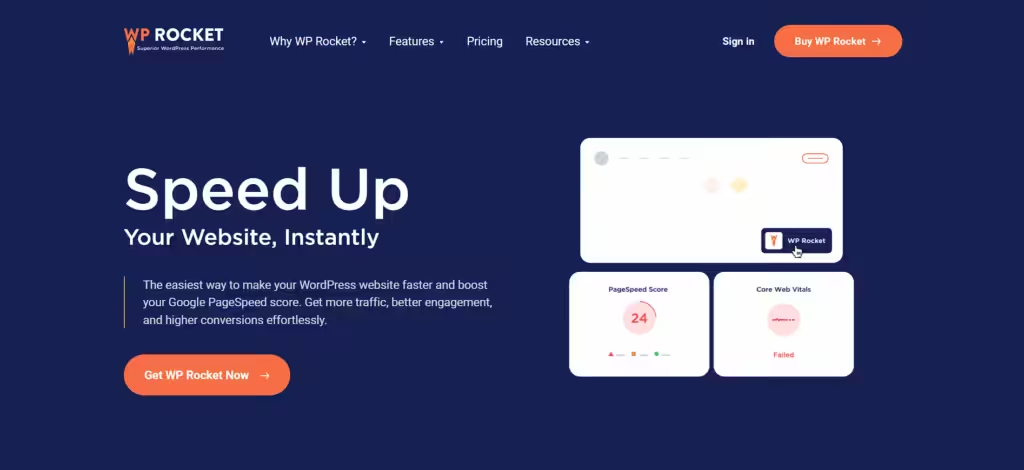
WP Rocket stands as the most popular WooCommerce speed optimization plugin among professional Woo developers and agencies. This premium plugin automatically activates essential features with WooCommerce cart compatibility and delivers comprehensive website improvements with minimal configuration complexity.
Key Features
- Advanced page caching with WooCommerce exclusions
- Automatic mobile cache generation
- Database optimization and cleanup
- Image lazy loading with WooCommerce integration
- Minification and concatenation of CSS/JS files (ensuring known WooCommerce scripts are excluded to avoid breaking cart/checkout functionality)
- CDN integration with popular providers
- Preloading functionality for faster navigation
- Import/export settings for easy deployment
Pros
- Excellent WooCommerce compatibility out of the box, with minimal configuration required
- Comprehensive feature set in one plugin with outstanding customer support and documentation
Cons
- Premium pricing may be expensive for small stores with no free version available
- Some advanced features require technical knowledge and can conflict with certain hosting cache systems
Pricing
- Single site: $59/year
- 3 sites: $119/year
- Unlimited sites: $279/year
NitroPack – Cloud-Powered Performance Enhancement
NitroPack revolutionizes WooCommerce speed optimization by processing all optimizations in the cloud, reducing server load while delivering exceptional performance improvements. This all-in-one performance optimization service combines caching, minification, image optimization, and more.

Key Features
- Cloud-based optimization processing
- Automatic critical CSS generation
- Advanced image optimization and WebP conversion
- Global CDN with 180+ locations
- Real-time performance monitoring
- Mobile-specific optimizations
- Smart caching with WooCommerce compatibility
- Performance analytics dashboard
Pros
- Reduces server load with cloud processing and delivers excellent PageSpeed scores
- Global CDN is included in all plans with advanced image optimization capabilities
Cons
- The monthly subscription model increases long-term costs with external service dependency
- Limited control over optimization settings and potential privacy concerns with cloud processing
- Can over-cache dynamic WooCommerce pages like cart and checkout unless properly excluded, which may require contacting support for custom configuration.
Pricing
- Business plan: $21/month
- Growth plan: $42/month
- Scale plan: $84/month
W3 Total Cache – Comprehensive Free Solution
W3 Total Cache remains a powerful free WooCommerce speed optimization plugin offering enterprise-level features without cost barriers. This plugin provides extensive customization options for WooCommerce stores while requiring more technical knowledge for optimal configuration.

Key Features
- Multiple caching types (page, database, object, browser)
- CDN integration with major providers
- Minification and compression options
- Mobile theme support
- SSL and security compatibility
- Fragment caching for dynamic content
- Performance monitoring tools
- Advanced cache purging options
Pros
- Completely free with extensive features and enterprise-level functionality
- Highly customizable caching options with active development and regular updates
Cons
- Complex configuration requires technical expertise and can be overwhelming for beginners
- Interface feels outdated compared to modern plugins, with some features conflicting with hosting
- Requires manual exclusion of WooCommerce dynamic pages and cookies to avoid cart/checkout issues; misconfiguration can lead to broken user sessions
Pricing
- Free version: Available
- Pro version: Starting at $99/year
People Also Read: Speed Up WooCommerce Checkout: 7 Proven Fixes That Boost Conversions
WP Fastest Cache – User-Friendly Speed Enhancement
WP Fastest Cache combines simplicity with effectiveness, making it an excellent WooCommerce speed optimization plugin for users seeking straightforward performance improvements. Its intuitive interface doesn’t compromise on WooCommerce compatibility.

Key Features
- One-click cache activation
- Automatic minification of HTML, CSS, and JS
- GZIP compression support
- Browser caching optimization
- Image optimization (premium)
- Database cleanup tools (premium)
- CDN integration (premium)
- Cache preloading system (premium)
Pros
- Extremely user-friendly interface with one-time payment for premium features
- Quick setup with minimal configuration and reliable WooCommerce compatibility
Cons
- Limited advanced features in the free version, with basic customization options
- Less comprehensive than premium alternatives, with no automatic critical CSS generation
- No support for dynamic fragment caching, which can result in outdated cart/checkout content if exclusions aren’t configured manually
Pricing
- Free version: Available
- Premium version: $49.99 one-time payment
Struggling with a slow WooCommerce store?
A sluggish site can cost you sales. Turn it into a high-speed, high-converting machine with expert WooCommerce Speed Optimization services:
- In-depth Performance Audit
- Theme & Plugin Optimization
- Code & Database Cleanup
- Core Web Vitals Boosts
LiteSpeed Cache – Server-Level Performance
LiteSpeed Cache leverages server-level caching technology to provide exceptional performance for WooCommerce stores hosted on LiteSpeed servers. This free plugin offers features typically found in premium solutions.

Key Features
- Server-level caching technology
- Built-in image optimization
- Critical CSS generation
- Database optimization tools
- CDN integration
- Cache crawler for preloading
- WooCommerce-specific optimizations (available only when using a LiteSpeed-powered server with proper server module support)
- HTTP/2 push support
Pros
- Completely free with premium-level features and exceptional performance on LiteSpeed servers
- Built-in image optimization and WebP support with advanced ESI functionality
Cons
- Limited to LiteSpeed server environments and less effective on other hosting platforms
- Complex configuration options may overwhelm beginners with limited support for non-LiteSpeed users
Pricing
- Completely free
Autoptimize – Code Optimization Specialist
Autoptimize focuses specifically on code optimization, making it an excellent complementary WooCommerce speed optimization plugin for stores already using basic caching solutions. It specializes in CSS minification and optimization.

Key Features
- Advanced CSS/JS minification
- Critical CSS generation
- Image optimization
- Google Fonts optimization
- Async JavaScript loading
- Database cleanup tools
- Preload key requests
- WooCommerce cart exclusions
Pros
- Excellent code optimization capabilities that work well as a complementary plugin
- Affordable premium pricing with good WooCommerce compatibility
Cons
- Not comprehensive enough as a standalone solution, requires an additional caching plugin
- Can conflict with other optimization plugins, with limited customer support for the free version
Be cautious when minifying JavaScript, without excluding WooCommerce’s core AJAX/cart scripts, as this can break cart updates or checkout behavior.
Pricing
- Free version: Available
- Pro version: $5/month
Perfmatters – Performance Optimization Powerhouse
Perfmatters focuses on eliminating performance bottlenecks through comprehensive optimization features, making it a specialized WooCommerce speed optimization plugin for performance enthusiasts who want granular control.
Key Features
- Script manager for selective loading
- Database optimization and cleanup
- DNS prefetching configuration
- Lazy loading for images and iframes
- Disable unused WordPress features
- Local Google Analytics hosting
- Preload fonts and resources
- WooCommerce-specific optimizations
Pros
- Granular control over script loading with excellent database optimization tools, but best used alongside a caching plugin for full performance gains
- Clean, intuitive interface that’s great for advanced users and developers
Cons
- Requires technical knowledge for optimal use and is not a caching solution by itself
- Can break functionality if misconfigured with premium pricing for relatively specialized features
Pricing
- Starting at: $49/year for 3 sites
WP Super Cache – Basic Caching Solution
WP Super Cache provides fundamental caching functionality for WooCommerce stores seeking simple performance improvements. While not as feature-rich as premium alternatives, this free plugin offers reliable basic caching.

Key Features
- Static HTML file generation
- GZIP compression support
- Cache preloading system
- CDN compatibility
- Mobile device support
- Advanced cache settings
- Apache mod_rewrite support
- WooCommerce page exclusions
Pros
- Completely free with no premium upsells and simple, reliable caching functionality
- Low resource usage that’s good for basic WordPress optimization and easy to configure
Cons
- Limited features compared to modern alternatives, with no advanced optimization capabilities
- Basic interface feels outdated, with limited WooCommerce-specific features
- Lacks dynamic content handling like fragment caching, making it risky for stores with logged-in users or cart/checkout activity without exclusions
Also Read: WooCommerce Page Speed Optimization Checklist: Your Step-by-Step Guide to a Faster Store
Struggling with a slow WooCommerce store?
A sluggish site can cost you sales. Turn it into a high-speed, high-converting machine with expert WooCommerce Speed Optimization services:
- In-depth Performance Audit
- Theme & Plugin Optimization
- Code & Database Cleanup
- Core Web Vitals Boosts
Conclusion: Choosing Your WooCommerce Speed Optimization Plugin
Selecting the right WooCommerce speed optimization plugin depends on your specific needs, technical expertise, and budget considerations.
Our Top Recommendations:
For most WooCommerce stores, WP Rocket remains the top choice for comprehensive performance improvements with minimal configuration. Its balance of features, ease of use, and excellent WooCommerce compatibility justifies the premium price.
For high-traffic stores: NitroPack’s cloud-based optimization provides superior results, though at a higher cost.
For budget-conscious users: Consider LiteSpeed Cache on compatible hosting or W3 Total Cache for extensive free functionality.
For technical users: Perfmatters offers advanced optimization features with granular control.
For simplicity seekers: WP Fastest Cache provides a user-friendly approach.
| Pro Tips: A. Combining complementary plugins like Autoptimize (but make sure any JS minification excludes WooCommerce’s AJAX/cart scripts) alongside a caching plugin with dynamic fragment support delivers the best results B. Test different options and monitor performance metrics C. Proper configuration is just as important as plugin selection |
The key to WooCommerce speed optimization lies not just in choosing the right plugin, but in properly configuring it for your specific store requirements. Choose the WooCommerce speed optimization plugin that delivers the best balance of speed, functionality, and reliability for your e-commerce success.
Optimize your WooCommerce store’s performance today with the right speed optimization plugin and watch your conversion rates soar while search engine rankings improve.