| If learners are dropping off before finishing your course, the problem may not be the content alone. In many cases, the issue is the course experience itself. When you customize the LearnDash course page to make navigation clearer, progress easier to see, and lessons easier to follow, you make it easier for learners to stay engaged and continue learning. The best-performing courses usually do not rely only on strong content. They also create a smoother learning journey. |
Are you struggling with keeping learners engaged throughout your LearnDash course?
If so, you are not alone.
Many course creators spend a lot of time building lessons, recording videos, uploading resources, and structuring their programs carefully. But even after doing all that, learners may still lose momentum somewhere in the middle of the course.
That can feel frustrating.
Especially when you know the material is valuable.
In many cases, the issue is not the quality of the content.
It is the way the course experience feels to the learner.
When learners have to spend too much time figuring out where to click next, searching for resources, or trying to understand where they are in the course, it becomes harder for them to stay focused. Little moments of confusion may seem small at first, but they add up over time.
This is where it helps to customize the LearnDash course page with more intention.
A well-structured course page does more than hold lessons together. It guides learners. It shows progress clearly. It makes the next step feel obvious. It reduces hesitation and keeps the learning journey moving.
With this article, we will walk through 9 practical LearnDash customization examples often used by high-completion courses.
These are not random design ideas.
They are improvements that help make the course experience smoother, clearer, and more learner-friendly.
Before we begin, it helps to understand one important idea. A better course page is not just about design. It is about making learning feel easier to continue.
Understanding LearnDash Course Page Customization
Before going further, let us quickly define what course page customization actually means.
A LearnDash course page is typically where learners view the course structure, open lessons and topics, track progress, and access key program actions.
By default, LearnDash gives you a working structure. That is useful, especially when you are just getting started.
But as your course grows, the default setup may start feeling a little too plain or too generic for the kind of experience you want to create.
This is where customization becomes valuable.
When people talk about improving the course experience in LearnDash, they are often referring to changes that make the page easier to understand, easier to move through, and more aligned with the way learners actually learn.
That could include clearer lesson layouts, stronger progress visibility, easier access to resources, better navigation, or a more focused page structure.
| Quick Explanation-Course friction: Course friction is anything that makes learning feel harder than it should.This could be unclear navigation, a cluttered layout, limited visibility of progress, or resources that are available but hard to find. Even small friction points can lower learner momentum over time. |
1. A Clear Continue Learning Section That Helps Learners Resume Quickly
One of the most useful customizations is also one of the most practical.
Many learners do not continue because they dislike the course.
They stop because returning to the course feels like work.
They log back in after a day or two, land on the course page, and then have to remember where they left off. They scroll through modules, look for completed lessons, and try to figure out what comes next.
That small pause is often enough to break momentum.
A better approach is to place a clear Continue Learning section near the top of the course page.
This section can show the learner exactly where they are and what they should do next.
For example, imagine a coaching academy running a multi-week certification program. Instead of simply showing the full lesson list, the course page opens with a small section that says:
You are currently on Module 3
Next lesson: Client Communication Framework
Resume Course
That one improvement makes the page feel much more helpful.
It removes re-entry friction and makes it easier for learners to continue without thinking too much first.
| LearnDash tracks learner progress through its linear progression system, so it can remember where a learner left off. However, a clearly visible “Continue Learning” section near the top of the course page is a custom enhancement, not something LearnDash shows by default. |
2. A Branded Course Header That Makes the Program Feel More Professional
A lot of default course pages are functional, but they do not always feel memorable.
That matters more than many course creators realize.
When a learner enters the course area, the page should feel like part of a real learning product, not just a collection of plugin-generated screens.
A custom course header can help create that feeling.
Instead of showing only the bare minimum, the top of the page can include the course title, instructor name, course thumbnail, short orientation text, and a quick snapshot of progress.
This creates a stronger first impression.
It also gives the course more identity.
For paid programs, memberships, academies, and certification platforms, this kind of structure can help make the course feel more intentional from the moment the learner enters it.
That sense of professionalism quietly builds trust.
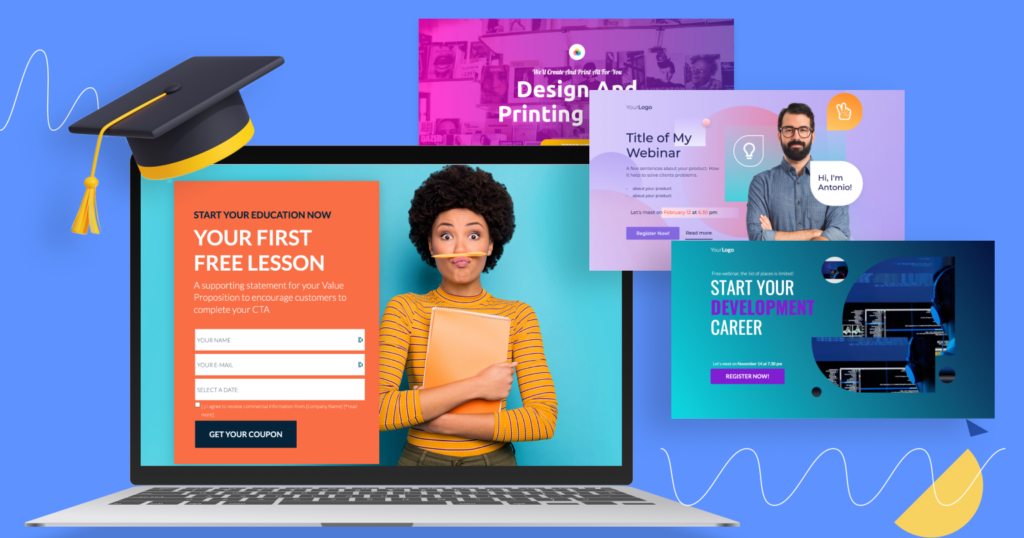
3. A Cleaner Lesson and Topic Layout That Feels Easier to Scan
Many LearnDash course pages technically work, but they can still feel tiring to look at.
Lessons, topics, completed items, locked sections, and supporting text may all appear together in a way that feels dense. Nothing is exactly wrong, but the page still asks the learner to do too much visual sorting.
This is where layout matters.
A cleaner layout separates modules more clearly, makes lessons easier to scan, and helps completed versus incomplete items stand out more naturally.
That way, learners do not have to decode the page every time they come back.
They can understand it at a glance.
This kind of improvement may not look dramatic from the backend.
But from the learner’s side, it creates a much calmer experience.
And when a course feels easier to scan, it usually feels easier to continue too.

4. Progress Indicators That Actually Feel Visible
A progress bar is only useful if learners notice it.
In many courses, progress technically exists, but it does not feel present enough to motivate the learner. It may be too subtle, too disconnected from the learning flow, or too easy to miss entirely.
That is why stronger progress indicators can make a real difference.
A better setup may show overall course progress, module-level progress, completed lesson markers, or a visible “next milestone” indicator.
For example, let us take the same coaching academy. They decide to improve progress visibility by showing:
- Overall course completion percentage
- Module completion status
- Completed lessons with visual check marks
- The next unlocked module or step
Now the learner does not just move through the course.
They can actually feel their movement through it.
That feeling matters.
When progress becomes more visible, it often becomes more motivating.

5. Resources Placed Where Learners Actually Need Them
Many courses include useful resources, but their presentation makes them harder to use than they should be.
The worksheet may be buried under a lesson. The replay link may be buried within a long block of text. A bonus PDF may exist, but not where the learner expects to find it.
When this happens often enough, the platform starts feeling inconvenient.
A smarter approach is to place resources in context.
If a worksheet belongs to a module, it should appear with that module. If a lesson includes a checklist, replay, or downloadable guide, that material should be placed near the lesson content.
This may sound simple, but it has a real effect on the learner experience.
The easier the resources are to find, the less tiring the platform becomes.
And the less tiring the platform feels, the easier it is for learners to keep going.
6. Navigation That Makes the Next Step Obvious
One of the fastest ways to lose learner momentum is to make the next action unclear.
If learners finish a lesson and then have to search for the next one, that extra effort creates friction. It may take only a few seconds, but repeated over time, it disrupts the learning process.
That is why many high-completion courses deliberately improve the navigation experience.
Instead of relying on a basic content list alone, they make it easier for learners to move between lessons with consistent next and previous actions, clearer side navigation, and better course progression signals.
A practical implementation example would be a corporate training portal using LearnDash for onboarding. Each lesson page includes a clear button for the next lesson, a simple sidebar showing the current module, and a visible indicator showing the learner’s current position in the sequence.
That means the learner never has to stop and ask, “Where do I go now?”
The page answers that immediately.

7. Focused Lesson Pages With Less Visual Clutter
Sometimes the issue is not missing features.
Too much is happening on the screen at once.
A lesson page may include sidebars, extra widgets, unrelated buttons, crowded headers, or design elements that distract from the actual learning content. None of those elements may seem harmful by themselves, but together they make the lesson feel noisier than it needs to be.
High-completion courses often take the opposite approach.
They simplify.
They keep the page focused on the lesson, the learner’s progress, and the next step.
This does not mean the page has to look empty.
It means every element should earn its place.
When learners can focus on the content without unnecessary distractions, the course feels calmer and easier to stay with.
That is especially important in courses covering technical, detailed, or high-attention subjects.
8. A Custom Learner Dashboard That Supports Completion Before the Course Page Even Loads
Sometimes, course completion is improved before the learner even reaches the course page.
A custom learner dashboard can make a big difference here.
Instead of sending learners into a general account area and making them figure out what to do, a dashboard can act like a guided starting point. It can show active courses, incomplete lessons, earned certificates, upcoming tasks, and quick links back into the learning journey.
For example, imagine a professional skills academy using LearnDash for several certificate programs. Instead of giving learners a generic account page, they build a custom dashboard that shows:
- active programs
- where the learner left off
- upcoming assessments
- certificates earned
- a direct continue button for each course
That kind of structure supports re-entry in a much stronger way.
The learner does not need to remember what they were doing.
The dashboard tells them.
9. A Mobile-Friendly Course Layout That Does Not Break the Learning Flow
A course page may look great on desktop and still feel awkward on mobile.
That is a problem because many learners use phones or tablets at least some of the time. They may start a lesson while commuting, revisit a module during a break, or quickly check their progress from a smaller screen.
If the mobile experience feels cramped, confusing, or hard to tap through, learners are more likely to postpone the lesson.
And once postponing becomes a habit, completion becomes harder.
That is why mobile-friendly customization matters.
This could involve cleaner spacing, larger tap targets, clearer stacking of modules and lessons, simpler resource placement, or better visibility of the next action on smaller screens.
It is not enough for the course page to technically shrink to fit a phone.
It should still feel usable.
That difference matters a lot.
Strategic Checkpoint
Take a moment and think about your current LearnDash course experience.
Ask yourself:
- Can learners quickly continue where they left off?
- Does progress stand out clearly?
- Is the next lesson easy to find?
- Are resources placed near the point of use?
- Does the layout feel focused or cluttered?
- Is the course page easy to use on mobile?
- Does the course area feel like part of your brand?
If several of these answers feel weak, the issue may not be your content.
It may be the experience surrounding it.
| Self-Analysis Game: How Much Friction Does Your Course Page Have? Give yourself 1 point for every statement that sounds true. Learners need to search for the next lesson Progress is easy to miss Resources are not grouped clearly Lesson pages feel cluttered Mobile navigation is not smooth The course page looks too generic for the quality of the program Learners often need reminders just to continue where they left off |
Your result
0 to 2 points
Your course page may already be in decent shape, though a few improvements could still make it stronger.
3 to 5 points
There is likely some friction affecting the learner experience more than you realize.
6 to 7 points
Your LearnDash course page probably needs more intentional customization to better support engagement and completion.
Knowledge Check
Question 1
Why do high-completion courses customize the course page?
A. To make the platform more complicated
B. To reduce friction and guide learners more clearly
C. To hide course progress
Correct answer: B
Question 2
What is the benefit of a Continue Learning section?
A. It makes the course page longer
B. It helps learners resume without searching
C. It removes modules from the course
Correct answer: B
Question 3
Why do stronger progress indicators matter?
A. They help learners see movement and stay motivated
B. They reduce the amount of content
C. They replace the need for lessons
Correct answer: A
Question 4
Why should resources be placed more intentionally?
A. Because learners never use them
B. Because better placement reduces frustration and saves time
C. Because every file should be hidden in the sidebar
Correct answer: B
Question 5
Why does mobile customization matter?
A. Because desktop users are no longer important
B. Because many learners access courses on smaller screens too
C. Because mobile layouts never affect course completion
Correct answer: B
Question 6
What is one sign of course friction?
A. Learners always know what to do next
B. Lesson pages feel clear and focused
C. Learners pause too often to figure out where they are
Correct answer: C
Reddit-Inspired FAQ
Do I really need to customize my LearnDash course page, or is the default enough?
The default setup can work, especially for smaller or simpler courses. But if learners are dropping off, getting confused, or not returning consistently, course page customization can make a real difference.
What is the best LearnDash customization to start with?
A strong place to start is anything that makes the next step easier. That usually means a clear continuing-learning area, stronger progress visibility, or better lesson navigation.
Can design changes actually improve course completion?
Design alone is not magic. But when design changes reduce friction, improve clarity, and make the learning flow easier to follow, they can absolutely support better completion.
Is this only useful for big training businesses?
Not at all. Even smaller course creators can benefit from a better course page if their learners are struggling with clarity, momentum, or re-entry.
What if I can only improve one thing right now?
Start with the thing that helps learners resume quickly. In many cases, making the next lesson obvious creates the biggest immediate improvement.
Conclusion
High-completion courses usually do not succeed on content alone.
They also make the learning experience easier to continue.
That is why it helps to customize the LearnDash course page in a way that supports the learner from one step to the next. Small changes like clearer navigation, stronger progress visibility, more useful resource placement, better dashboards, and focused layouts can make a course feel much easier to move through.
If your course content is already strong, but completion still feels weaker than it should, the missing piece may not be the lessons.
It may be the page around them.
If you want to build a smoother, more engaging course experience, thoughtful LearnDash customization can help turn an ordinary learning flow into one that feels far more intentional and learner-friendly.
Continue Learning
If this article gave you useful ideas for improving your course experience, these related reads may help you go further: