| The best WooCommerce migration plugin depends on what exactly you are migrating. If you want a mostly automated platform-to-platform move, LitExtension and Cart2Cart are the strongest picks. If you are moving an entire WooCommerce/WordPress site, tools like Migrate Guru, All-in-One WP Migration, WP Migrate, and UpdraftPlus are often a better fit. If your main challenge is catalog data, WebToffee is more useful than a full-site migration tool. |
Thinking about moving your WooCommerce store? Maybe you’re switching hosts, upgrading to a faster setup, or just trying to clean house. Whatever the reason, you’ve probably realized by now—it’s not as straightforward as hitting a “migrate” button.
The real challenge? Figuring out which plugin won’t wreck your store in the process.
There are tons of best WooCommerce migration plugins out there. Some are free, some are pricey. Some look super easy… until you’re staring at a screen full of errors and wondering where half your product images went.
Here’s what usually trips people up:
- You’re not sure if a plugin supports everything you need (like variations, orders, customer data)
- You’re scared of breaking something and losing important info
- You just want something that works without having to read a 50-page manual
Sound familiar? You’re not alone.
That’s why I pulled together this guide. I went through the top options, looked at what actually works (and what doesn’t), and put together a shortlist of the best WooCommerce migration plugins for 2026.
Whether you’re just starting out or running a big store with loads of data, this guide will help you figure out the tool that fits you—your budget, your tech skills, and your sanity.
Let’s jump in. But before that, here’s a quick comparison table:
Comparison Table: 7 Best WooCommerce Migration Plugins
| Plugin | Starting Price | Ideal For | Strength |
| LitExtension | $69+ | Automated, multi-platform users | Robust, expert support |
| Cart2Cart | $69+ | Easy, no-code migrations | Quick setup, demo migrations |
| WooCommerce Product Import Export | Free/$79/year | Product data migration | Flexible, advanced filtering |
| All-in-One WP Migration | Free/$69+ | Full WordPress site migration | User-friendly, supports large sites |
| Migrate Guru | Free | Large WooCommerce stores | Efficient, no downtime |
| WP Migrate DB Pro | $199/year | Developers | Granular control, developer-friendly |
| UpdraftPlus | Free/$70+ | Backup + migration | Reliable, combined backup/migration |
Also Read: What a Professional WooCommerce Migration Company Actually Delivers
LitExtension
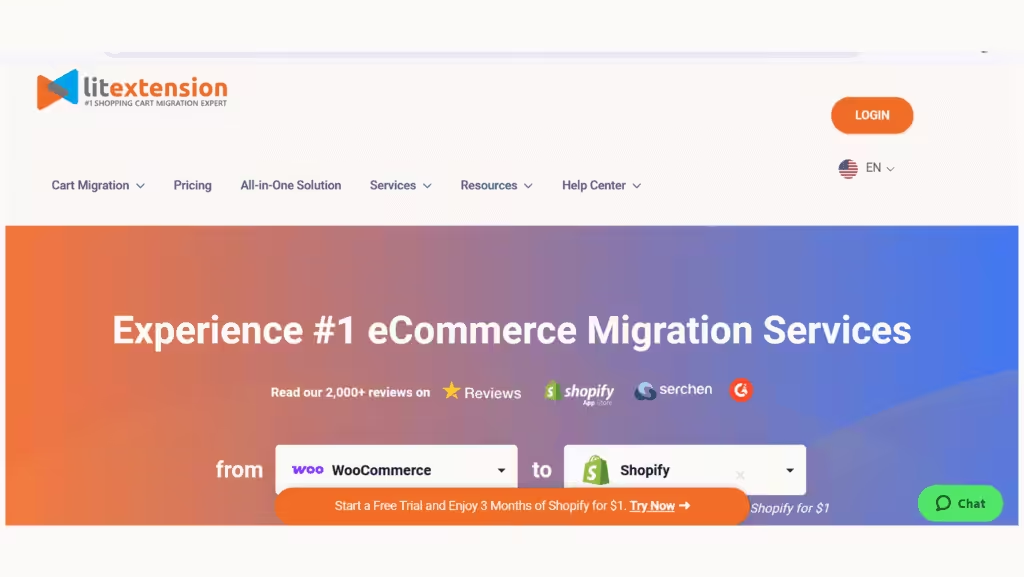
If you want an all-in-one migration powerhouse that handles everything automatically, LitExtension is a top contender. It’s known for supporting over 140 ecommerce platforms, which means whether you’re moving from Shopify, Magento, or any other popular platform, LitExtension likely has you covered.
The plugin automates the entire process—from products and customers to SEO URLs and even user passwords—ensuring a secure, hands-off migration with zero downtime. Plus, you get access to 24/7 expert support, so if something feels tricky, help is just a message away.
Key Features
- Fully automated migration with support for over 140 platforms
- Transfers products, customers, orders, SEO URLs, and passwords securely
- Zero downtime during migration
- 24/7 customer support with migration experts
Pricing
Starts at $69 for basic migration packages. Custom pricing available for larger stores.
Ideal for
Store owners who want a hassle-free, automated migration with expert support.
| 💡 Quick Tip: Before starting, prepare a list of platforms you’re migrating from to ensure LitExtension supports all features you need. |
Cart2Cart
Looking for a migration tool that’s beginner-friendly and requires zero coding? Cart2Cart fits the bill perfectly. It’s an automated shopping cart migration service that transfers your store data quickly and safely. Whether it’s products, customers, orders, or categories, Cart2Cart moves it all while preserving data integrity.
Plus, the option for a free demo migration lets you try before you buy—an excellent way to spot any data mismatches early on. It also supports a wide range of shopping carts beyond WooCommerce, making it a versatile tool for merchants switching platforms.

Key Features
- User-friendly, fully automated migration process
- Transfers products, orders, customers, categories, and more
- Supports multiple shopping carts, including Shopify, Magento, and BigCommerce
- 24/7 support with free demo migration
Pricing
Starts around $69, depending on data volume.
Ideal for
Merchants who want an efficient, no-code migration solution.
| 💡 Pro Tip: Run the demo migration first to identify potential data mapping issues before committing to the full transfer. |
Also Read: 5 Steps For a Fail-Proof Migration to WooCommerce Subscriptions
WooCommerce Product Import Export Plugin (by WebToffee)
If your primary concern is getting your product catalog migrated perfectly and efficiently, the WooCommerce Product Import Export Plugin from WebToffee is a fantastic choice. It specializes in importing and exporting product data between WooCommerce stores, supporting all product types, including simple, variable, grouped, and downloadable products.
With advanced filtering, column mapping, and even scheduled imports/exports, this plugin is a lifesaver for stores with complex catalogs or frequent updates.

Key Features
- Import/export products in CSV, XML, and Excel formats
- Supports simple, variable, grouped, and downloadable products
- Advanced column mapping and filtering options
- Scheduled import/export support
Pricing
Free version available; Pro version starts at $79 per year.
Ideal for
Store owners needing to migrate or bulk update product data specifically.
| 💡 Quick Fix: Always backup your product CSV files and validate data format before import to avoid errors. |
All-in-One WP Migration
Sometimes you don’t just want to move your WooCommerce store—you want to move your entire WordPress website with all its bells and whistles. That’s where All-in-One WP Migration shines.
It lets you export your whole site—including the database, media files, plugins, and themes—and import it to a new location using a simple drag-and-drop interface. It handles large file uploads, serialized data, and multisite setups (with extensions). This plugin is perfect if your WooCommerce migration is part of a bigger site overhaul.

Key Features
- Exports/imports the entire WordPress site, including database, media, plugins, and themes
- Drag-and-drop import interface
- Supports various storage options (Google Drive, Dropbox, FTP)
- Handles large file uploads
Pricing
Free core plugin; premium extensions start at $69.
Ideal for
Users who are looking to migrate the entire WordPress site, not just WooCommerce data.
| 💡 Tip: If your site is large, use the premium extensions for Google Drive or Dropbox to avoid upload limits. |
Also Read: Why More Brands Are Considering BigCommerce to WooCommerce Migration in 2026
Migrate Guru
Migrating a massive WooCommerce store? Migrate Guru is a free plugin designed with big sites in mind. It makes migrating your site easy and reliable, with zero downtime and no manual uploads—migrations happen directly between your current and new hosts. It supports multisite installations and is completely free, making it a favorite for budget-conscious users who want powerful migration capabilities without the hassle.

Key Features
- Free migration plugin designed for large WordPress/WooCommerce sites
- Handles large sites effortlessly
- No manual uploads; migrates directly between hosts
- Zero downtime migration
Pricing
Free to use.
Ideal for
Users who are migrating large WooCommerce stores without a budget for paid tools.
| 💡 Quick Tip: Check with your new host if they support Migrate Guru’s direct migration method for best results. |
WP Migrate DB Pro
For developers and agencies who want full control over every detail of their database migration, WP Migrate DB Pro is the go-to. It offers powerful features like find-and-replace, push and pull capabilities, and serialized data handling. This plugin is less about simplicity and more about power and flexibility, making it perfect for staging, live site syncing, or complex development workflows.

Key Features
- Push and pull WordPress databases between installations
- Handles serialized data and media files
- Find and replace URLs and file paths automatically
- Developer-focused tool with advanced features
Pricing
Starts at $199/year for the basic license.
Ideal for
Developers and agencies need granular control over database migration.
| 💡 Pro Tip: Use WP Migrate DB Pro in combination with a backup plugin to ensure safe migrations. |
UpdraftPlus
If you want peace of mind with backups and migration capabilities bundled into one, UpdraftPlus is a trusted, comprehensive solution. While its main claim to fame is backups, it also supports site cloning and migration, making it an all-around lifesaver.
Scheduled backups, cloud storage options, and an easy-to-use interface make it perfect for users who want to safeguard their sites while moving them.

Key Features
- Full WordPress backup and restoration
- Cloning and migration capabilities
- Supports multiple cloud storage options
- Scheduled backups and easy restores
Pricing
Free version available; premium starts at $70/year.
Ideal for
Users want reliable backup along with migration features.
| 💡 Quick Fix: Always run a full backup with UpdraftPlus before starting any migration. |
| What to check before choosing a WooCommerce migration plugin Before you compare tools, answer these five questions: 1. Are you migrating a full site or only storing data? A full-site move usually needs a WordPress migration tool. A catalogue-only or structured-data move may be better handled by import/export tools. 2. Are you moving from another platform or from one WooCommerce site to another? Tools like LitExtension and Cart2Cart are built around cross-platform migrations. Tools like Migrate Guru or All-in-One WP Migration are better suited to moving an existing WordPress/WooCommerce site between hosts or servers. 3. Do you need SEO preservation? If URLs or site structure are changing, redirects, internal-link checks, canonicals, and sitemap resubmission matter just as much as the actual data transfer. 4. How large is the store? Large stores need tools that can handle server limits, large databases, and media-heavy libraries without crashing mid-process. Migrate Guru explicitly positions itself for large sites and says it can handle sites up to 200 GB. 5. How much control do you want? Some store owners want a guided, automated workflow. Developers and agencies often want push/pull control, database handling, and file-level sync. That is where tools like WP Migrate become more attractive. |
Also Read: 14 Best Tools for WooCommerce Migration
Conclusion
Migration isn’t just about moving products from A to B. You’ve got orders, customer data, images, variations, SEO URLs… even login info. And one small mistake could mean hours (or days) of clean-up. That’s why your choice of plugin matters a lot.
Choosing the best WooCommerce migration plugin depends on your specific needs—store size, tech skill, and whether you want a simple push-button solution or developer-level control. Always remember: back up first, test carefully, and preserve your SEO to keep your store thriving through the transition.
In the end, the “best” plugin isn’t the one with the most features—it’s the one that fits your store, your skills, and your peace of mind.
| Common migration mistakes store owners still make 1. Choosing a plugin based only on price– Free is not always cheaper if cleanup takes days. 2. Treating full-site migration and data migration as the same thing– They are not. This is one of the biggest sources of tool mismatch. 3. Forgetting SEO assets– A migration that preserves products but loses rankings is still a bad migration. Google explicitly recommends careful handling of URL changes and redirects. 4. Not testing subscriptions, renewals, and custom data– These are often where “successful” migrations quietly break. 5. Migrating on the live store first– Use staging or a demo run whenever possible. |
Got questions or feeling stuck? Drop me a line. I’ve seen enough messy migrations to know there’s always a smoother way.
Good luck—and happy migrating! 🚀
FAQs
What is the best WooCommerce migration plugin overall?
For automated cross-platform moves, LitExtension and Cart2Cart are usually the most practical picks. For WordPress-to-WordPress WooCommerce site moves, Migrate Guru or All-in-One WP Migration are often a better fit.
Can I migrate a WooCommerce store for free?
Yes, sometimes. Migrate Guru is free for full-site WordPress moves, and UpdraftPlus free can also support migration workflows. But free tools may not cover complex replatforming, custom fields, subscriptions, or selective data mapping.
Will a WooCommerce migration hurt SEO?
It can, especially if URLs change and redirects are not handled correctly. Google recommends planning site moves carefully and using the correct redirect strategy to reduce ranking disruption.
Which plugin is best for large WooCommerce stores?
Migrate Guru is one of the strongest options for large WordPress/WooCommerce sites because it is designed to avoid site overload and claims support for sites up to 200 GB.
Which plugin is best if I only need to move products?
WebToffee’s Product Import Export plugin is the better fit when product data is the main thing you need to migrate or clean up.
Do I still need a backup if the migration tool says it is safe?
Yes. You should still create a full backup before migration. UpdraftPlus is a common choice for that safety layer.