| Quick Answer The best LearnDash payment gateway depends on your audience, location, and payment model. Stripe is ideal for global and subscription-based courses, PayPal for simple setup and customer trust, Razorpay for Indian businesses, and WooCommerce for advanced eCommerce needs. Authorize.Net suits established businesses needing traditional payment processing and dedicated support. |
Someone contacted us last month with this exact problem: She’d crafted the perfect online course. Her marketing drew them in. Students were excited, ready to buy…
Then they hit her checkout page and disappeared.
The harsh truth? Most online shoppers abandon their cart because of clunky payment options.
For course creators, this isn’t just a statistic—it’s revenue walking away every single day.
Your LearnDash payment gateway isn’t just processing transactions. It’s the final gatekeeper between interested prospects and paying students. One friction point, one confusing step, and months of hard work crumble at the finish line.
But it goes deeper. Your gateway choice affects financial reporting, subscription management, refunds, and global sales capability.
In this guide, we’ll reveal the best LearnDash payment gateways, compare their strengths and weaknesses, and help you choose the perfect match for your goals—so you never lose another eager student at checkout.
Best LearnDash Payment Gateway for your Online Courses
Stripe: The Developer-Friendly Powerhouse
About Stripe
Stripe has revolutionized online payments with its developer-centric approach and robust API infrastructure. As a LearnDash payment gateway, Stripe offers seamless integration capabilities that make it a favorite among course creators who value flexibility and scalability.

Key Features for LearnDash
- Advanced Checkout Experience: Stripe Checkout provides a secure, mobile-optimized payment flow that reduces cart abandonment
- Subscription Management: Built-in recurring billing perfect for membership sites and course subscriptions
- Global Payment Methods: Supports 135+ payment methods, including cards, digital wallets, and local payment options
- Real-time Analytics: Comprehensive dashboard with detailed transaction insights and revenue tracking
- Fraud Prevention: Machine learning-powered fraud detection that adapts to your business patterns
Pros:
- Excellent international coverage with local payment method support
- Superior developer documentation and customization options
- Advanced subscription and trial period management
- Transparent pricing with no setup or monthly fees
Cons:
- Requires some technical knowledge for advanced customizations
- Limited phone support compared to traditional processors
- Holds funds for new accounts during the initial review period
- Can be overwhelming for non-technical users
Pricing: 2.9% + 30¢ per successful transaction for domestic cards. International cards incur additional fees.
Best For:
Technical course creators targeting global audiences, subscription-based platforms, high-volume businesses, and mobile-first educators who need detailed analytics.
Skip Stripe if:
You’re a non-technical beginner who prefers simple setup with extensive phone support, or if you’re just starting out and want to avoid the initial account review period.
Course Engagement Dropping? Sales Not Growing?
Upgrade to a clean, fast, and tailored LearnDash experience that puts your students first. Unlock powerful customizations:
- Custom Quiz Logic & Design
- Payment Gateway Setup
- Third-Party Tool Integrations
- Personalized Course Flows

PayPal: The Trusted Global Standard
About PayPal
PayPal remains one of the most recognized payment brands globally, making it an attractive LearnDash payment gateway option for course creators who want to leverage consumer trust and familiarity.

Key Features for LearnDash
- Brand Recognition: Instant customer trust with the PayPal brand
- PayPal Credit: Offers financing options that can increase average order values
- Multiple Integration Methods: Standard payments, Express Checkout, and PayPal Payments Pro
- Buyer Protection: Built-in dispute resolution that protects both merchants and customers
- Mobile Optimization: Seamless mobile payment experience
Pros:
- Highest consumer recognition and trust factor
- No monthly fees for standard accounts
- Comprehensive buyer and seller protection programs
- Easy setup with minimal technical requirements
Cons:
- Higher international transaction fees
- Account freezing issues for some business types
- Limited customization of checkout experience
- Funds may be held for high-risk transactions
Pricing: 2.9% + 30¢ for domestic transactions. International fees vary by country and can be significantly higher.
Best For:
Beginners who want instant credibility, course creators with non-technical backgrounds, and educators targeting price-sensitive students who trust the PayPal brand.
Skip PayPal if:
You need extensive checkout customization, operate in high-risk niches prone to account restrictions, or require advanced subscription management features.
You Might Also Like: How to Set Up PayPal as a Payment Gateway in LearnDash: LearnDash PayPal Integration Guide
Razorpay: The Indian Market Leader
About Razorpay
Razorpay has emerged as India’s leading payment gateway, offering comprehensive solutions tailored to the Indian market’s unique requirements. For course creators targeting Indian audiences, Razorpay serves as an essential LearnDash payment gateway.

Key Features for LearnDash
- Local Payment Methods: UPI, Net Banking, Wallets, and EMI options
- Instant Settlements: Same-day settlement for faster cash flow
- Smart Routing: Automatically routes transactions for optimal success rates
- Indian Compliance: Full RBI compliance and local regulatory adherence
- Subscription Intelligence: AI-powered retry mechanism for failed recurring payments
Pros:
- Comprehensive coverage of Indian payment preferences
- Competitive pricing structure for the Indian market
- Excellent local customer support in regional languages
- Advanced analytics and business intelligence tools
Cons:
- Limited to Indian market (not suitable for global expansion)
- Requires Indian business registration and compliance
- Less third-party integration options compared to global players
- Customer support may be slower during peak periods
Pricing: 2% + GST per transaction, with volume-based discounts available for high-volume merchants.
Best For:
Course creators exclusively targeting Indian students, educators who need local payment methods like UPI and Net Banking, and businesses requiring same-day settlements.
Skip Razorpay if:
You plan to expand globally, don’t have Indian business registration, or primarily target international audiences outside India.
WooCommerce + Payment Gateways: The E-commerce Hybrid
About WooCommerce Integration
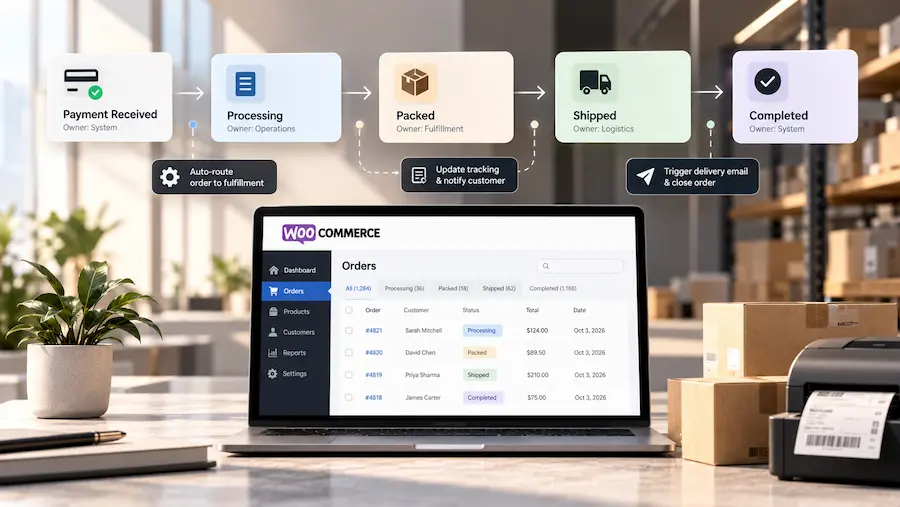
WooCommerce transforms your LearnDash site into a full-featured e-commerce platform, allowing integration with virtually any payment gateway. This approach works well when you need advanced e-commerce features alongside your LearnDash payment gateway requirements.

Key Features for LearnDash
- Gateway Flexibility: Support for 100+ payment gateways through extensions
- Advanced Product Management: Bundle courses, create upsells, and manage complex pricing
- Comprehensive Reporting: Detailed sales analytics and customer behavior insights
- Marketing Tools: Built-in coupon systems, abandoned cart recovery, and email marketing integration
- Inventory Management: Track course enrollments and manage seat limits
Pros:
- Ultimate flexibility in payment gateway selection
- Robust e-commerce features for complex business models
- Extensive plugin ecosystem for customization
- Strong SEO capabilities for course marketing
Cons:
- Increased complexity requiring more technical maintenance
- Multiple plugin dependencies can create compatibility issues
- Higher hosting requirements due to e-commerce functionality
- Steeper learning curve for non-technical users
Pricing: Varies by chosen payment gateway. WooCommerce is free, but premium extensions range from $79-$199 annually.
Best For:
Course creators selling complex product bundles, educators who need advanced marketing features, and businesses requiring multiple payment gateway options under one roof.
Skip WooCommerce if:
You want simple course sales without e-commerce complexity, prefer minimal plugin dependencies, or lack technical skills for ongoing maintenance.
Authorize.Net: The Traditional Enterprise Choice
About Authorize.Net
As one of the longest-established payment processors, Authorize.Net offers enterprise-grade reliability and traditional merchant services. It serves as a solid LearnDash payment gateway for established educational institutions and course creators who prioritize stability and comprehensive support.

Key Features for LearnDash
- Enterprise Reliability: 99.9% uptime guarantee with robust infrastructure
- Advanced Fraud Detection: Comprehensive fraud management tools and customizable filters
- Recurring Billing: Automated subscription management with flexible billing cycles
- Virtual Terminal: Process payments manually for phone or mail orders
- Comprehensive Reporting: Detailed transaction reports and reconciliation tools
Pros:
- Excellent customer service with dedicated phone support
- Strong reputation and financial stability
- Comprehensive fraud prevention tools
- Seamless integration with accounting systems
Cons:
- Monthly gateway fees in addition to transaction costs
- Limited modern payment methods (no digital wallets)
- More complex setup process
- Higher total cost of ownership
Pricing: $25 monthly gateway fee + 2.9% + 30¢ per transaction.
Best For:
Established educational institutions, high-volume course creators who need dedicated support, and businesses requiring traditional merchant services with phone-based customer service.
Skip Authorize.Net if:
You’re a small creator looking to minimize monthly costs, need modern payment methods like Apple Pay, or prefer simple setup without monthly fees.
| Making Your Final Decision
The best LearnDash payment gateway depends on your specific business requirements, technical capabilities, and growth objectives. Here’s a decision framework: A. Choose Stripe if: You need global reach, plan to scale internationally, have technical resources, and want advanced customization options. B. Choose PayPal if: You prioritize customer trust and recognition, need a simple setup, or cater to consumers who prefer PayPal for online purchases. C. Choose Razorpay if: Your primary market is India, you need local payment methods, and you want competitive pricing for the Indian market. D. Choose WooCommerce + Gateway if: You need advanced e-commerce features, want maximum flexibility, and have technical resources for maintenance. E. Choose Authorize.Net if: You’re an established business prioritizing reliability, need comprehensive support, and don’t mind higher costs for enterprise features. |
Also Read: LearnDash WooCommerce Integration: A Complete Step-by-Step Guide
Quick Comparison: Top LearnDash Payment Gateways
| Payment Gateway | Features | Integration Ease | Best For | International Support |
| Stripe | Advanced checkout, subscriptions, fraud detection, 135+ payment methods | Excellent | Global businesses | 195+ countries |
| PayPal | Brand trust, PayPal Credit, buyer protection, mobile optimization | Good | Established brands | 200+ markets |
| Razorpay | UPI/Net Banking, instant settlements, smart routing, EMI options | Good | Indian market | India-focused |
| WooCommerce + Stripe | E-commerce features, product bundles, marketing tools, 100+ gateways | Moderate | E-commerce hybrid | 195+ countries |
| Authorize.Net | Enterprise reliability, fraud management, virtual terminal, and reporting | Moderate | Traditional businesses | US/Canada/UK |
Conclusion
Your payment gateway isn’t just a technical add-on—it’s the engine behind your course sales. The right choice impacts:
- Conversion rates – smoother checkout means more completed payments.
- Scalability – handle subscriptions, bundles, and international students with ease.
- Student experience – reduce friction and build trust.
- Operational efficiency – streamline reporting, refunds, and cash flow.
Step 1: Define What You Need
Before picking a gateway, ask yourself:
- Which markets am I targeting (local vs global)?
- What technical features matter most (subscriptions, coupons, integrations)?
- How much am I willing to spend on fees and setup?
Step 2: Test & Validate
Don’t just set it and forget it. Run trial checkouts, monitor failed payments, and review student feedback. If a gateway underperforms, don’t hesitate to switch.
Step 3: Think Long-Term
The “best” payment gateway isn’t just one that works today—it’s one that:
- Scales with your business
- Supports new features and markets
- Gives you the analytics and insights to grow revenue
✅ Bottom line: Your payment gateway should work as hard as you do—helping you sell more courses, delight more students, and unlock growth instead of creating roadblocks.
Choosing the right gateway is just the beginning. If you need custom LearnDash development, advanced payment integrations, or want to optimize your entire course sales funnel, WisdmLabs specializes in LearnDash custom development for course creators.
Our team can help you implement complex payment workflows, create custom checkout experiences, and integrate advanced features that turn your courses into a revenue-generating machine.
People Also Read: LearnDash Mailchimp Integration: How to Connect LearnDash with Mailchimp for Automated Email Campaigns
FAQ
Can I use WooCommerce as a payment solution for LearnDash?
WooCommerce can be integrated with LearnDash to create a more flexible e-commerce setup. Instead of relying on a single payment gateway, WooCommerce lets course businesses choose from a wider range of payment gateway extensions and support models such as subscriptions, bundles, installments, and different currencies.
Which LearnDash payment gateway is best for international courses?
Stripe is a strong option for course businesses targeting international learners because of its broad international coverage and support for multiple payment methods. PayPal is another option when customer familiarity and trust are important. The right choice still depends on the countries and currencies you need to support.
Which payment gateway is best for selling LearnDash courses in India?
Razorpay is a strong option for LearnDash businesses primarily serving Indian customers because it supports local payment methods such as UPI, net banking, wallets, and EMI options. If you also plan to sell extensively outside India, compare its international capabilities with a global gateway such as Stripe.
Can LearnDash support recurring payments and course subscriptions?
Yes, recurring payments can be supported through payment gateway and e-commerce integrations. Stripe, for example, provides subscription and recurring billing capabilities, while a WooCommerce-based LearnDash setup can support subscription models through the appropriate extensions.
Should I use LearnDash’s native payment option or WooCommerce?
Use LearnDash’s simpler native payment setup when your course-selling requirements are straightforward. Consider WooCommerce when you need more advanced e-commerce functionality, multiple payment gateways, subscriptions, bundles, coupons, payment plans, or more complex pricing structures.