


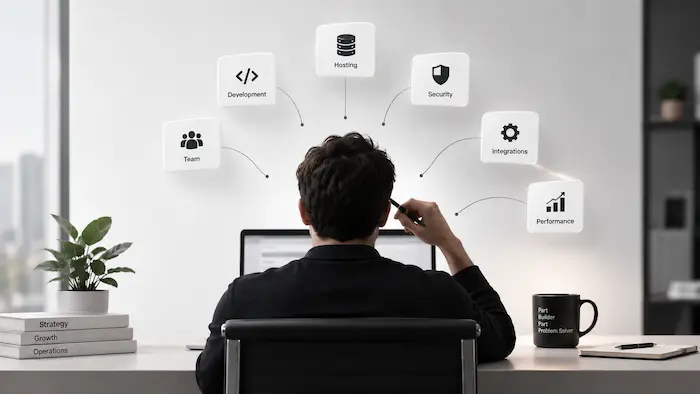
| If you’re the person everyone comes to when something breaks, website integrations needs to be updated, or nobody knows how the website workflow works, you may have become your business’s accidental CTO.
As your business scales, that dependency can put revenue and operations at risk. The answer isn’t fewer integrations; it’s making sure the knowledge, ownership, monitoring, and maintenance of your website aren’t dependent on you alone. |
You Didn’t Hire Yourself to Be Your Website’s CTO, but Here You Are
Nobody sits down and decides to become the technical backbone of the business.
It happens in small, reasonable decisions: you approve a CRM integration because sales needs leads routed correctly, you pick an email tool because marketing needs it, you okay a custom fix because the developer explains it well enough at the time.
Each decision made sense. None came with a plan for who else would understand the result.
| EXAMPLE · eLearning: when the founder is still the only person who knows the workflow
A LearnDash business starts with five courses, WooCommerce checkout, and one founder handling the website and marketing. The founder personally connects course purchases to enrollment emails and CRM updates because, at that stage, there is nobody else who needs to touch them. The business grows and hires a marketing coordinator. The coordinator now needs to change an enrollment email, but nobody can tell whether the email is triggered by LearnDash, WooCommerce, or the email platform. There is no documentation, so even a copy change feels like something that could break the enrollment flow. The website still works. The problem is that the business has grown beyond a setup where one person’s memory is part of the infrastructure. |
Your Website Has Become Business Infrastructure, Whether You Planned It or Not

At some point, “the website” stopped being an accurate description of what you’re running. For a scaling business, the site sits in the middle of a chain: customer, then website, then payment processor, then CRM, then email, then operations, then reporting, and every handoff depends on an integration working correctly.
| EXAMPLE · eCommerce: when checkout works but the business doesn’t
A WooCommerce store has grown from a simple online shop into a larger operation with its checkout connected to the CRM, order-confirmation system, accounting software, and fulfillment workflow. A routine plugin update changes how order data is passed after checkout. Payments continue to process normally, but the confirmation automation stops receiving the information it needs. There is no obvious checkout error because the transaction itself succeeds. Customers receive no confirmation and start contacting support to ask whether their orders went through. The website hasn’t technically gone down. One broken handoff has simply turned a functioning checkout into a support problem. |
This is why the accidental CTO problem is a leadership issue, not just a technical inconvenience. When one person is the only person who understands how these connections work, the business has created a single point of knowledge and a single point of failure.
| ✓ THE PATTERN HERE
The pattern here: a broken integration rarely announces itself as a website issue. It shows up as missing leads, unpaid invoices that look paid, or customers locked out of something they already bought, and by the time someone notices, the cause is usually buried several systems deep. |
The Real Warning Sign Isn’t How Many Website Integrations You Have
It’s tempting to conclude that the answer is fewer tools. Usually, it isn’t. A scaling business needs its CRM, payment processor, email platform, accounting system, LMS, and website to work together.
The real question is whether anyone besides the person who originally set them up can understand, troubleshoot, and safely change those connections.
Three well-documented integrations that the team can manage are often safer than ten integrations that only one person knows how to operate.
Do you know who owns your website integrations?
Make sure your team can understand, manage, and safely change your website setup without everything depending on one person.

When Nobody Knows What a Broken Integration Will Affect
This is where the accidental CTO problem becomes visible, usually at the worst possible moment. An integration fails, and the business has no clear way to know what depends on it, who should investigate it, or what else might be affected.
Data stops syncing, duplicate records appear, automated emails stop triggering, or a payment succeeds without granting the access it should. The technical failure is only part of the problem. The bigger issue is that understanding the failure still depends on one person’s knowledge.
These failures don’t always show up as an obvious error on your dashboard. They show up as a customer complaint, a missing lead, or a number that doesn’t add up weeks later.

The LearnDash Business That Can’t Change Its Enrollment Flow
A hesitation like this shows up the same way across scaling LearnDash and WooCommerce businesses, once enough integrations sit between a purchase and a learner’s access.
| EXAMPLE · eLearning: when a new revenue stream becomes a technical risk
A LearnDash training business has grown from selling individual courses to winning larger corporate training deals. The team wants to introduce bulk purchasing so a company can buy 50 seats and assign them to employees. On paper, it is a straightforward new revenue path. But the existing setup connects WooCommerce purchases to LearnDash enrollment, CRM records, email automation, and reporting through integrations one person originally configured. The founder hesitates to change the enrollment flow because nobody can confidently map what the new corporate purchase would affect. For a $500K–$10M ARR LearnDash business, a single corporate training contract can be worth $30,000–$100,000 annually. Being unable to safely support bulk purchasing isn’t just a technical limitation—it can put a significant revenue opportunity out of reach.. |
The goal is to make sure the business isn’t dependent on one person’s memory to understand what connects to what, what can be changed safely, and what needs attention when something fails.
For a real-world example, our work connecting LearnDash to Neon CRM for a nonprofit education client kept enrollment, CRM records, and reporting in sync in real time—reducing the need for manual reconciliation and making the workflow less dependent on individual knowledge.
The WooCommerce Store Where Nobody Wants to Touch Checkout
The same problem can appear in eCommerce, where checkout often sits at the center of even more business-critical integrations. When nobody is confident about what a change might affect, even simple conversion improvements can start to feel too risky.
| EXAMPLE · eCommerce: when checkout becomes the page nobody wants to improve
A growing WooCommerce store has added subscriptions, multiple payment methods, CRM syncing, accounting automation, and shipping integrations over several years. Checkout now sits at the center of several business processes. When the marketing team wants to simplify the checkout copy and test a new offer, the request gets passed to the developer. Nobody is sure which integrations depend on the existing checkout fields or what a seemingly small change could affect. The copy update gets postponed. Then the next test gets postponed too. The problem is no longer that checkout is fragile—it is that the business has lost the confidence to change one of its most important conversion points. |
| ✓ THE TAKEAWAY FROM BOTH EXAMPLES
The takeaway from both examples: the freeze isn’t caused by having too many integrations. It’s caused by nobody besides one person being able to predict what they’ll disturb, and that pattern isn’t limited to enrollment flows and checkout pages, it’s what happens anywhere undocumented decisions pile up. |
When WordPress Becomes the System Nobody Fully Understands
Zoom out far enough, and the problem isn’t WordPress, LearnDash, or WooCommerce individually. It’s what accumulates around them: years of plugins, custom code written for a requirement that made sense at the time, integrations added by a developer who’s since moved on, staff changes that took institutional knowledge with them.
| EXAMPLE · eLearning: when yesterday’s custom fix blocks tomorrow’s promotion
A LearnDash business originally sold individual courses, so a developer built custom discount logic for corporate purchases. Three years later, the catalog has expanded and marketing wants to launch a bundle promotion for a new campaign. The old discount logic still sits inside the purchasing flow, but the developer who built it is no longer involved. Nobody on the current team is certain how the custom rules interact with WooCommerce coupons, bundles, and the cart. Marketing shelves the promotion rather than risk breaking an existing pricing rule. The technical debt isn’t showing up as an error on the website. It’s showing up as a business idea that the team no longer feels safe implementing. |
What Website Integration Management Actually Looks Like for a Scaling Business
None of this means ripping out integrations or freezing the website in place. It means practicing real WordPress website management: the practices that should have grown alongside the tech stack.
● Ownership: someone specific, not “whoever’s around,” is accountable for the website’s integration ecosystem.
● Documentation: a living record of what connects to what, and why.
● Monitoring: a way to know an integration has failed before a customer tells you.
● Change management: a defined check before a major update ships.
● Maintenance: someone responsible for keeping plugins, APIs, and compatibility current.
● Architecture reviews: periodically asking whether an old integration still earns its place.
Our piece comparing website maintenance and website management outsourcing for growing businesses goes deeper into how to structure this without hiring a full internal team.
This is precisely what website management services are built to provide: ongoing ownership, monitoring, and change management.
| ✓ PUT SIMPLY
Scaling your website safely requires more than fixing issues as they appear. Ownership, documentation, monitoring, maintenance, and regular reviews help the team understand and manage what the website has become. |
Ready to take website management off your plate?
Get the ongoing monitoring, maintenance, and support your website needs as your business grows.
| Are You the Accidental CTO? A 6-Question Check
Answer yes or no to each question. 1. Could someone other than you explain what breaks if your CRM integration fails? (Y/N) 2. Is there written documentation of what connects to what on your website? (Y/N) 3. Has an integration ever failed silently, with no one noticing for days? (Y/N) 4. Can your team update a form, plugin, or checkout flow without asking you first? (Y/N) 5. If you took a two-week vacation, would anyone know what to check if something broke? (Y/N) 6. Do you have monitoring in place that would flag a broken sync before a customer does? (Y/N) STRONG PARTIAL GAPS ARCHITECTURAL RISK |
Conclusion
The accidental CTO problem isn’t that your website has integrations. It’s that the knowledge of how they connect never left one person’s head.
As the business grows, that concentration gets riskier, not safer, because more revenue, more customer data, and more of the business’s daily operations now depend on connections nobody but you can fully explain.
Use the six questions above as a starting point. Your answers should tell you whether the biggest gap is documentation, monitoring, or architecture—and which one needs attention first.
If your business is currently depending on you remembering how it all connects, plan your website management with WisdmLabs →
FAQ
What is an “accidental CTO” in a small or scaling business?
It’s the founder, marketing lead, or operations manager who never took on a formal technical role but became the only person who understands how the business’s website integrations connect. It usually forms gradually, through a series of individually reasonable decisions, rather than one deliberate choice.
Why do website integrations stop working without any warning?
Most integrations fail silently rather than with a visible error. A third-party API change, a security setting update, or a hidden platform limit can sever a connection while both systems still appear to function normally. The failure usually surfaces later, as a missing lead, a duplicate record, or a customer complaint.
How many integrations are too many for a growing WordPress site?
There’s no fixed number. A mature, scaling business should have several systems talking to each other. The real question isn’t the count; it’s whether more than one person could explain what happens if any single integration fails, and whether that’s documented anywhere besides someone’s memory.
What’s the risk of migrating platforms when we don’t fully understand our current integrations?
A migration moves more than products and customer records. It moves the relationships between orders, payments, CRM data, subscriptions, and automations. Migrating without first mapping those relationships is how businesses discover broken connections only after they’ve already gone live on the new platform.


