
WooCommerce Sales Booster Pack




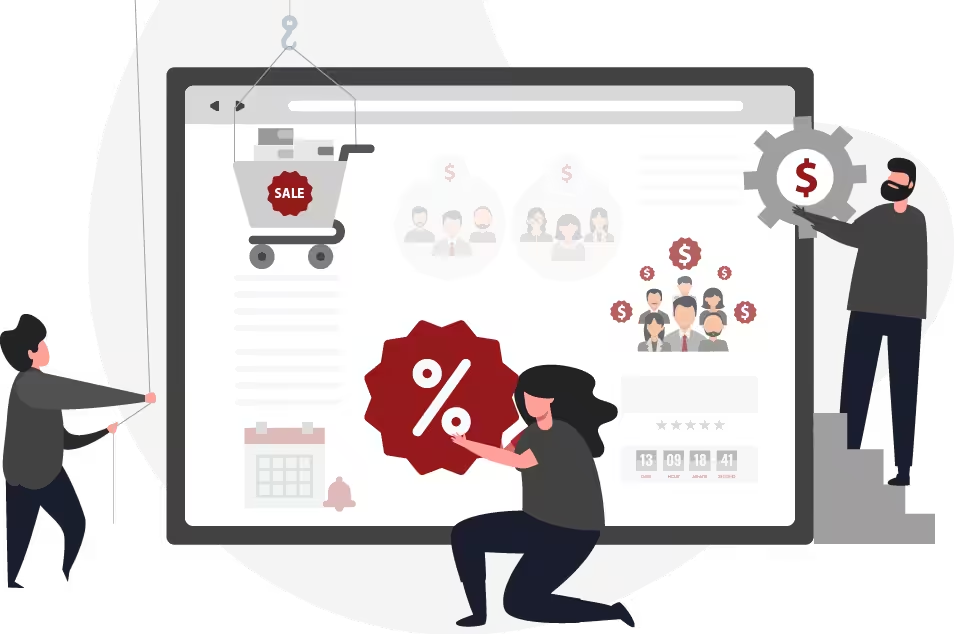
Let’s put WooCommerce Sales on Auto-Pilot
Customers want that certain push, trigger, or motivation to make a purchase. With Sales Booster Pack, you can easily roll-out effective conversion strategies onto your store. If you want to boost your WooCommerce sales, this bundle is for you.

9 Kickass Ways Sales Booster Pack Helps Boost WooCommerce Sales ♥
Effortlessly Convert Potential Customers into Buyers
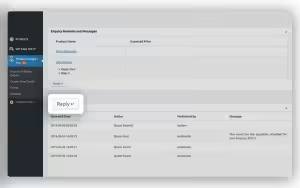
Quick Reply Option in Dashboard
A quick reply option to product queries and quote requests gives you the power to overcome presale hurdles, leading to more conversions.
Add-on: WISDM Product Enquiry Pro
Capture Interested Buyers as Leads
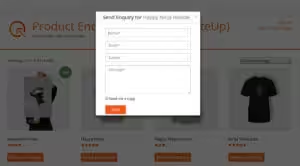
Quick Enquiry Option
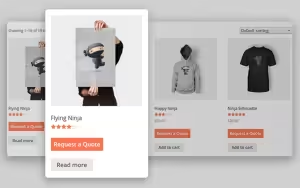
Don’t let leads slip away. With an inquiry option, store visitors can easily reach out to you with presale questions or queries — helping you grow your business.
Add-ons: WISDM Product Enquiry Pro

Quickly Negotiate on Deals and Close Bulk Orders
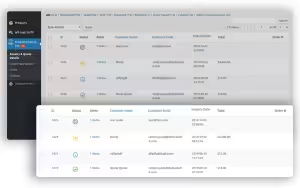
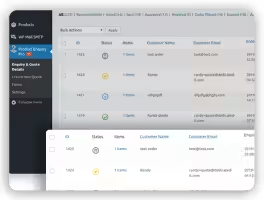
Dashboard View of Enquiries/Quote Requests
Work with wholesalers and bulk buyers to negotiate pricing and close huge deals. Save special prices on products for recurring bulk orders.
Add-on: WISDM Product Enquiry Pro
Shoot up Loyalty with Personalized Pricing
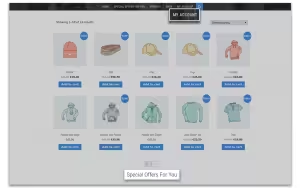
Catalog for Special Customers
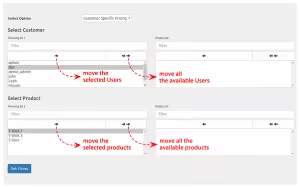
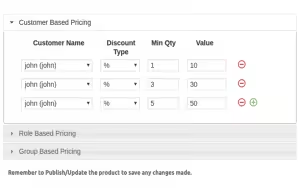
Make customers, members, partners, or groups feel special with custom prices set for products and categories. Foster loyalty with exclusive flat prices or discounts.

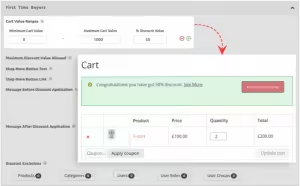


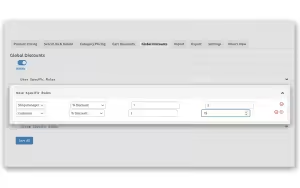
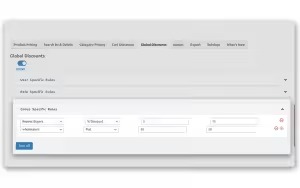
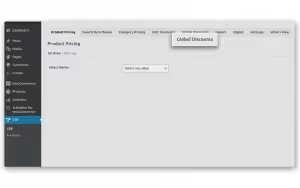
Run Holiday or Seasonal Sales with Ease
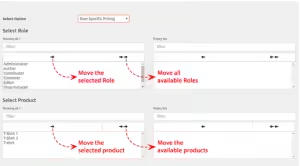
Global discounts for users, roles and groups
Be a class-apart from your competition by setting irresistible sales or store-wide discounts. Set personal offers, schedule product purchases for a limited time, and a lot more.
Sell Out Sluggish Inventory with Tantalizing Offers
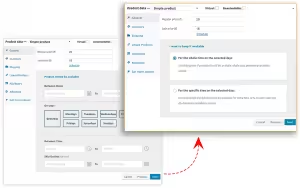
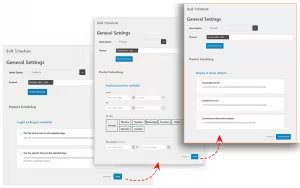
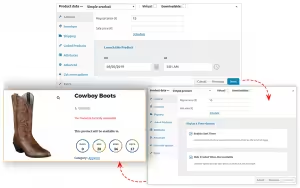
Schedule Stock Availability with Sale Price
Want to make slow-moving products the highlight of your store? Set some focus on them by running special sales or making them available for a specific duration to invoke interest.

Use Psychological Tricks to Urge Sales
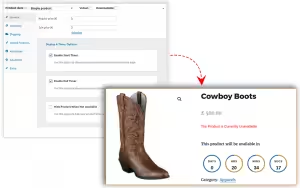
Front End Countdown Timer
Urgency, countdown timers, limited-time offers, exclusivity are verified psychological tactics to boost purchases. Use one or a combination of these tricks to persuade visitors into becoming buyers.
Add-on: WISDM Scheduler for WooCommerce
Keep Customers Coming Back with Timely Notifications
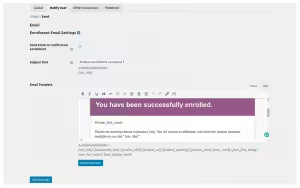
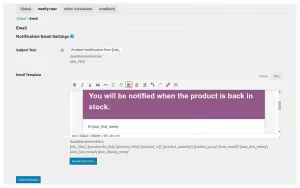
Custom Availability/Unavailability Message
Reach out to customers even when they’re not on your store and let them know when their favorite products are back in stock. Never let interested customers get away.
Add-on: WISDM Scheduler for WooCommerce

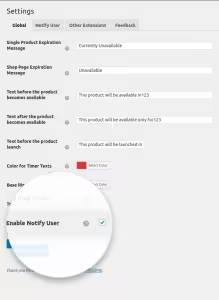

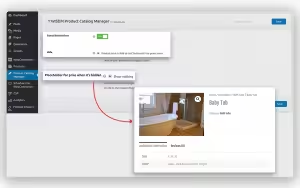


Coax Guest Buyers into Becoming Members
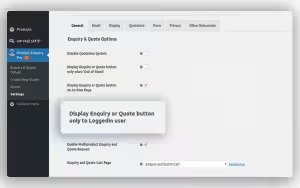
Hide product purchase options
Lock unregistered visitors out of your store. Let them browse your catalog but not make a purchase. This will get them to sign-up and become members so as to buy from you.
Add-on: WISDM Product Catalog Manager
Products Included

WISDM Customer Specific Pricing

WISDM Scheduler
Here’s an effortless way to make products made more attractive. It’s your key to creating a sense of urgency and increasing purchase temptation by adding a countdown timer on product purchases. Make products available for a certain duration or on specific days with ease

WISDM Product Catalog Manager
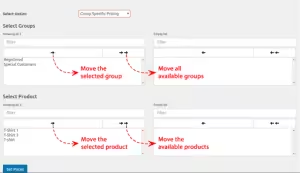
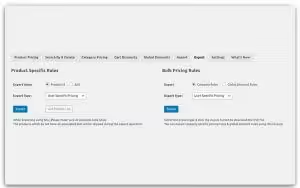
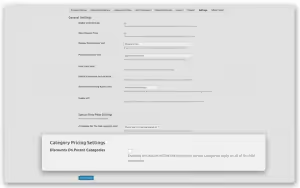
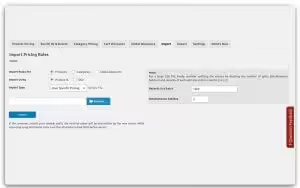
A Sneak Peek at the Plugin’s Admin Settings
Pricing Rules

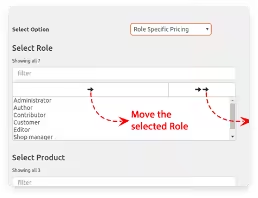


Inquiry and Quote creation


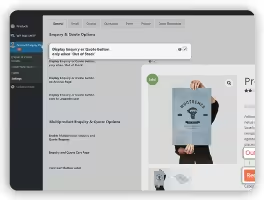

Schedule purchase availability


Catalog mode options

Choose a Plan that Suits Your Need
The price is perfect and so is our product!
Save up to 60% by purchasing lifetime license.
customers/users. Dynamic pricing helps you offer a personalized buying
experience for all customers.
manager, customer and more.
customer loyalty at every level.
products. For example, you can create “Buy 1 Get 1 free” by offering 2
products for the price of 1. Quantity based pricing also help wholesale
sellers to manage their WooStore.
for customers, user roles, and groups. For example, if there is a
category ‘electronics’, then you can apply dynamic pricing on all
products which are in the ‘electronics’ category. Or want to set a 10%
discount on ‘furniture’ (category) or a 20% sale on ‘chairs’ (child
category). Now, offer different pricing rules for product categories.
items added to the cart. Set different discount rules and percentages to
automatically trigger offers to New users, Existing users, and Guest
users. Exclude certain products, categories, users, or roles from your
discount rules. Award higher discounts on larger orders and set an upper
limit on the discount amount awarded.
bulk purchases. For example – 2 books at 10% off; 3 books at 15%; 5
books at 40% off and so on. Use tiered pricing to auto-apply discounts
based on purchase quantity.
them a unique catalog page with personalized discounts. All deals on one
page – let logged-in users view all special prices set for them on a
single page. Entice logged in users and keep them coming back for more
with all special pricing offers listed on one page.
site-wide discounts with a single click. Run store-wide sales, holiday
offers and deals on all products or categories, for your customers, user
roles, or certain group.
special pricing to users with the leading “Inquiry Form” and “Quote
Request” plugin on WooCommerce.
not set, you can add custom text to the “Read More” button option. You
can also enable the ‘Hide Price Total’ option to remove the total price
when a user adds a higher product quantity.
products to give some products for free on your store.
3rd party apps with CSP using the plugins APIs. Plugin APIs help you to
easily integrate external services with the plugin to control and manage
prices!
sale price displayed. Set percentage discounts on sale prices as well.
the plugin. In the Search and Delete tab, you can simply search
associated prices, select and delete or edit these prices by a user,
role, group or product category.
WISDM Customer Specific Pricing, you can apply discounts to one or more
products and for more than one customer at the same time, using a single
screen!
purchase value for availing the discount. And show a custom message once
a discount has been applied to display the percentage amount saved.
coax them into making a purchase.
discounted.
option to export these reports.
editing is made a whole lot easier with the flexibility to edit prices
for multiple products using a product ID or SKU. Save time by setting
prices for customers, user roles or groups in a CSV file to
import/export pricing data in bulk.
WooCommerce multisite setup. Manage pricing rules for each store
separately. Also, set up schedules and timers on your multi-sites
easily.
built by the best Gold WooExperts!
adding an inquiry button on the Shop or Product Archive Pages.
helps you add custom fields to your Inquiry Form.
custom/personalized logo for your business.
quotation system without language as a barrier.
page builders.
send the quote PDF to the customer. You can also send quotes back and
forth until you reach a price agreement.
products or variations of a particular product as well.
Inquiry Cart at all times.
Variation will show by default on the Product Pages with the Inquiry
Button Visible for the same product.
hide or show the Enquiry button, Add to Cart button, and product price
quote requests in your dashboard. Filter inquiries for better
assessment.
or quote request button on ‘Out of Stock’ products only.
reply-option in the dashboard itself.
to “Send a Copy” of the email to themselves.
or quotation requests.
the button location with options in the settings panel.
analyze buyers demands and price requests.
customers/users. Dynamic pricing helps you offer a personalized buying
experience for all customers.
manager, customer and more.
customer loyalty at every level.
products. For example, you can create “Buy 1 Get 1 free” by offering 2
products for the price of 1. Quantity based pricing also help wholesale
sellers to manage their WooStore.
for customers, user roles, and groups. For example, if there is a
category ‘electronics’, then you can apply dynamic pricing on all
products which are in the ‘electronics’ category. Or want to set a 10%
discount on ‘furniture’ (category) or a 20% sale on ‘chairs’ (child
category). Now, offer different pricing rules for product categories.
items added to the cart. Set different discount rules and percentages to
automatically trigger offers to New users, Existing users, and Guest
users. Exclude certain products, categories, users, or roles from your
discount rules. Award higher discounts on larger orders and set an upper
limit on the discount amount awarded.
bulk purchases. For example – 2 books at 10% off; 3 books at 15%; 5
books at 40% off and so on. Use tiered pricing to auto-apply discounts
based on purchase quantity.
them a unique catalog page with personalized discounts. All deals on one
page – let logged-in users view all special prices set for them on a
single page. Entice logged in users and keep them coming back for more
with all special pricing offers listed on one page.
site-wide discounts with a single click. Run store-wide sales, holiday
offers and deals on all products or categories, for your customers, user
roles, or certain group.
special pricing to users with the leading “Inquiry Form” and “Quote
Request” plugin on WooCommerce.
not set, you can add custom text to the “Read More” button option. You
can also enable the ‘Hide Price Total’ option to remove the total price
when a user adds a higher product quantity.
products to give some products for free on your store.
3rd party apps with CSP using the plugins APIs. Plugin APIs help you to
easily integrate external services with the plugin to control and manage
prices!
sale price displayed. Set percentage discounts on sale prices as well.
the plugin. In the Search and Delete tab, you can simply search
associated prices, select and delete or edit these prices by a user,
role, group or product category.
WISDM Customer Specific Pricing, you can apply discounts to one or more
products and for more than one customer at the same time, using a single
screen!
purchase value for availing the discount. And show a custom message once
a discount has been applied to display the percentage amount saved.
coax them into making a purchase.
discounted.
option to export these reports.
editing is made a whole lot easier with the flexibility to edit prices
for multiple products using a product ID or SKU. Save time by setting
prices for customers, user roles or groups in a CSV file to
import/export pricing data in bulk.
WooCommerce multisite setup. Manage pricing rules for each store
separately. Also, set up schedules and timers on your multi-sites
easily.
built by the best Gold WooExperts!
adding an inquiry button on the Shop or Product Archive Pages.
helps you add custom fields to your Inquiry Form.
custom/personalized logo for your business.
quotation system without language as a barrier.
page builders.
send the quote PDF to the customer. You can also send quotes back and
forth until you reach a price agreement.
products or variations of a particular product as well.
Inquiry Cart at all times.
Variation will show by default on the Product Pages with the Inquiry
Button Visible for the same product.
hide or show the Enquiry button, Add to Cart button, and product price
quote requests in your dashboard. Filter inquiries for better
assessment.
or quote request button on ‘Out of Stock’ products only.
reply-option in the dashboard itself.
to “Send a Copy” of the email to themselves.
or quotation requests.
the button location with options in the settings panel.
analyze buyers demands and price requests.
*By purchasing lifetime license you get 3 years of support and lifetime updates.

100% Risk-Free Money Back Guarantee!
We guarantee you a complete refund for new purchases or renewals if a request is made within 15 Days of purchase.
Our customers love us for our great plugin and support!
FAQs
Can I schedule product prices with Sales Booster Pack?
Does Sales Booster Pack provides APIs to integrate with 3rd party plugins?
Is the WISDM Customer Specific Pricing compatible with WooCommerce Product Table?
Yes, WISDM Customer Specific Pricing is compatible with latest version of WooCommerce Product Table.
Is there any limit on the number of customer-price pairs I can add?
No, there is no such limit. You can add any number of customer-price pairs as needed.
Does the dynamic pricing plugin work with all product types?
Currently, the plugin works with the WooCommerce Simple Product and Variable Product types.
What kind of customer does the plugin support?
You can add a price for any customer with an account on your website.
Can customers see the original price of the product, even if a special price has been set for them?
You can enable the settings to show the regular price of the product along with CSP on the settings page. You can also enable strikethrough on the regular price and show CSP or completely hide the regular price.
What happens if a user belongs to a group as well as a role to which custom prices have been applied?
The plugin follows the following order of priority Customer Based Price, User Role Based Price, Group Based Price, Regular Price with customer based price getting the highest priority. So if a user belongs to a group as well as a role to which custom prices have been applied then the user can purchase the product at the price set for the user role assigned to him.
What happens if I add the same customer more than once?
If you add the same customer more than once, the initial price set for the customer (in the customer-price list), will be applied. For example, if product XYZ is set at $25 for Tom, and then Tom and $35 is added again, the product XYZ for Tom will be $25.
A user has been added to two groups that have custom prices assigned. Which rate will be applicable to the user?
If a customer belongs to multiple groups (or roles), the least price set for the group (or role) will be applied.
Can I hide the price total displayed when the quantity is updated on the product page?
Is the cart discount applied on the cart total if a users adds excluded products/categories to the cart?
Ratings and reviews
Documentation

Installation and User Guide
Read all the sections and you can start using WISDM Customer Specific Pricing with a better perspective.
Read More

Product and Support
All WordPress plugins and themes sold by WisdmLabs are 100% GPL.
Read More
What's your experience? We'd love to know!
A great plugin with all needs with great customer support
This plugin is a must for your Woocommerce store if you have different types of user roles. I love how it works. The import facility is great to set a specific price for user roles like Wholesalers. Also, I found a great support team. Mr. Arjun Pillai helps me a lot to resolve my issue within hours. Thank you
Incredible support guys
Incredible support! I got help with my issue very quickly and smoothly! Thank you!
Prompt and direct
Arjun and the team are amazing!
What's your story? We'd love to know!